Search
-
Technical 3dsmax question
 How can I get this? _^_^_ Can this be done with materials or options, or hack scripts? What I want is to be able to hide or remove edges form one model but keep them for another? The detailed version is sculpt, and the obvious lower detailed version is the new topology. Help!
 -
Moved: 3dsmax script multiple use for "c"
 This discussion has been moved.
 -
Re: [3DSMAX] How to make guardrails like these?
 Tada! https://makeanything.autodesk.com/3dsmax-indie
 -
problem with F.A.S.T plugin for 3dsmax
 hello. when i do the wire connection when i click on F.A.S.T button and click and drag nothing will happen what is wrong? http://s5.picofile.com/file/8372917418/Rec_0004.mp4.html
 -
3dsMax 2022 with Smart Extrude Cut-Through and Bridge
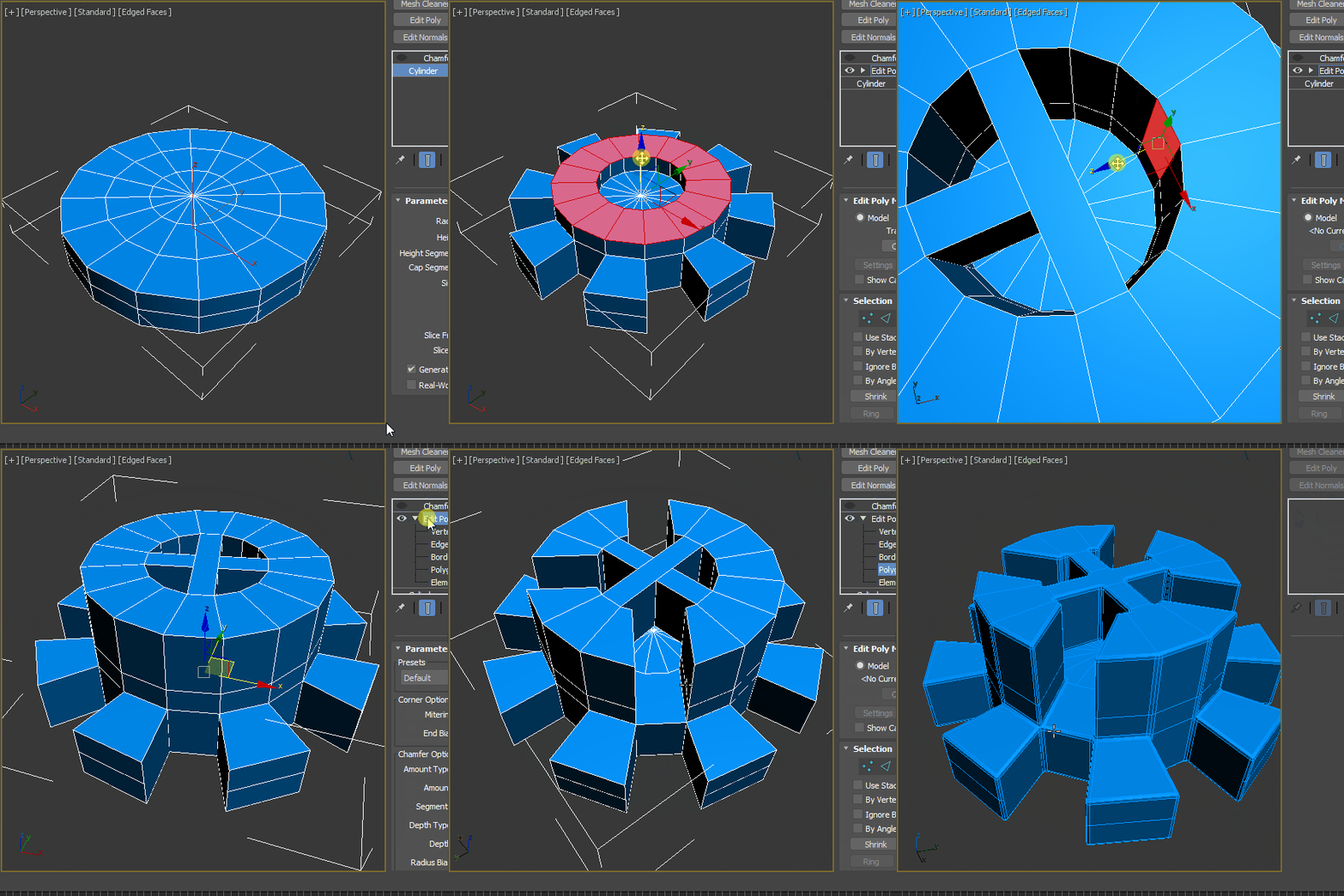 Autodesk Official VIdeo : https://www.youtube.com/watch?v=q0bIYyorjY0 Eloi's video : https://www.youtube.com/watch?v=YbrHCICnT4sPerformance update detail. https://cganimator.com/3dsmax-2022-modifier-modernization-includes-3dsmax-2021-pus/Smart ExtrudeSmart Extrude Cut-through - removes geometric data when the smart extrude…
 -
3DsMax Cant find Polydraw
 Very embarrassing, I cant find polydraw under the freeform menu in Max 2017. Came up empty with google as well. Any info appreciated. Cheerio
 -
Re: 3dsmax Invert UV's
In the Unwrap editor, the Select menu has a tool for this. http://help.autodesk.com/view/3DSMAX/2017/ENU/?guid=GUID-2AEF6A44-859D-434E-8E08-00D2A480A0CD -
Re: 3dsmax . stacking order
 http://www.luxinia.de/index.php/ArtTools/3dsmax Crazy Butcher authored a script that sets the direction of movement based on mouse movement, it might be what you're looking for?
 -
3dsmax Conform Geometry
Hi, is there a script or something who does the same thing as Topogun does ? A conform geometry ferature ? I know there is a similar script for maya but I didn't find anything for max. I tried the conform modifier, but it doesn't seems to work like Topogun do. Any hint on this ? -
[3DSMAX] CAT bones not showing ?

 Hello, i'm trying to learn basic animation using the CAT Objects, but when i try to create : a pelvis, an arm etc. Nothing is showing on the viewport ? The elements are really there in the layer manager thouhg. I don't know why, can somebody help me please ? Thank you very much !
>7369 results