Search
-
Re: What Are You Working On? 2012 Edition
 inZBR2-toggle merge down or merge visible- then enable dynamesh, then clean up You can also "remesh all" then "project all" for lost details as needed, then clean up
 -
Re: Problem with Weird Shapes in Maya
 Another thing you might want to try is merging all verts that share the same position; ie the walls, if they're separate pieces, try combining them and merging the verts.
 -
Re: XCOM
 This is a rare occasion whereby a studio has ruined a game merely by announcing it. Strategy X-COM or no X-COM :( They are raising this brand from the dead merely to cash in. What a shame.
 -
Re: Maya zPipeMaker Script
 Script editor also says it's failing to merge vertices. Maybe this is the issue. If I change my merge distance it has no affect.
 -
What is causing / how can i avoid this baking error?

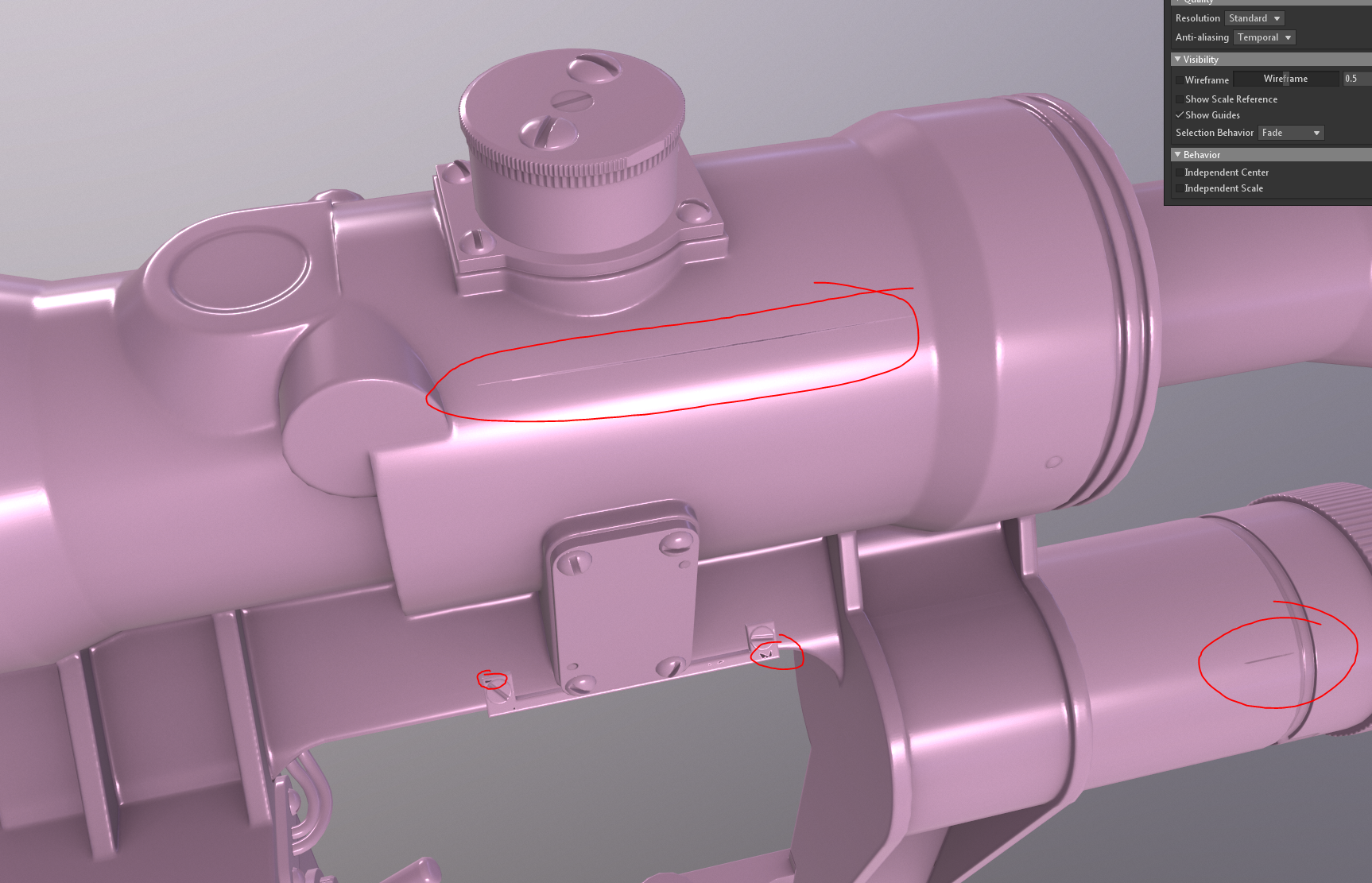 I thought this issue was caused by me decimating too heavily, but it seems even after redoing the high poly & decimating less the issue remained. I am getting black triangles on certain random faces on the high poly (i fixed it in some areas by manually merging these) and also this long artifact. My mesh doesn't have a UV…
 -
Re: Quad Chamfer Modifier released
 I found a bug it seems... When selecting every other edge on a cylinder side, with Quad Ends Checked, instead of merging 2 ends together, it moves/merges 1 end. Thanks!
 -
Mercenary (WIP)
 Hello Polycounters, Here´s my latest WIP I started about 13 days ago. Right now I´m in final phase - texturing, although some parts are still missing from the original concept for Mercenaries 2 and there will also be some minor changes done on the sculpture (or in PS using xnormal plugin) later for finalizing the normal…
 -
Re: Maya - UV Multiple objects onto one texture sheet
 "UV Multiple objects onto one texture sheet " In Maya that would be Polygons > Mesh > Combine > Merge Uv Sets.option, that'll do it. *(select all the objects you want merged and ... combine them)
 -
Re: Marmoset Toolbag 2 | Feedback & Suggestions
-
Re: Posing In Zbrush
So maybe I could merge all my subtools down to one mesh then us the qremesher ? or should i not merge them down?

>6861 results