Search
-
Graphical errors when viewing textures in Max viewport
 First these graphical errors started with just one model, but now have spread to every model no matter if I use 3point shader or Xoliul. The only blue in these images that should be there are the long thin line. the rest shouldn't be. When I use a standard shader the resolution is completely down until I render, which then…
 -
Most efficient way to generate a color mask for texturing?
 I know a bunch of ways however none of them feel efficient enough for me. Currently I assign materials to faces and transfer maps from Maya, however this just gives me colors to pick with 'select colors', I'd rather have my layers all there. 3D Coat is also OK for it using per poly painting and it has layers and can export…
 -
Re: Omni - Hand Painted Textures Help & Crits please
 Looking good so far! It matches your concept really well. How many polys is it? And what size texture are you using? Can't wait to see more!
 -
Re: Z-brush: UV maps and Texturing/Normals
Youre spot on with the procedure. Youre jyst painting the high poly not the low poly. When you poly paint you need to have enough geometry cause youre painting on the verts. So whatd you do is load the unwrap in the texture mapmenu. I have a ttutorial link I can get you later that should explain things better -
SOLVED: DDO not showin texture on Model
Hello All, So I was working on this project in DDO and everything was working. I made a minor change to my geometry and normal map. I tried to reopen my project in DDO with the updated items and I got the below results of a shiny model with no materials. The Model will work with the normal map and NDO just fine. When I… -
Texture by poly and mesh feature problems
 Hi, I have run into a problem where when I try to select a poly or mesh on my model in Substance and add a material to it, it selects either the triangles that make up my polys on my model. I included some pictures below because I know I am not explaining this very well. For whatever reason when I export a model out of 3ds…
 -
3d Environment
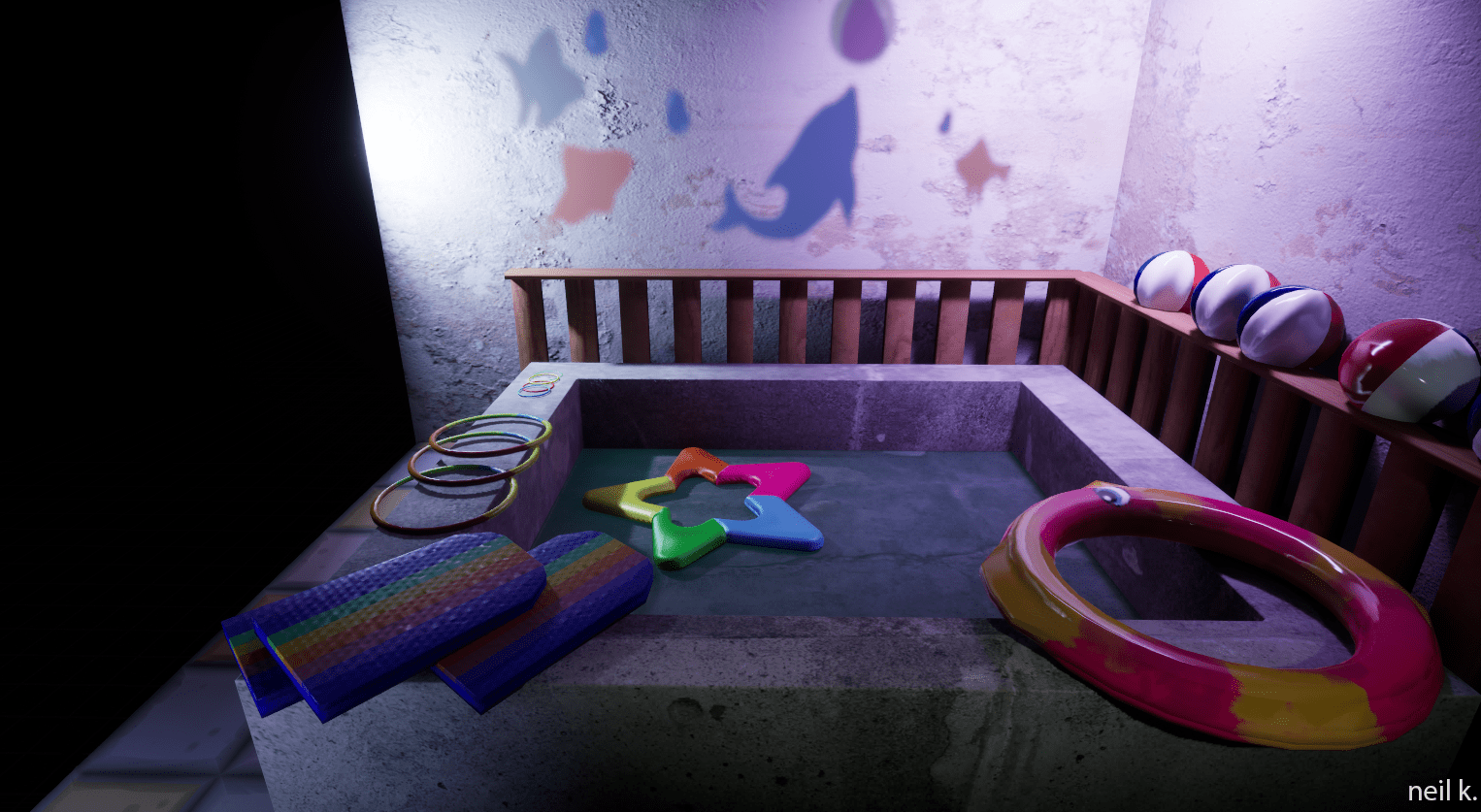 Hi, first post. This is a render based off liminal spaces. I modeled the items in Maya, textured in Substance, and rendered in UE5. Assets were used from Nimble Weave on Ko-fi (pool toy texture), stylized floor material- Changelog on Fab (floor tile texture), and the wall and pool textures are from Quixel. Any other…
 -
Question- help creating fabric textures without anti aliasing issues?
 So I've tried overlaying some photographs of fabric on my color maps and no matter what I do it seems the result is some ugly anti aliasing at some angle or vantage point. Is it possible to overlay a photograph without this issue or do I have to draw out some fabric patterns?
 -
Can I bake textures with only a LP model and a normal map?
I am trying to re-skin a model for a game. Since this is a mod I don't have access to the high poly model but I have the normal map. When I try and bake the AO map I am getting some weird shadows on the model. -
How to bake perfect opacity masks in 3ds Max Render to texture ?
 Hi so I'm having trouble getting clean opacity masks and I cant find an option to have normal map default color to fill the spece where there is no info. I suspect there is some setting I'm missing or using wrong AA ir SuperSampler.
>63306 results