Search
-
Re: [Portfolio] - Jonathan Armstrong
 Hi Jon Your definatily on the right track, can't say I saw your website before the new updates but as of now its pretty nice and easy to navigate. In your reel personally id like to see your yamaha for longer,especially since the Me109 gets a longer period and doesn't feel quite as solid. Also I don't see the point of…
 -
Re: Is Photosourcing a bad word?
Yeah, I'd imagine that the unspoken part of calling something out as photo-sourced is that it's "obviously" photo-sourced. There are almost never hard rules for how to make good looking art. That being said photo-sourced texturing alone is a bit of an anemic skill set for creating materials. And its totally un-suited to… -
Baking Cylinder black Artifacts - Help
 Hello,I recently tried to bake this low poly mesh (it has some hardened edges) with an high polybut these black artifacts appear, I really don't know if this is normal or what could I do to make the normal map bake look better?Extra information: -The UV cuts are in the same place as the hard edges thanks Where hard edges…
 -
Re: Issue Adding Height Detail in Painter - It's Blending instead of Replacing
 If "existing height detail" is actual height information in a lower layer, using normal/replace blend mode on the above stitch layer will work. Also make sure if these layers are in group folders, the folder needs its blend mode set to Passthrough. If the "existing height detail" is in the project's normal map, then you'll…
 -
Re: NEED CRITIQ: WHAT AM I DOING WRONG??
 Yes it does you have to export from maya with smoothing groups turned on. I have found in my experience baking with smoothed normals on a lowpoly mesh almost always turns out better. To me by the sounds of it, assuming I am following you right and that mesh has baked normals, it baked the hard edge info into the normal…
 -
Re: Montmartre, Paris.
 Okay small update 'cuz I need some help here :) I did a quick normal map test of a simple asset since getting normals really good is usually a weakness for me. So here's the low poly (66 tris) in Xnormal viewer. I'm getting weird dark jaggies on the 90 degree edges of the low poly with the normal on. And here's the normal…
 -
Re: Render problem with leaf planes
 Do you have lights in the scene? Do the same planes always glow when you move around the scene or just the ones that seem to be facing the camera? Have you tried using normal thief? It will allow you to align the normals of a one object to another object. It helps to unify the lighting, really helpful when working with…
 -
Re: Devailo's workshop
 Good start. Yeah it will lose its shape. To get around that you have to re inforce the edges you don't want to move. This will be a step one of your high poly. So you will want to export your low poly mesh before you edit it, or like some people. Actually re make your low res after you make the high res. (they do this…
 -
Unwrapping and texture question on model
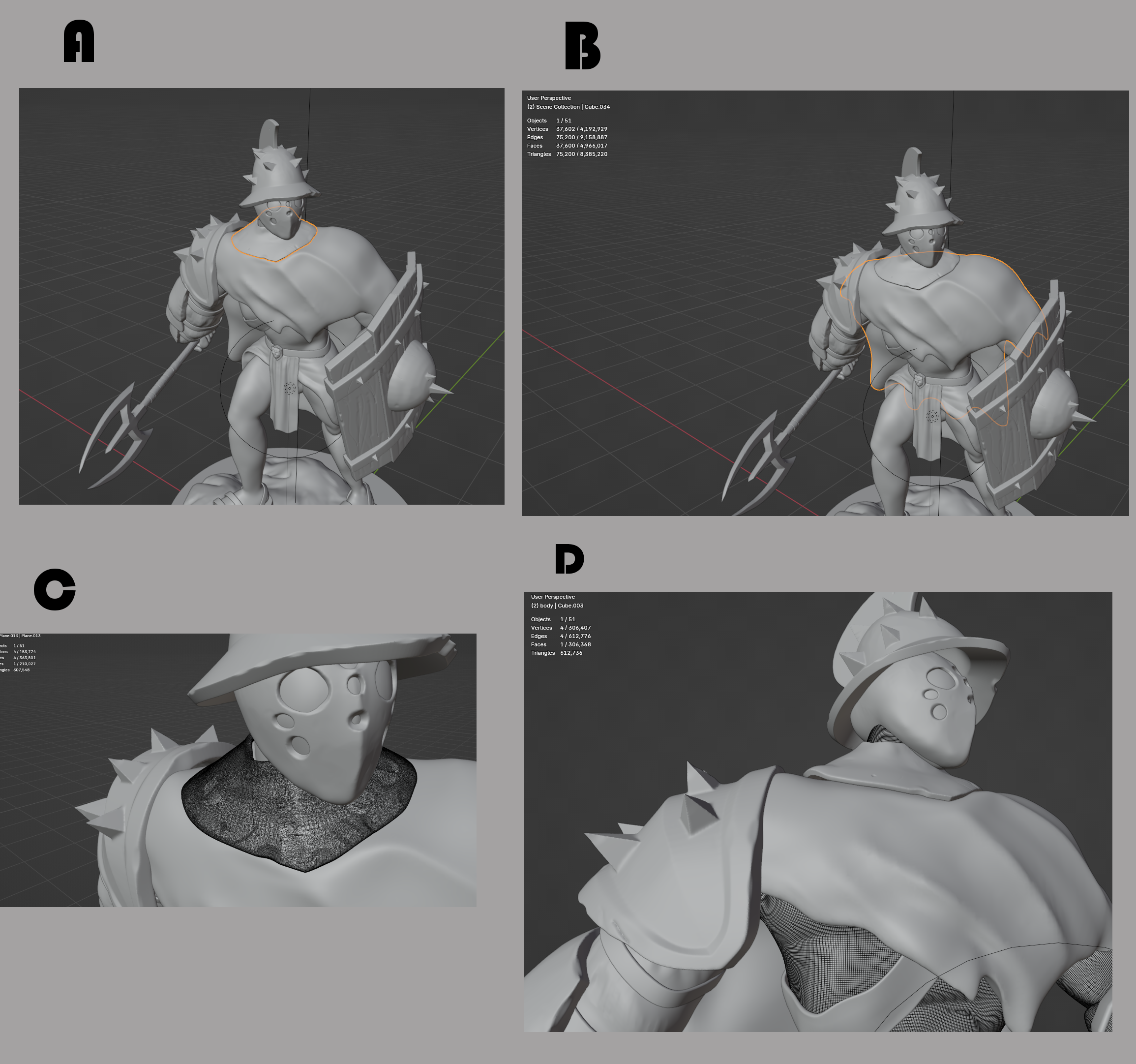 Hi there so I got this question and bare with me if the answer is so obvious. Just I like to make sure or see if there is something else I should keep in mind for the future. I'm full of questions and get better understand of the pipeline :) So I finish following this tutorial of this model that turned out well. Now I like…
 -
Re: Game mesh texturing: seamless platform surface
 Lots of ways to do this. Simplest approach: UV them while they are placed together, with a top planar projection, and use a tiled grass texture for the top faces. Edit the top vertex normals of all the pieces to face the same direction, so there are no shading seams when they’re placed together. UV the sides with a tiled…
>37664 results