Search
-
Guns [W.I.P]
 I have been working on this lot since yesterday, this is the first attempt high poly modelling using 3ds max and i am going to bake it down to around 3000 polys. Critiques needed. By the way it is the Sig P226 Front Front Wireframe Rear Rear Wireframe After i finish this I will attempt another gun
 -
Re: Head Modelling Topology
 Some stuff i've been doing with morph targets :) Theres a slight problem with a seam the AO on the top of the head but that should be cleared up when theres hair on the model/texturing. Male Wireframe and AO expressions Female Wireframes/AO expressions Ty for any crits :)
 -
Re: 3D Artist T-Shirt
 "I merged with your mom last night" would make more sense... or maybe -Select "Your mom" -Fill Hole But ya, i love that wire frame shirt! That is badass. I would also love one that just has a wireframe for the whole shirt. as if your torso was showing in wireframe mode.
 -
Re: Max to Maya Help
 only a modelEditor panel/window can toggle -wireframeOnShaded :( however, if yer only editing 1 UV at a time, or a series of uv's that in combination do not make a complete boundary of a face..view > view contained face will clear the wireframe ( since no face are contained ) If this is not the case then only the enclosed…
 -
Re: best way in max to render wire on shaded?
 That works OK, as long as you add a Push modifier to the wireframe model. I like renders where the wireframe is understated, say 33% solid on top of the shaded model. I also like it sometimes when the shaded model is flatshaded instead of smooth, but I think that depends on what you want to show.
 -
Insomniac Spiderman Retopo (Help)
 My question is very confusing, so I will do my best to word it. This is the Spider-Man model from Insomniac Games Marvel Spider-Man 2. The only model that is from Spider-Man 1 is the photo taken in Maya (blue wireframe). During the 2018 ZBrush Summit, the modeler for Spider-Man at the time (Leroy Chen) said that he cut the…
 -
Re: AD Police chick Nene
holy excessive amount of polygons batman D: btw a good way to do wireframe renders is to duplicate your model, add a black wireframe texture to it, and give that dup a push of .01 or .00001 or something. Or just take screen grabs from the view port with the wire frame on. -
Re: Combat Rifle WIP
 Eh it'd be good for me to know how to properly do wireframe renders in Maya any ways. Not all of the loops show up in this render, but are there any spots in particular that you wanted to see so that I can get close-ups that will hopefully better show the wireframe?
 -
Re: [Technical Talk] - Max Plugins
 ive seen a script a while ago which only shows the wireframe on the selected object instead of the whole scene, cant find it anymore - so any of you guys heard about it? hope this will speed up my scene a little, as drawing wireframes reaaaally kills the performance.
 -
Re: Rework of old project - XJR9 Jaguar

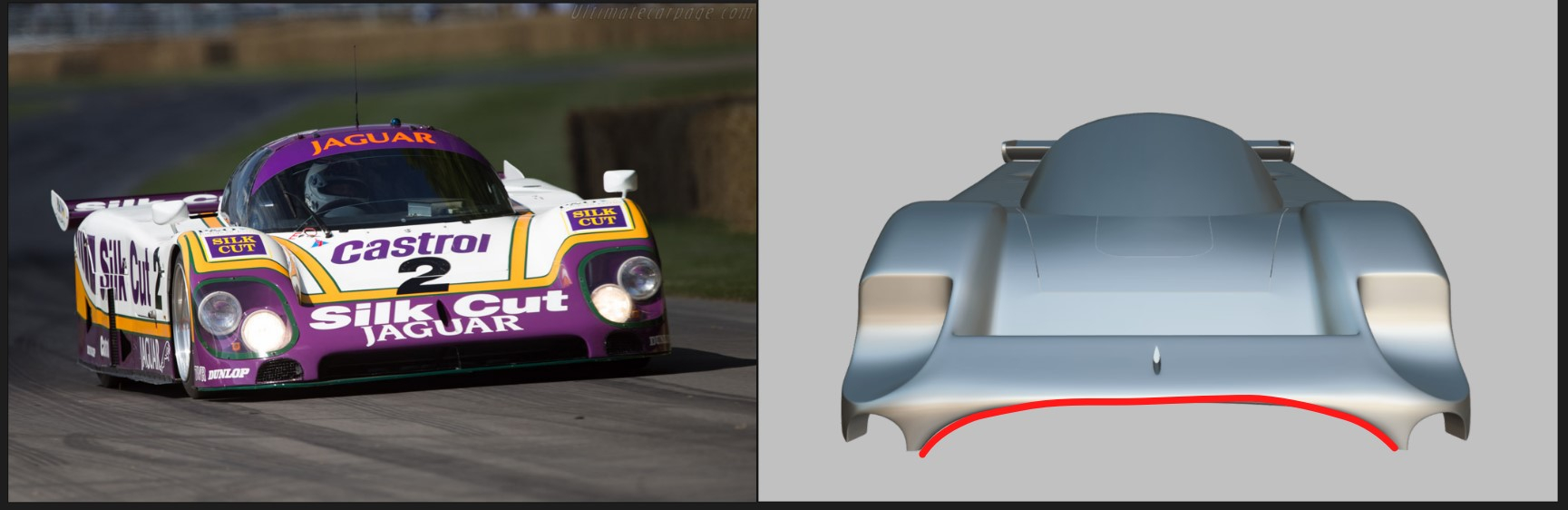 If the project is finished it will be portfolio worthy for sure, it's a cool car! As it is now, it's really hard to tell because you're missing a lot of parts. Chassis are not there, the entire rear with the engine is missing, it's basically just outer panels for now. You don't need to build full internals for cars but…
>6849 results