Search
-
Re: exporting multiple pieces of geo.....at once?
 I think he means each one being a separate .obj file, not just separate parts in one .obj It'd be fairly easy to write a script to do this, although it'd require the user to specify an output folder, and then I guess it'd just name each .obj to match the mesh name.
 -
Re: Maya Transfer Attributes (for Vertex Normal) Giving Undesirable results -- Help!
 ^You should just be able to skip the zbrush step and export without normals with the obj. I'd assume that should work basically the same, as normals would be recalculated on reimport since the obj won't be storing them. It should just import back smooth shaded regardless of whatever you did with the normals before export…
 -
Re: IN PROGRESS: 3DO not previewing its materials
 Did you create this as an original project, or did you create this project previously and then try to reload a combined *.OBJ into the project after the previous one failed? If it's the latter, it's probably because the object's mesh name isn't matching what dDo expects from the previous *.OBJ. Have you tried making a new…
 -
Re: Answered: Mesh combined causes smoothness in Quixel 3DO
How do i save my project as an obj? Should i export it and send you the obj version of the mesh instead of the actual file? Edit: I sent you the obj. There might be a couple little problems with the export maybe. I have learned to check the exported mesh here and there to make sure there no black faces on my model -
Re: 3ds max object scale to big.
Hi there, I was having just the same problem and at the last moment before destroying my whole pc with the keyboard I found out the way; export your model as FBX, (not OBJ) import your model now export as OBJ B) -
The Hard Surface and 3D Print Tools Pro - 4 Script Suite for Autodesk Maya
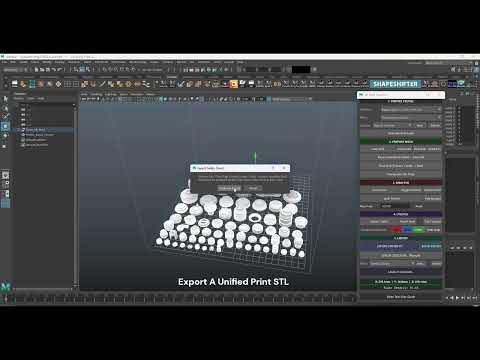 I’m incredibly happy to finally be able to share what I have been putting together over the past couple months, so with that i'm happy to present the Hard-Surface and 3D Print Pro Suite for maya A series of 4 Python scripts used for both hard-surface and 3D print prep pipelines. The Full Master Suite Includes: • Hard-Print…
 -
In a build, does model format make a difference in memory size?
 Here is the same model exported as fbx and obj. FBX is 844kb, OBJ is 22.4kb. For a static prop like this there is no benefit so I would usually use an obj. But once we build the unity project, do the models remain in that format, taking up the same amount space? If I was only using fbx's for everything, woudl I be wasting…
 -
Re: #ds max Default Material at creation
 Sure, many things are just a few lines of script away :) For example, take this and save it as something.ms in your 3ds max\scripts\startup\ folder (so that it will be run every time your start max): callbacks.addScript #nodeCreated \"( \ local obj = callbacks.notificationParam(); \ if isKindOf obj GeometryClass AND obj ==…
 -
Re: Introducing DigiKlay: A New Digital Sculpting Tool (Free Beta & Full Version Available)

 Hi everyone! Thanks to your invaluable feedback, I’ve been working hard to improve DigiKlay. I'm excited to announce several new features and fixes that directly address the most common suggestions from the community: What's New: * Removed the yellow outline in Sculpting Mode Many of you found the yellow outline…
>28981 results