Search
-
Re: Drawing Pencils - Recommendation
 Love my pencils. Honestly, for quick studies and sketches I use a normal pencil(the non mechanical) in 2B, sometimes I use it up to 4B. It's great for putting down large areas of shading due to the softness and width of the nib, as it gets round quickly as it's so soft. After I've got my idea's sketched out, then i either…
 -
Re: What's your work flow?
 Yeah Chilliskinner! hehehe! Yeah Anuxinamoon I do that as well sometimes. Sometimes I get a really complex mesh and I prefer to break it up and lay it in flat planes. I enjoy unwrapping as well. Something cool about the texture layout and how it wraps around the 3D model in creative ways. I'm still getting better and…
 -
Re: This post may be killed, but I have no regrets.
![[Deleted User]](https://polycount.com/themes/polycount/design/default-avatar.gif) It seems that your approach to trying things is flawed. Right now, your process appears to be going something like this: 1) Think of something to attempt. 2) Attempt it. 3) Show the results to others to see if you've succeeded. 4a) If they like it and tell you how great you are, go to step 5. 4b) If they don't like it and…
It seems that your approach to trying things is flawed. Right now, your process appears to be going something like this: 1) Think of something to attempt. 2) Attempt it. 3) Show the results to others to see if you've succeeded. 4a) If they like it and tell you how great you are, go to step 5. 4b) If they don't like it and… -
Answered: 3DO.exe caused an Access Violation (0xc0000005)
 Hi there, I'm having some serious issues running 3DO on my desktop PC. Everything else runs perfect on my system, and DDO and NDO continue functioning while 3DO crashes. I'm running adobe CC 2015, with the newest updates. I did a clean uninstall and a fresh install of CS6, but same issue on CS6. I am running the stability…
 -
Easier FormLayout (MEL)
 I have written a script which makes to manage FormLayouts easier. I want to share this if anyone could be interested. The FormLayout control is the most powerful but less accessible one as it requires more size, offset and ratio management codes. This script is designed to use FormLayouts as easy as PaneLayouts. With this…
 -
Re: SHIFT - Final Year Game Cinematic Trailer Project

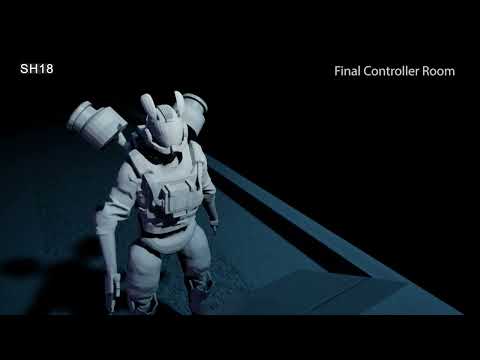 New progress update on our cinematic! https://youtu.be/6IQAfAqq338?si=4b9buOIxvK1DTrg_
 -
Re: Normalize your textures!
 I set the first node to 4bit, just to troll the kids :p
 -
Re: Cyberpunk 2077 inspired Game Environment, Third-Year Uni Project

 The past week has been pretty slow, mostly watching tutorials and planning / discussing ideas. I was really inspired by this concept by Chris Doretz of what looks like a plastic quarantine tunnel running through a damaged hospital area. It looked like it would introduce some really cool opportunities for lighting and also…
 -
Re: Shakiness in Maya Animation
Maya Help | Camera Attribute Editor | Shake https://help.autodesk.com/view/MAYAUL/2026/ENU/?guid=GUID-C3EBB008-7DBE-4B9D-B9AC-1DA974CEFE15#:~:text=Shake Enabled / Shake But yeah for character animations, okidoki's solution might make sense. -
Re: autodesk maya: busted rotation gizmo
Yeah that's not the behavior I see. Did you check the Help file? The video they have is pretty instructive. https://help.autodesk.com/view/MAYAUL/2025/ENU/?guid=GUID-169906C5-CBC4-45CD-8DFB-F716D51D6168 I'm betting you have some non-default option enabled, or you have some other constraint active on the object. Some…
277 results