Search
-
UDK Kismet (Matinee) easy question
 Hello, I've been using and experimenting with UDK last few months, so this will probably be easy as cake for most of you. I have an elevator set up, controlled with kismet and little unreal script (custom sequence action). The problem is with matinee animations. I have 4 floors and 4 switches (one on every floor). I also…
 -
Re: Portfolio Review- Prop Artist
 Just in case you're not aware of the current 3D gamedev industry situation: it's not good. Lots of layoffs happened which means you're competing vs. people who have a lot stronger portfolios and most likely more experience. Prop artist role is very rare, Weapons artist role is probably even more rare nowadays and the bar…
 -
Re: How to pack more details into my terrain?
 I would suggest generating erosion on the terrain using a dedicated tool like WorldMachine or Terragen or the like. This will make a splat map for you, which you can use in a Composite node as your layer masks. To isolate the RGB color channels you can use Color Correction nodes, or even easier just use a single OSL Uber…
 -
Re: UDK Lighting Tutorials
 Yeah.. When you can afford it ^_^ On a side note... did they change the group node key in the UDK material editor ... I could have sworn it was "C" in UT3. Maybe I've lost my mind.
 -
Re: Best method for barely-moving hair Maya?
 Ah you're right, it's been a while. I hadn't actually animated in my little test scene. If I also uncheck Use Nucleus Solver on the hairsystem node it animates for me while in static mode.
 -
Re: Abandoned Dacha Environment - Modular Kit with interiors

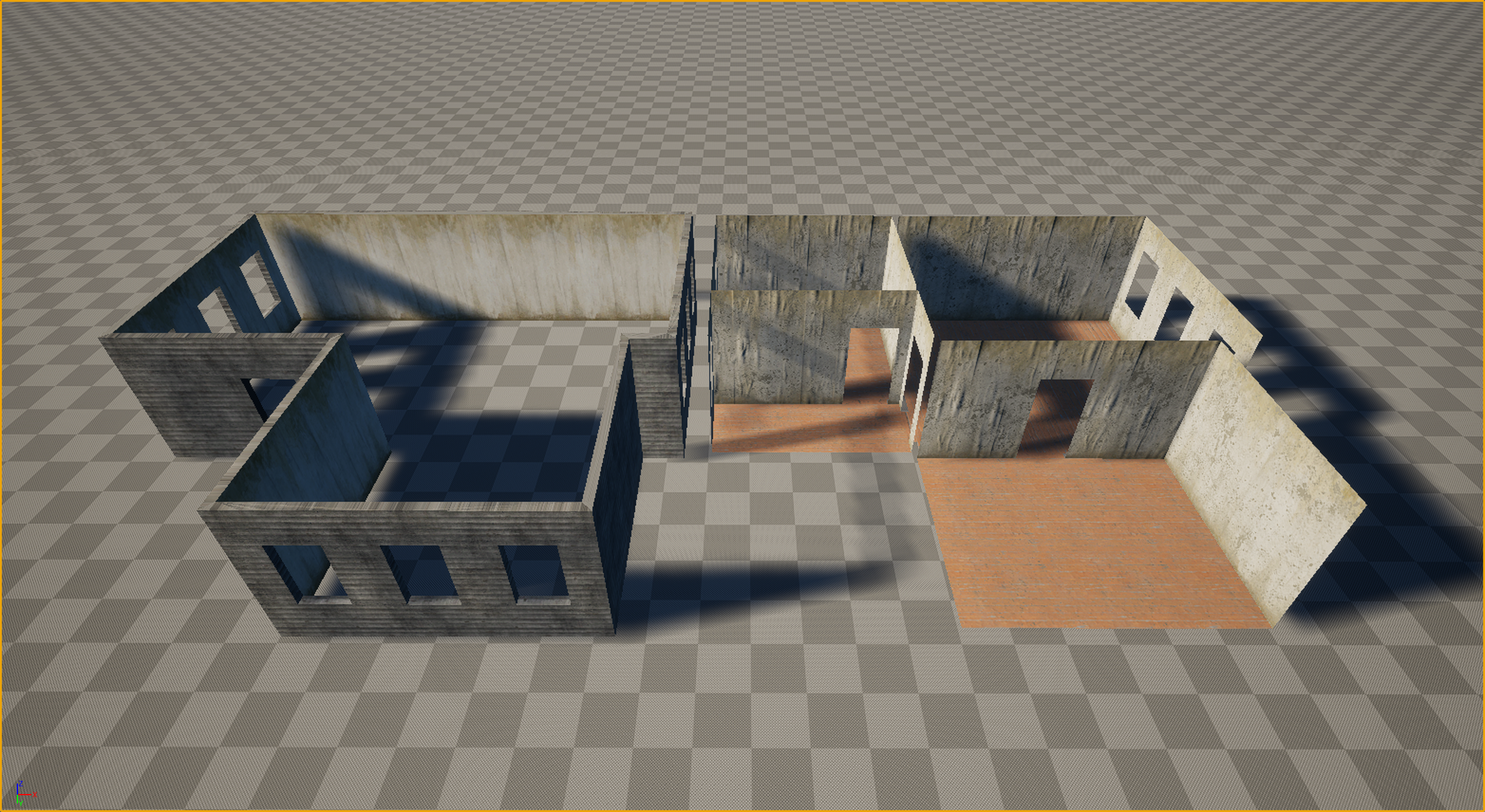 Thanks everyone for the kind words and the great questions! Let’s dive in. Working in VR is truly like walking on a razor's edge. It’s a technical hell where every decision must be calculated ten steps ahead. Performance requirements (high resolution across two displays + high frame rates) leave no room for error, and you…
 -
DDS Texture and Maya filter?
 Hi. If I export my texture as mipmapped DDS from Photoshop, do I still need to set the filter type in Maya's file node? Should I set the filter to mipmap, leave it as quadratic or set to None?
 -
Re: 3Ds Max - How do I get my viewport to display unfiltered low res textures?
 This is in Maya shaderFX but should work the same in max Make a new shaderFX material, go to advanced mode, delete everything and then recreate what you see below In the texturemap node simply set the filter type to point
 -
Re: Rotate an HDRI Blender 2.8 addon
 This is super neat ! One piece of feedback : including a screenshot or a written note in the add-on description mentioning that it requires the Mapping and Texture Coordinates nodes to be present. Even just an external link to a picture would do the job, I think.
 -
Re: Blender Hologram Wire frame fade?
 Start fresh and try working towards an extreme version of the effect you're after, and then tweak it back. By that I mean punch a transparent hole through the object with the Layer Weight and the ColorRamp nodes, because if you can't even do that then you know the nodes are wrong. - When mapping a scalar value with the…
>37255 results