Search
-
Designer - Tile Masking for Atlas?

 Hi everyone. I'm newish to Designer and trying to recreate some tile shapes for an atlas but can't find any masking solutions to do this. Also tried importing b/w bitmaps to maybe plug as alphas but couldn't figure that out either. Any suggestions?
 -
Bloodhound | Sci-Fi Mask

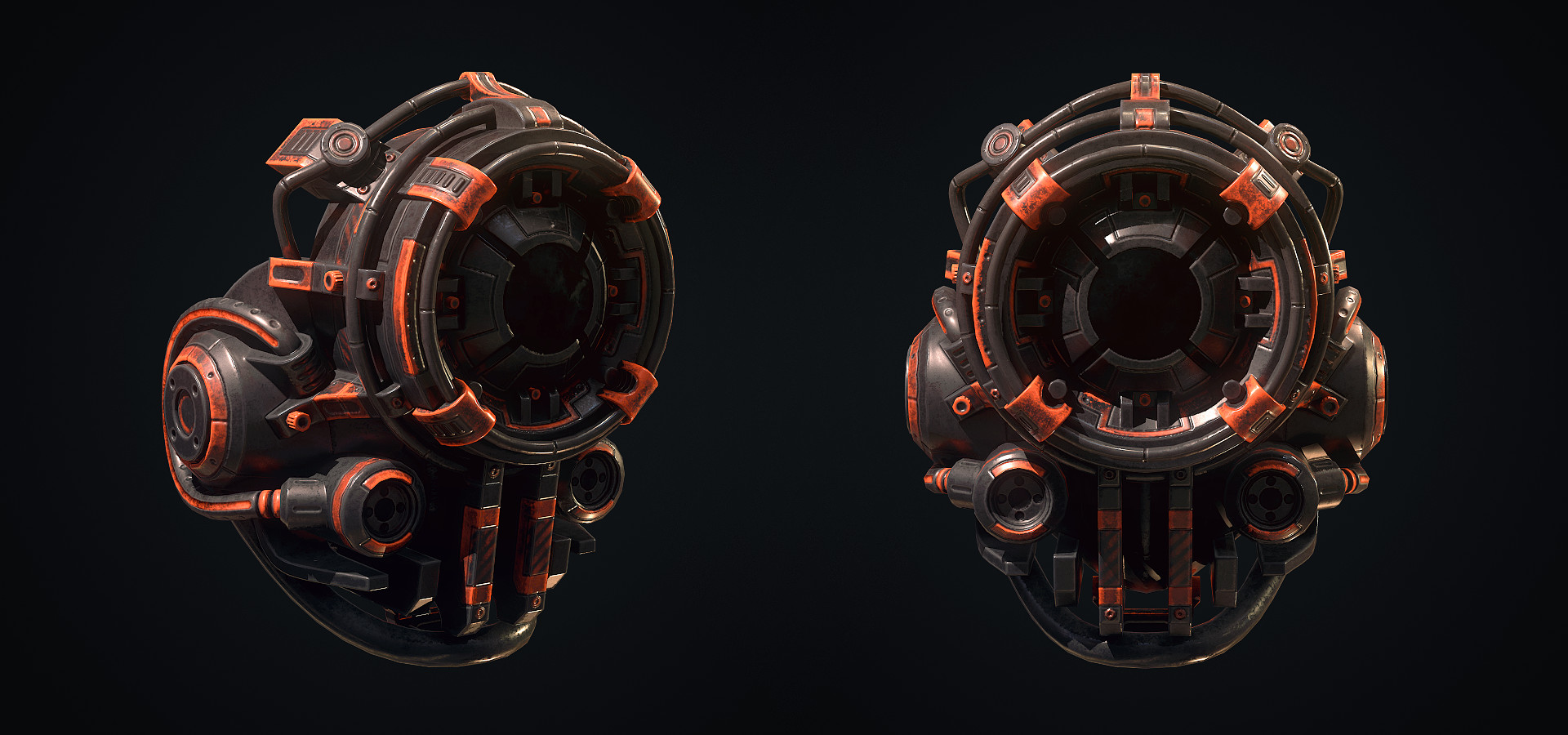 Some kind of atmospheric mask with tracking capabilities :P In case you want to read the full description here's a link to it. Bloodhound - artstation 2k texture and about 9k triangles. Softwares used for this project were Blender, Substance Painter, Marmoset Toolbag and Photoshop. model
 -
[KF2] Item Cloocloo mask with earplugs
 Topic by pior · · Home› Contests & Challenges Archives› Killing Floor 2 - Guns 'n Gear - CONTEST HAS ENDEDHello all - I started working on a facemask for Skully, in collaboration with Sylei : Making the rubber mask fit over Skully's goggles was a bit of a challenge, but it worked in the end :) Thanks for watching !
 -
Zbrush: Cavity Mask
 Hey guys, dont know if this is a common issue or if im just completely missing something (Cant get anything out of Google). For some reason I cant enable "Cavity Mask", its just greyed out. Im using Standard brush with RGB enabled and Zadd/ZSub disabled. Ive tried restarting Zbrush too. Any help would be appreciated!
 -
Substance Painter's mask builder?
I added a new generator, with the default mask builder applied. It's pretty obvious to me that there is a procedural grunge effect build into the generator but I can't find where that is. I'd love to swap it out for a different procedural or at the vert least alter the scale/ position. -
Glass Mask and Material Creation Help

 Hey guys, Looking to some how mask and great a glass material to look like the one below, any help? My attempt is also below Many Thanks
 -
[KF2] - Item Set - Clown Masks
 Topic by naranjorojo · · Home› Contests & Challenges Archives› Killing Floor 2 - Guns 'n Gear - CONTEST HAS ENDEDHi Everybody, i decide to make new Thread, i will make 5 clown mask like the Dark Knight Batman´s Movie, i hope you enjoy.
 -
Broken Mask Texture Set

 Hi Polycount! The original mask was for the Killing Floor 2 contest a little bit ago, but myself and @zhixson decided to keep it going and make a few new sets. All work done in Quixel Suite 2, rendered in 3DO. Let's us know what you think! ZHixson's: Mine:
 -
Zbrush Lasso Mask select only surface ?
Is it possible to select only the current surface when using the lasso mask tool ? As it is now for me it selects the current surface and everything behind it. -
Textools and rendering selection mask not working
 I was under the impression this script automatically created your selection mask instead of doing the whole process manually. When I ran it all I got was this error and the programming code opened up....
>40552 results