Search
-
Re: How to make this model in low poly?
 I was thinking to export the High poly made in 3dsmax to zbrush and use the new feature of dynamesh , then reduce the polycount , would that work? I didn't try couse I am waiting still the update -_- Have to wait till monday uff....
 -
Re: Transparency in Max
 Make sure to copy your texture to the opacity slot, and under Bitmap Parameters under Mono Channel Output you set it to be Alpha. If you need it inverted in 3dsMax but your map is "correct" for the engine, go down to output and check on invert.
 -
Re: blender questions
 What to you guys use multires for? Why not subsurf modifier? It's non-destructive and lets you model + preview subdivision levels. If you need destructive way, you can just apply it. Works pretty much like turbosmooth in 3dsmax.
 -
Re: 3d max 2008 new features videos
 I wonder how much percentage of "income" the non-game/entertainment users of 3dsmax have. Given that all feature videos were presented on architecture and other classic autodesk domains, maybe they really have so much more say...
 -
[WIP] Elite Dangerous - Multi Cannon - Huge

 Here is the progress I have so far on the Auto Cannon from Elite Dangerous, any critique or tips would be much appreciated. I am using 3DsMax for modeling and am going to use Substance Painter for textures. Concept: So far: Close up:
 -
Problem with the Normal Map!
 Hi Guys! Just doin some 3DSMAX lessons. My problem is that the Normal Map Bake Layout is totaly diffrent then the Diffuse Layout. And here whats coming out when Baking the Normal Map: And then it looks like this: What im doin wrong? Please, can someone help me?
 -
DebrisMaker2
 Arron Dabelow has been busy cooking up a killer debris making script for 3dsmax Just watch the video and grab the script, it's free. We are talking about it HERE Check out Arron's site: www.aarondabelow.com Other related MAXScripts you might be interested in: Fracture Voronoi Stone Placement RockGen
 -
See thourgh, transparency prob
 got this bad seams in my 3dsmax 2010 (also max 09)viewport if any model got a transparency material or see-through is active. In viewport options i switch to best transparency but nothing changed. driver up to date and changed to older for test - no differnt. any idea ?
 -
Sketchbook - Neal Biggs

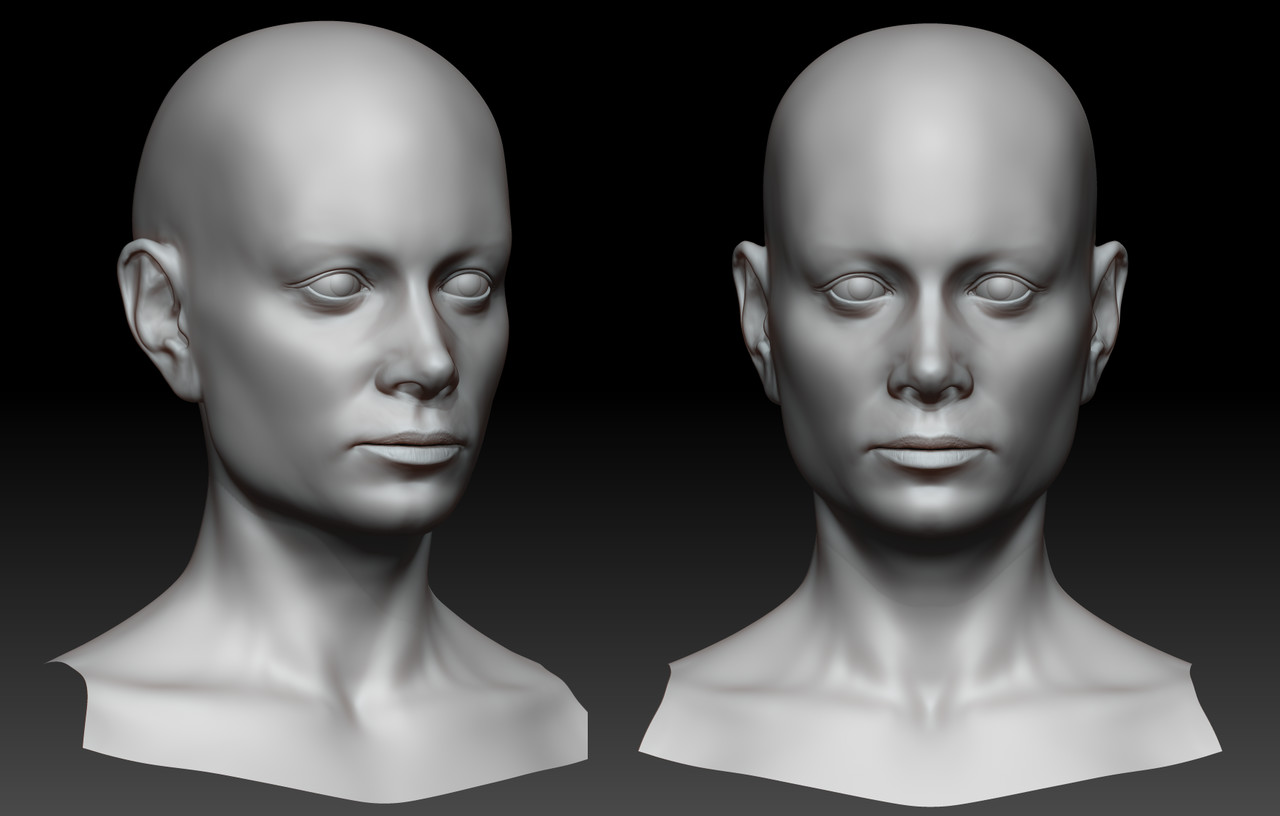 Brie Larson Likeness Progress WIP01 of Brie Larson likeness. I think I got all the major landmarks. 2018_03-06 Update - Pulled everything into 3dsMax to test how the surfacing was looking. Simple setup with a V-Ray AlSurface material and one HDRI. Everything needs refinement.
 -
[UE4] Seams only in engine?
 I've created a seamless asset however in engine it presents seams. I had this issue a while ago on a different model, but fixed it through rebaking and re-importing (no additional light maps). I've used this same process but the seam persists in engine. Any ideas? UE4 3dsmax Marmoset
>7371 results