Search
-
Cave Painting Animation
 Hi guys, so im in the early stages of creating an animation short. Would love some feedback from you all, this maybe a little different to stuff on here... if this forum isn't suitable then I would appreciate some advice on where to post it! :D So this is the main concept, its about a cave man painted on a rock face and…
 -
Re: Sketchbook: illybang
 Ahh I see, you can transform the gizmo in the view port by move/rotate/scale it around to manipulate how it unwraps. There is a green line that indicates where it will attempt to place the seams. As for the texture, thats pretty damn good for a first attempt, you should be proud! Here are a few crits to help things along:…
 -
Moving UV vertices in Maya, moves all connected vertecies. Help?!

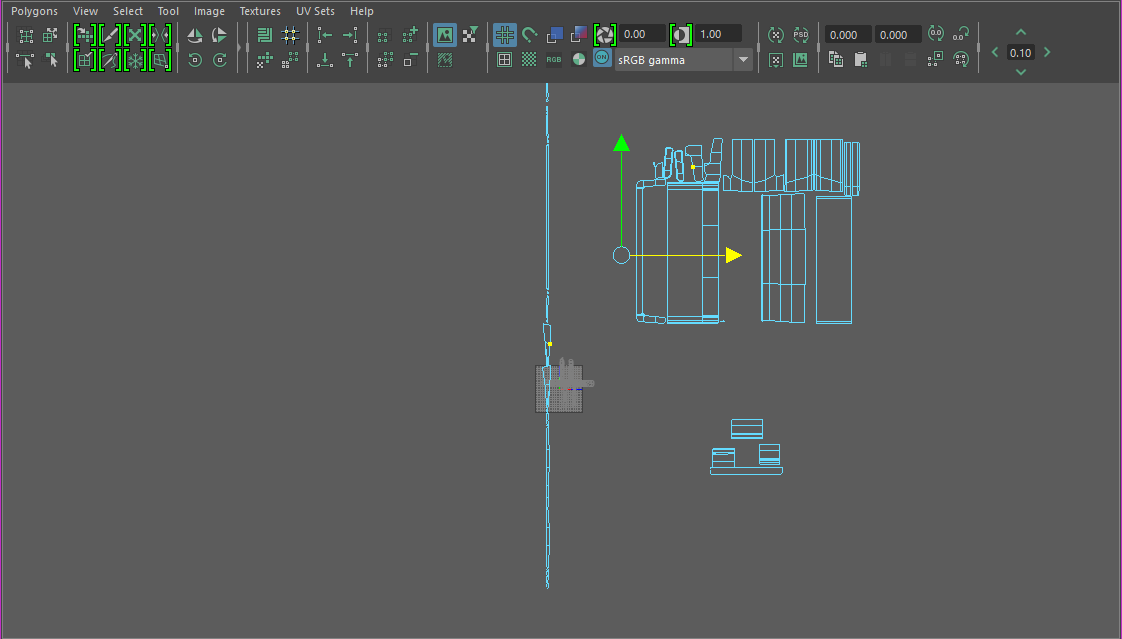 I don't think I've ever had a bigger headache on such a fundamental problem with a 3D program. I haven't had this issue in any other program before, 3DS Max, Blender, XSI, etc. How do I "split" the vertices/faces from eachother and form a separate shell... or something? The Split and Create Shell appear to do nothing... I…
 -
local moving/extruding in maya
 sorry for this really newb question but i can't remember what the function is called (or how to do it in maya). Basically, you know when you hit extrude on a selected object and you can then move all the faces outwards dependant on the way they're facing individually... is there a way to get that same transformation thing…
 -
Re: Sketchbook: Chloe

 Because he wanted a character with an appealing face, I decided to start from there rather than design everything at once. I drew up a couple different faces initially, then used his critiques to explore a few more concepts until we found something that he liked. We ended up going with face #1 in the second image. Next up…
 -
Re: Unwrap Stretching help
 Your UV's for those faces have all edges straight, in the model the left and right edge of those faces are tapered to make the circle, so you are basically trying to fold a non-square piece of cloth into a square piece of cloth: you will get folds. Just do a planar map on those faces and make sure they have the same shape…
 -
Re: Is this bad topology? Zot
Quad topology is good but "brute force" the quad topology is not good which means to try to avoid extreme long thin faces or/and extreme non-planer faces(that face on first image is quad but extremely non-planer which even goes from one side of the model to the other and looking like an arrow and not square-ish) as well as… -
Re: WWII German Tiger Tank Model
Maya counts all polygons in the model as faces, and the number of triangles in the model as triangles. The triangle count give you the number as if your whole model was triangulated. Faces can have any number of sides, eg a default cube would only have 6 faces but 12 triangles. Triangles are the number you want to look at… -
Re: Learning Diary: Character Sculpting in Zbrush
 @ PyrZern Thanks for the image, that's a great reference, really helpfull for understanding the face. The only reason I put in the skinpores is that I really enjoy using alphas, I know it's unnecessary for learning the face, but it's fun and doesn't take too long :D Here's todays sculpt, tried to pay more attention the the…
 -
Re: Highpoly Nude Girl
 Body looks a ton better now. One problem you seem to have is that you define everything very sharply, there is very little subtlety on the model. Especially on the face. It is conveying as female, but not a very attractive one in the face, more like a boyish country chick, which could be what you are going for, but I would…
>40187 results