Search
-
Re: [WIP] Inca-Inspired Cave Ruins

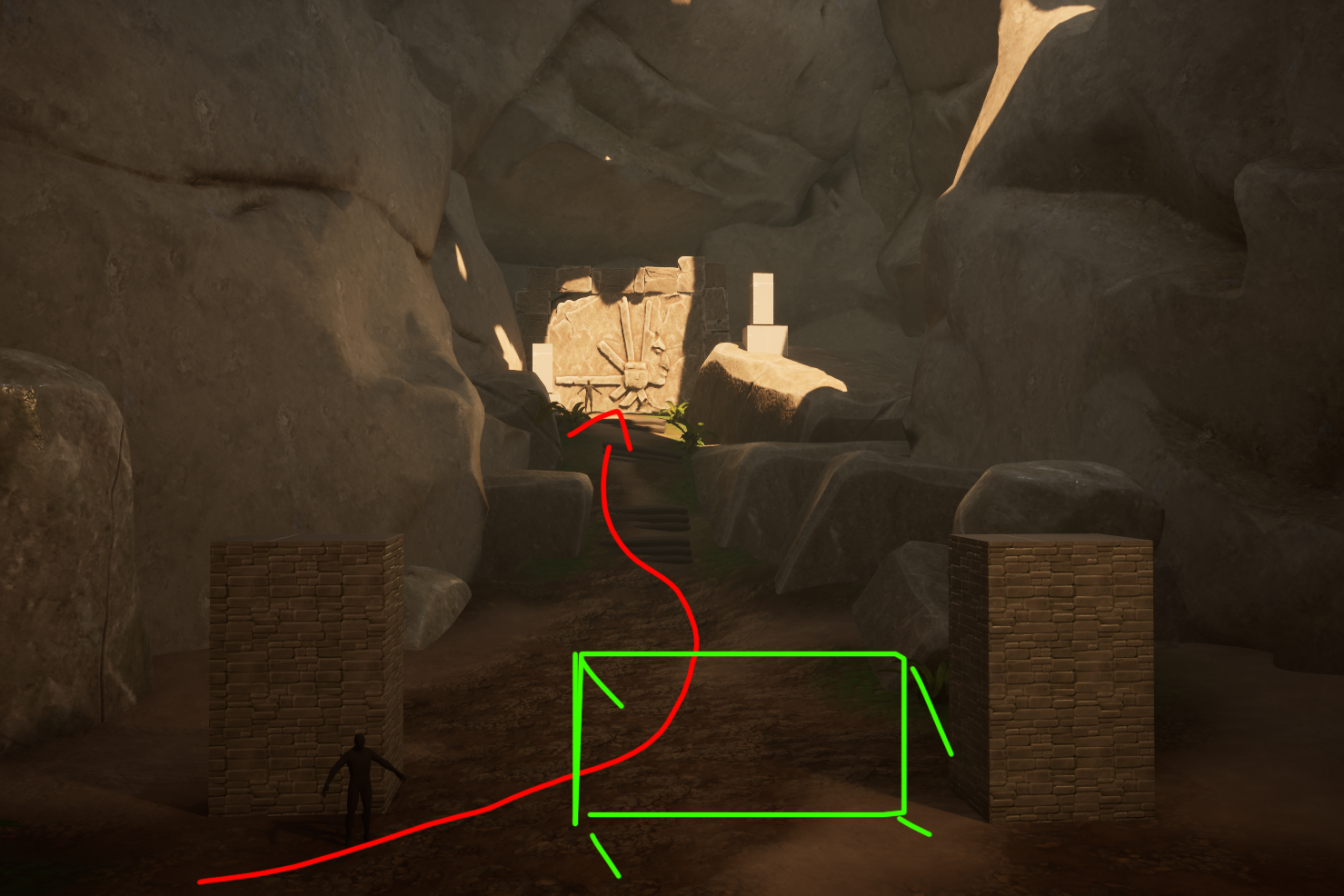 Hey! Great step to start posting online. It's a really good habit to have since you'll learn to communicate about your work, making nice screenshots (even the WIP ones!) and getting feedback :+1: This is a great start so far! Right now it could really help to flesh out your meshes and blockout so you can see how the scene…
 -
Threewave Software Recruiting! (Tools Programmer)
 Tools Programmer Threewave Software is looking for an exceptional and proactive Tools Programmer to join our programming team. The candidate must have at least 3 years experience in programming professional business applications, or game tools, and a strong understanding of user interfaces and how they impact the workflow.…
 -
PC-CSGO | PP-Bizon Warp Core
http://i.imgur.com/9YU34ai.jpg Hi all! This is my submission to the PC-CSGO competition! I hope you like it! http://steamcommunity.com/sharedfiles/filedetails/?id=693012330 I started with this base general design. http://imgur.com/aJmvcYG And then I refined it to a more refined basic layout. http://imgur.com/A54WUVf Sadly,… -
Re: Maya Flag error
 //Code by rajasekaransurjen { string $sn = `file -q -sn`; string $cfp = `dirname( $sn )`; if (`window -exists ScreenCapture`) //closes window if already open deleteUI ScreenCapture; window -title "ScreenCapture" ScreenCapture; //creates window rowColumnLayout -numberOfColumns 4 -columnAttach 1 "left" 0 -columnWidth 1 40…
 -
Re: ZBrush 4R2 Sneakpeek
 Given that bugs may exist on peoples complaints here... Obviously it's not stopping industry artists from getting what needs done to be done. The way I see it, the industry will ever so evolve over the coming years, and there will probably come a time from then when these tools won't seem so obsolete and just for caddy…
 -
Re: *SOLVED* 3ds Max - Duplicate Layer with the same content inside
 If I understand you correctly, this is pretty easy with script. The code below works on a viewport selection not on a Layer Explorer selection. It just clones all the object then puts them in new layers. A built in way would be to merge the max file into itself and turn off "Match Layers", but that option isn't doing…
 -
Re: The dreaded 'lockInfluenceWeights'
 I feel like I'm jumping into the middle of your conversation and doing little good, but I'm just trying to help :) To be clear that code I posted should resolve the error you get when you first load one of Valve's Maya files that looks something like this: This is caused by Valve using certain proprietary formats we are…
 -
Re: Solved:NDO painter mode question: shift+space didn't apply normal

 Thank you for the reply :) I tried again, here was my step: 1.click multi-normal layer and active painting mode 2.click on PS mask, then paint in 3DO I found that PS mask didn't show the painted area in white color. did I do something wrong :s ?
 -
UE 5.3 low FPS in editor viewport with a 5950X and RTX 3090 (different sample scenes)

 Every example scene I open in the editor seems to be slow. FPS 20-30 and in cinematic mode 10-20 FPS. I have a 16-core 4.3 GHZ CPU and an RTX 3090. I know I can lower the resolution, but even then performance is still not good. Does anyone know what could be the problem? I am using this free…
 -
Re: Advice for finishing this up
Great links Vig, thanks a bunch! Although I can't seem to get Allan McKays videos to play the video, probably don't have the right codec or something. But I still listened to what he was saying and I think I'll tackle some particle fire. Some subtle changes here, I got the shadow lights working, and they are in there in…
>58122 results