Search
-
Re: Need help with swiftloop
 Make sure you have all the verts welded, there aren't double faces (lamina faces), there isn't an extra vertice in the middle of an edge, the normals aren't flipped on that face, etc. Every time I've had loop select not work it was because of some type of topology error that broke the polygon strip.
 -
Deferred shader with double-sided translucency, how?

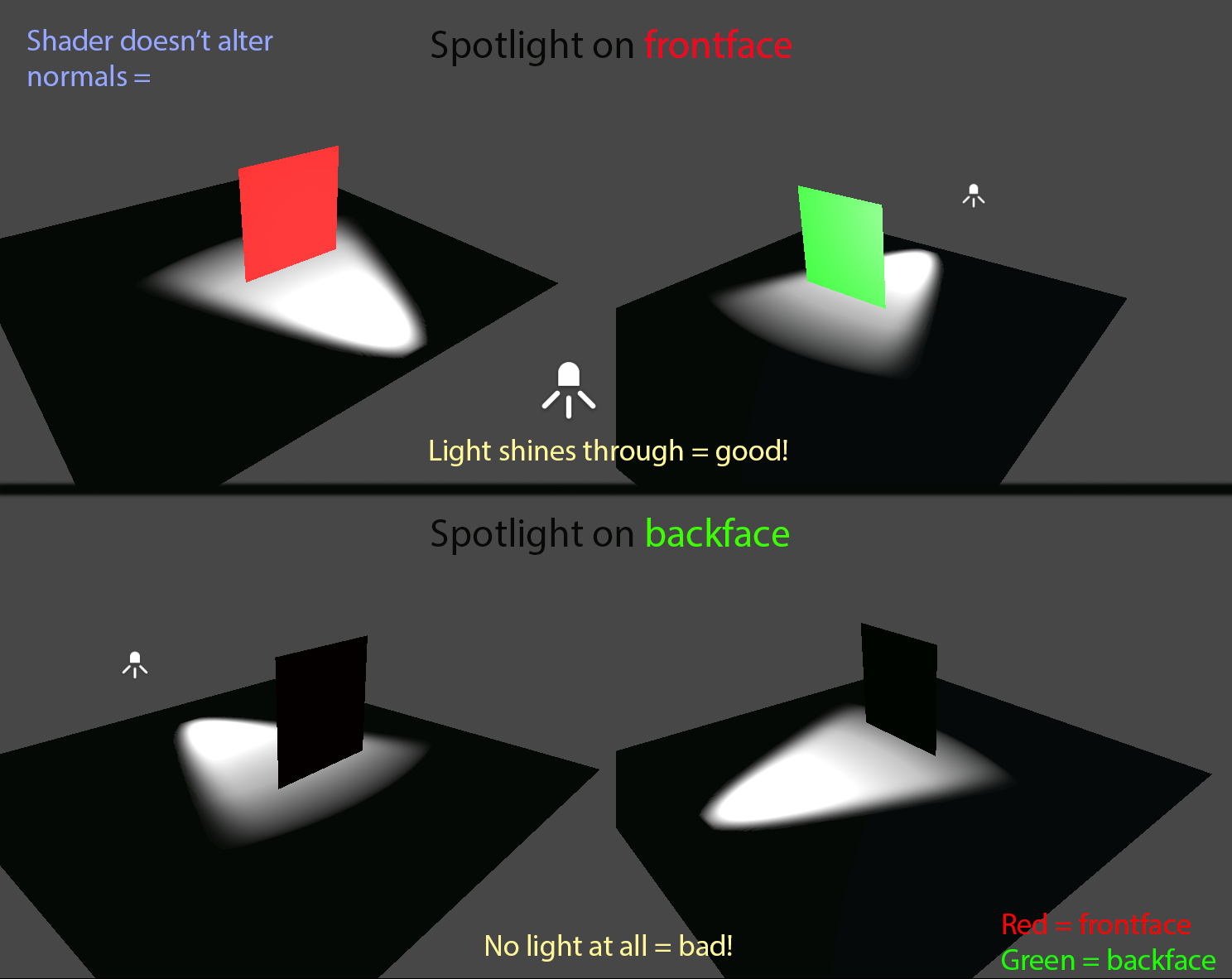 I am working in Unity. I have been working on a foliage shader but am stuck on its lighting. What I'm looking for is double-sided translucency in deferred path. If a quads frontface is lit, its backface should also be lit and vice versa. I have had some success with custom lighting but that means forward rendering which I…
 -
Re: Garrison - Battle Chasers fan art/ Hand painted

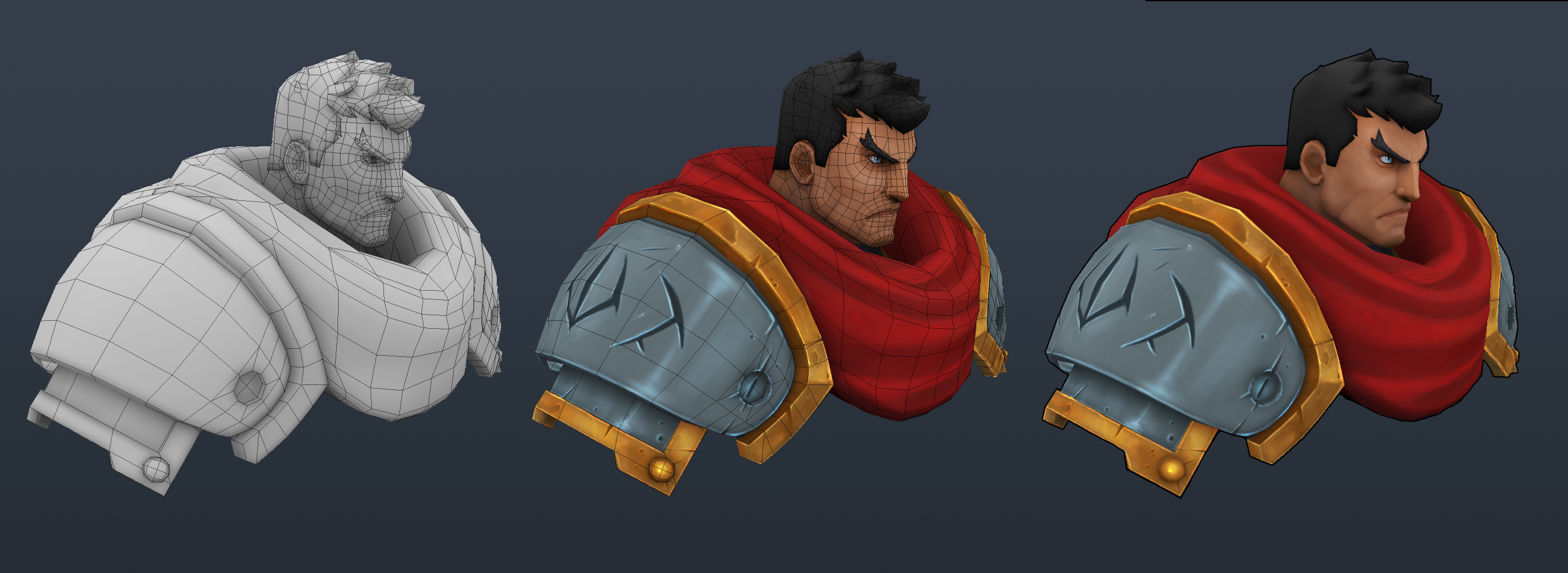 Thanks all :proud: @Ged I agree with you for the face but I take some face screen of Garrison and his face looks more "elongated" I'll try to modify this ! I start to work on the metal and gold parts but I need advice.. Make more variations ?
 -
Re: Deamon Toughguy
 it looks amazing, only thing is the face could do with some de-saturating, try a very reddish-purple around colder areas of the face (Jaw, brow the back and bottom of the neck) not so its extremely visible, only so they don't look as fiery as the rest of the face.
 -
Re: WIP. Need some critique
 I don't have a reference or target. The aim of this task to learn face anatomy as well as digital sculpting. It is a part of my diploma course. Only one reference I use is a book for face anatomy, so I just follow a general idea about face structure.
 -
Re: The Bi-Monthly CHARACTER ART Challenge | December - January
 Looks to me that your nose tip and wings are proportionally smaller then the rest of face features : Height - most people conform to 1/3 for a wing height of nose length Depth - it relation 2:1 or 1:1 for part of the nose that stick out the face and part that in on the face
 -
Toggle Convert Selectinon To...
Hey. I had the idea to combine 3 standard commands in one toggle. ConvertSelectionToContainedFaces ConvertSelectionToVertexPerimeter ConvertSelectionToEdgePerimeter Originally selected face. When you press one key is too much between the outer vertices, edges, and a return to the inner face or the face group. I think it's… -
Aligned rotation in max?
 This may possibly be the most stupid question I've asked in this form, but is there a way to rotate faces so they stay aligned with their connecting edges? If you look at this image, the extruded face is nice and flush with the planar face If I rotate it, it isn't. If this was a simple quad I could just drag the top verts…
 -
Re: This Lightmap doubt doesn't let me sleep at night...
 Just check for overlaps/inverted faces, nothing out of 0-1 space, and try to keep faces as contiguous as possible (no need for split @ hard edges as sprunghunt mentioned). This will make it easier to unwrap, pack, and have much less seams in your light bakes as well on larger faces that are now welded together.
 -
Re: Beginner modeler - firearm model
 Where you have those triangles on those faces make sure those faces are planar/flatten. If you have the triangle modifier on in Blender, I guess you can do is also check if you see any triangles on the mesh/faces. If you haven't already, make use of the polygroups in Zbrush.
>40187 results