Search
-
2024 Reallusion 3D Character Contest – Eva – 3D Real-Time Character

 This 3D character, Eva, was created for the "Reallusion 2024 3D Character Contest." It is my first model developed using the Character Creator 4. CC4 features an intuitive interface that allowed me to easily modify the body shape, skin texture, and hairstyles, making the process of designing my character both simple and…
 -
[Finished] Desert Temple - First Project in Unreal

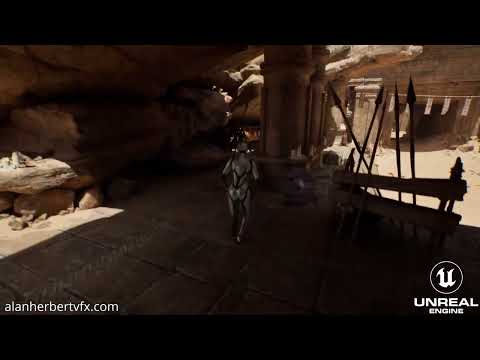 Hello! Yeah this is my first project in unreal which I spent the last couple of months on. I'm not new to 3D as I've worked in VFX for film and tv for the last few years, but would like to try making a move towards games. The aim of this project was to hit on a few key things. I wanted to show use of Trim Sheets, Modular…
 -
Railway camp.

 A very Ambicious project i started working on few weeks before. Goals - 1 - Efficient Environment art Workflow > Architecture > Props (Organic and Hardsurface - Medium to large) > Foliage and vegetation. (Speed tree Workflow) > Landscape Painting. 2 - Deeper dive into Unreal engine 5. > Lighting > Look Dev > Cinematics >…
 -
Awaiting Fall (Stylized Environment)
 Hey all! First time posting here, I recently finished a stylized environment. Even though its finished I would still be happy to hear some criticism to improve for next time. I was in the mood for a medieval piece because I hadn't worked on one in a bit. For my next stuff I really want to start pushing towards…
 -
Documentation: Triplanar Projection Material Creator for Unreal Engine
Available on Fab and Gumroad Contents: 1. Introduction 2. Create Custom Materials 1. Introduction "Triplanar Projection Material Creator" enables you to easily create custom triplanar projection materials from any PBR texture set. It comes with a variety of premade materials that are perfect for quick prototyping in Unreal… -
Re: [Blender] DECALmachine: surface detailing using mesh decals
 HiWin10Machin3tools installed and working fine in Blender 4.2. Cleanup worked for a while but now in edit mode pressing 3 just changes elements (to poly). Any ideas. Cant install tools in Blender 4.1 which is odd.
 -
UV errors while extruding
 Hello, I'm having a weird error where everytime I extrude and edge, the corresponding face's UV separates and fills the whole UDIM. I've pressed 3 and seems like the faces are intact, not sure why the UV looks like a white square. Does anyone know why or how to fix this? can't model a thing at the moment. .
 -
Substance not able to detext vertex color
 hello, I've used material manager from maya, exported as fbx and tried baking the ID map as vertex colors. However the maps turn out to be black no matter what. I've done the same exact procedure with an different object and it worked perfectly fine. Anyone know what's going on?
 -
Re: [3ds Max] V-RayMax Converter PRO
 This looks great. What do you do with complex material graphs? Does the tool bake to textures, create atlas UVs, etc.? Or is the user expected to pre flatten if needed, e.g. for glTF Materials.
 -
Does anyone know how to see dds files thumbnails in windows file explorer, adobe bridge etc.?
Files exported from Substance Designer for example? Years ago I did see them but totally forgot what it was . Or at least I think I did. Some thumbs generator for windows maybe? ps. Google finds some 20 years old nvidia DDS add-on . it doesn't show a thing. Neither XnView .
>172358 results