Search
-
ArenaNet Art Test [WIP] Male
 ***Updated July 12*** Here are my submitted renders I sent along with my file this morning. Really enjoyed this project. I'm new to this community and haven't really posted my work here before. Figured I'd post my progress and see what kind of feedback ya guys have. Finished blocking in my major details and proportions,…
 -
Unigine Renderer Features 2012

 The folks over at Unigine have released their 2012 renderer update packed full of industry standards.If you're looking for an alternative to some of the more main stream engines out there you should give Unigine a moment of your time. Offering a free evaluation of their tools, Unigine has released an update video of their…
 -
New Wall Worm Basics Video

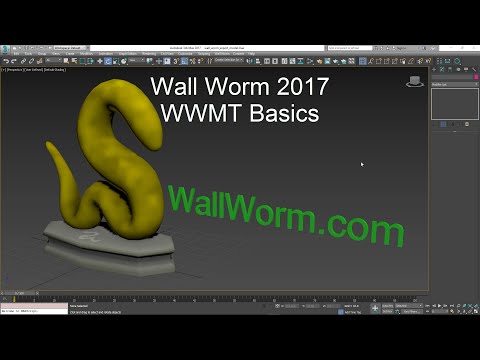 New video showing overview of model export basics in Wall Worm. Video shows use in 3ds Max 2017. Covers some topics not covered in older videos/docs, such as accessing the QC/QCI files from UI. https://www.youtube.com/watch?v=4jIGEidR7R0 Also started updating some old docs on the UI to reflect current version. Main Model…
 -
Goblins like blowy uppy thingys
 Been a while since I have made an actual thread so here ya go. Starting off on this guy and tis time to block out some armor\accesories and jazz. Will try to keep this as updated as possible as well as documenting my process via youtube. Cheers. Update Old [ame=" https://www.youtube.com/watch?v=zrHQTuE0KOM"]Goblin WIP time…
 -
2018 Demo Reel - Mary Burbridge
 Hello Polycount! (First post :smile: ) I'd like feedback on my portfolio. Currently I'm an indie game animator at Capricia Productions (our game is "The Birdcage"). Let me know what you think! Edit: The vimeo link version changes as I update it, so they will not always be the same version. https://vimeo.com/158739088 Edit:…
 -
Re: [Finished] [UE4] Handpainted BotW Stable Diorama

 I made an updated grass mesh and texture which looks much better and more natural and I updated the lighting after checking my reference. The shadows are still too dark but I think this is overall better than what I had before in terms of lighting.
 -
Re: Substance Painter normal bake not working for me.
 I found out my answer, I just needed to update my substance Painter. I found that out after I remade my model and I got the same problem. So this was just my fault after all not updating my software haha.
 -
Re: The Hero Tomb

 Thanks man ! Glad you like it :) . I'm updating it at the speed of a turtle, 1 hour per day but I hope to reach the skill of a Ninja turtle :D . Here is finally the test mesh for the log ends Next step updating the Wall Recipe dummy, renders and UE4 !
 -
Re: Tyranid Fleshborer WIP - When bullets don't get the job done, fire beetles!
 All the maps involved here are WIP, I just wanted to give a quick update of how things are going. There are still seams and artefacts in the normal map, and the only thing really done on the diffuse is the bits of red plating (which also still have seams), but anyway, updates:
 -
Re: SOLVED: Photoshop error (0x80042260) dDo
 Ok, so I just successfully created the project without errors. Things that I did are listed above. So either: -go to the help option for your photoshop CS6 and click updates, and update. -run both programs as administrator -or howl to the moon One of these solved the issue.
>32412 results