Search
-
Re: Tree making fast technique?
 problem with that tech speed maker is that the trees have no uvlayout , I tried and it has a messed up uvmapping and as I see would be more timeconsuming to make uvs for all the branches than using the splines I guess...
 -
Re: How should I texture character's hair?
 I use UVLayout because it's hotkey driven and speeds up my workflow. Different software for different things for sure, but with UVLayout and iPackthat, uvmapping in Max seems so archaic.
 -
Re: Baking normals problem
Lol ok so , in theory , if we are forced to put seams in a visible plain area is better to align the quads and borders even if in different uvmaps, but the problem then its if there are other seam zones. -
Re: Fanboy
 No no - lower polys is always good, as long as you can get away with it. Makes the model significantly easier to uvmap. I wish some of my first models had looked that good.
 -
Re: kp sdk luv
Damn, great model! I start texturing him with the old UVmaps, i think i can put the face in the new ones. What i have so far: ultra -
Re: XGen Eyelashes/Eyebrows - Best Way to Convert to Hair Cards?
 looks good to me is it accurate? what do i know :D haha so my thoughtprocess was, hey the cheapo way of flowmaps is, uvmapping the strands straight, top to bottom and apply the green map / down vector, why should this not work for the individual hairs if mapped this way?
 -
Re: LPC vol2 #3 - Time Machine!
 580 tris so far after around 2 hours chugging away. All of that is UVmapped, it just needs arranging once I've got the rest of the mesh. Its fun working out what faces can share uvs :)
 -
LowPoly Bamboo Textured
 First time texturing and UVmapping a model, it actually turned out pretty okay:)...(Texturing process would have went better if i had a tablet though). well off to do more modeling. Maya for modeling and UV's . Photoshop for textures. Thanks for viewing!
 -
How to fix those texture errors?
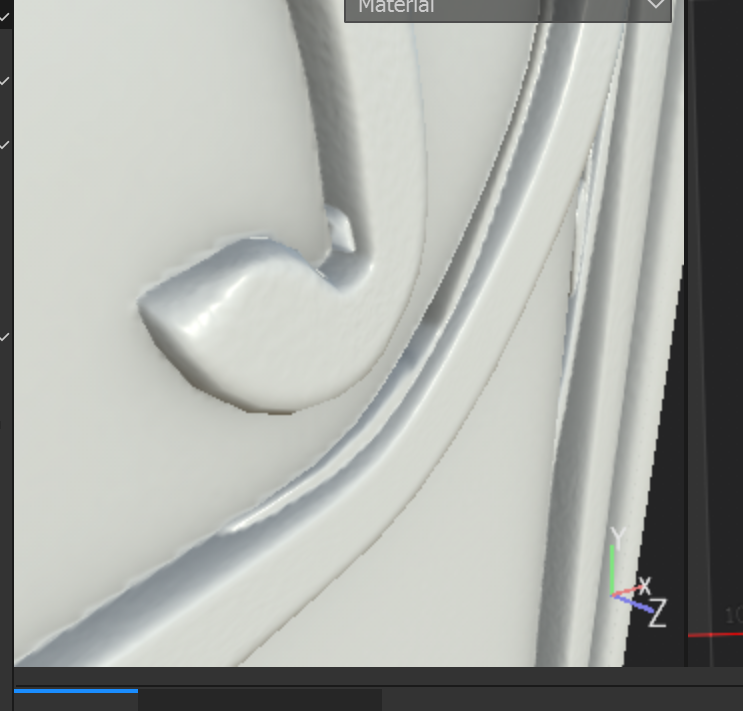 I get often those issues, even if the uvmap is perfectly clear, , the lp model is perfectly matching the high poly one , so I do not understand why I get those artefacts?
 -
Re: Wierd unwrap UVW problem in 3DS max
 I would unwrap each object individualy by hand _before_ i copy it around. Your facade looks too complex to get any usefull uvmap by simply box mapping it anyway.
810 results