Search
-
Re: Vinyl Jukebox

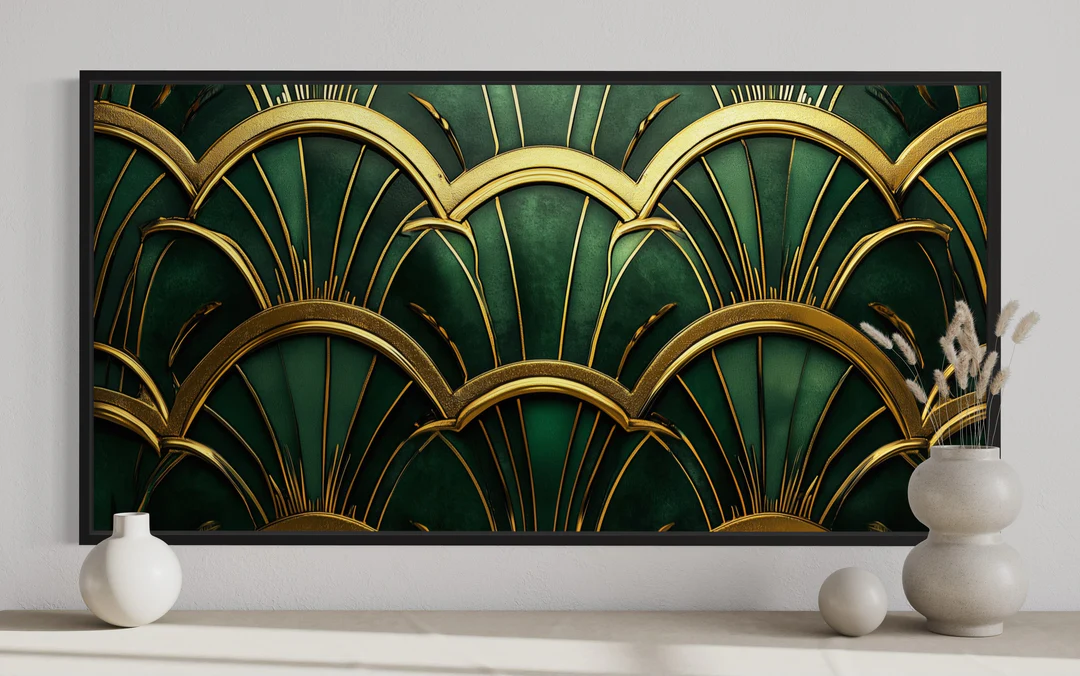 I would like to add more details but unfortunately I don't have time for that. I have baked the model and started laying out the textures now. I really like how this green color works well with gold so I am aiming for this look.
 -
Re: [WIP] SHIFT - Game Cinematic Trailer Project - Environment Artist Dev Log - Third-Year Uni Project
I feel like the black pillar could use more work, I don’t see any roughness changes compared to the other pieces, also the horizontal cyan pieces is too saturated and drawing unwanted attention, while the four green corner on the wall is not bright enough to highlight the entrance -
Re: Light tactical vehical

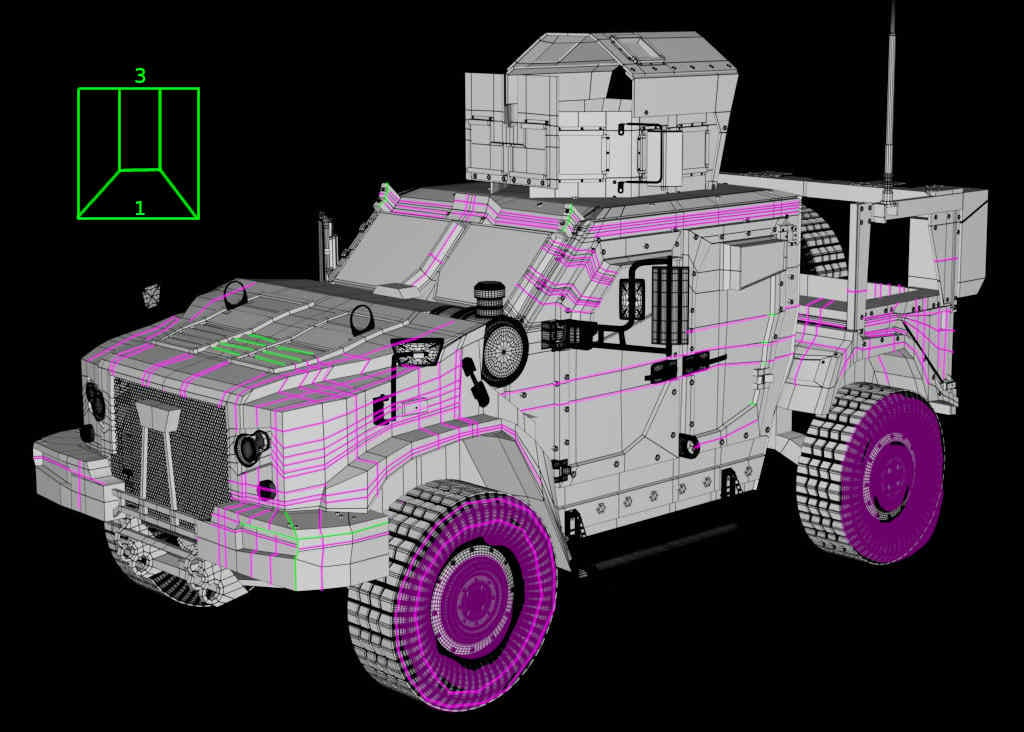 Some of the needed edge cuts seems to be distibuted all over the model ? Maybe good for concepting but this may should be optimized (for example showing the 3 to 1 quad transition) especially when there are so many planar areas (then even triangles are no problem).. the hood seems to need some of that details (green).…
 -
MathView - algebraic surfaces editor with VR support.
 Greetings ! I would like to show you my latest project: algebraic surfaces editor that can work as a great source of unusual geometry for your projects. MathView 1.04 - algebraic surfaces editor with VR support. How to use: • Combine 6 materials and 18 textures for desired visual effect. • Click twice on the color map icon…
 -
Re: Dismal Mountains
 I think that there is a major problem with the approach you are using to texture your house models. If I were you, I would create a texture atlas and use tilable textures. Right now you are using the none-overlapping UV/render-to-texture approach which really isn't suitable for making such large structures. I would suggest…
 -
Re: How would a Economic/ Dollar collapse affect the Game Industry?
 I think the main weakness in the argument put forward in the OP is that much of its out of date theories from November 2011 when no one knew what might happen with Greece and it was anyone's guess if things could have got far worse. In the present day Greece has gone beyond the point where if it does default it would be…
 -
Re: [WIP] Ghibli Kiki's delivery service, inspired enviroment UH Main project
I'm afraid I don't understand your question. Like showing them off separately? Or perhaps having individual plants or custom versions of plant clusters (of the same species) rather than one big cluster that gets copied around in order to be able to better adjust them for the camera? Depends a bit on how much time you have… -
Trim Sheet Lighting Issue

 Hey there, I've spent days creating some Ancient Greek trim sheets for a uni project but now in UE4 they're baking super weird. It's as if UE4 is doing the lighting for 1 object then just giving that bake to all the others- it looks horrendous! Lightmaps are green, but the UVs look like this (this is only one sheet, each…
 -
Re: Why does my model look like this?
 - The quickest way to make sure normals are pointing the right way is to turn "Face Orientation" on in the Geometry > Show Overlays menu of the viewport in Blender. It'll highlight anything flipped in red. I'm under the impression the original tires have flipped normals, so when you flip the mirrored tires to match them…
 -
Re: Maxscript to change the diffuse and ambient colour of all materials.
 Here's some comments. [COLOR="Green"]--NOTHING WRONG WITH THIS LINE, EXCEPT IN MAXSCRIPT IF YOU HAVE AN ELSE CLAUSE YOU NEED TO USE "THEN" NOT "DO"[/COLOR]for obj in selection do[COLOR="Green"]--THE BRACKET DOESN'T NEED TO BE DOUBLE UP[/color] (([COLOR="Green"] --YOU DON'T DECLARE VARIABLES IN MAXSCRIPT OR END LINES WITH A…
>10593 results