Search
-
Re: Are you using Unity's ORM Map? How do you adjust the Roughness values ?

 Just checked in Painter 2022, and it seems the "Unity Universal Render Pipeline (Metallic Standard)" export preset doesn't include an Occlusion map. You could copy the export preset, then add the AO map like in the screenshot (or mesh map if you just need baked AO). On a side note, I would adjust the naming to fit ones…
 -
Re: Some parts of FBX Object aren't Showing in Marmoset
 Sometimes i get flipped faces, so you can check that by going to the object name (if you labeled them) selecting it and clicking the back-face option on the left. (For me) they come in usually normal flipped, If you tried all other options you can try this one. Notes : you have to fix the issue, clicking that option will…
 -
Substance Painter 2 to Unity 5 Normal Map issues

 I'm relatively new to Substance Painter 2 and am experiencing some normal exporting issues. When exporting textures from Substance for use in Unity 5, some surfaces appear to be concave, instead of flat. When exporting the original FBX from maya, all edges are smooth. Substance counters the smooth edges when it bakes, so…
 -
Way to pose Daz in 3ds Max?
 Hi all, New to using figures in my renders so got a few questions. Currently I'm using Daz, posing then exporting to 3DS Max ... pose not quite right so back to Daz, re-export with pose adjustments ... repeated many times. I eventually get it right but geez! So is there a better workflow - or better yet is there a way to…
 -
Re: Monthly Environment Art Challenge - January & February 2017 (46)

 progress for today wont be able to finish this month :( but will try to finish it anyway baked the bed and put it in unreal for some reason fbx doesnt export smoothing groups i think it might be because my fbx exporter is from max 2015 so possibly outdated ? bed is currently obj and that works fine (ticked export smoothing…
 -
Re: Substance Painter texture reloading makes file size too big
Also, I'm having trouble exporting my normal maps. I can clearly see the model has normal maps applied in the viewport. When I export my textures it seems like it leaves the base normal map out and only exports the details added from my layers. This all happened after I replaced all of the textures in the Textures Shelf… -
Re: Character Feedback: Space Girl
 it looks like Maya to me. Try this OP. 1. unlock the normals 2. set to face (select small groups of faces you want to have normals set to face on, work around the model pressing set to face worst case, you just export the object as an OBJ, and re-import into the scene. I had this happen to one of my models recently, and…
 -
Re: Animating multiple objects
 Once your object is set up the way you want, drag it from your scene into an empty prefab. If you make changes, you need to drag the object back into your prefab to push the changes through. You should be able to right click on your prefab and choose Export Package. A window will show up confirming all the related project…
 -
Re: Reallusions's 3d Character Design Contest _Hiro_Nakazawa

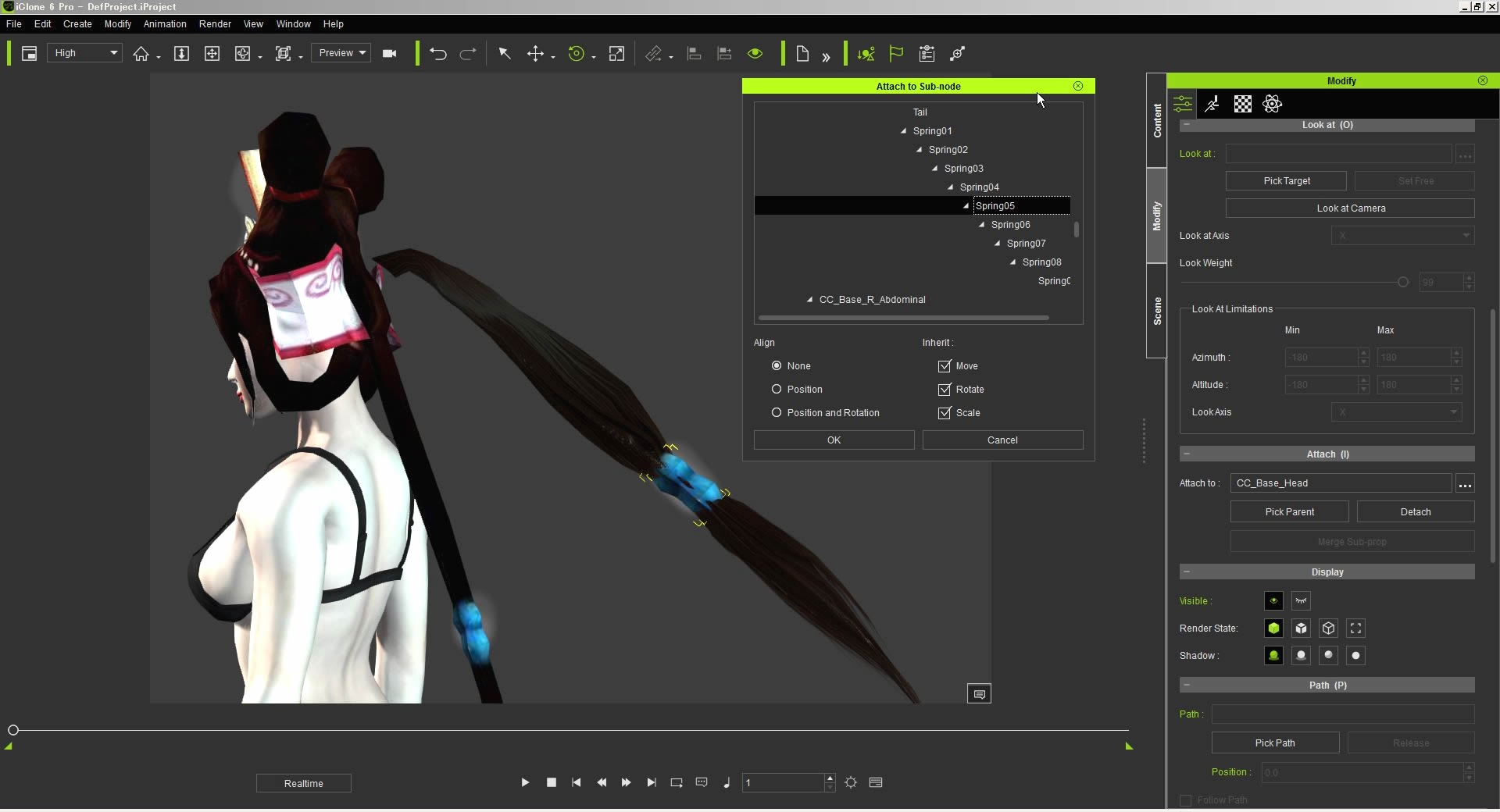 Reply by Hiro_Nakazawa · · Home› Contests & Challenges Archives› Reallusion's 3D Character Design Contest 20162016.10.9 - 12: Ponytail Experiment Static Ponytail Hair need to replace with the Spring Tail Prop. This experiment was done by using 3DXchange, 3Dtool and iClone 6. 1) Head Component was exported from Max to iClone 6 via 3DXchange. Hair Ring was attached to the Spring05 in the iClone 6. 2) By using Export Mesh feature of…
 -
Re: Fallout 3
 wowzers, I found out I had to the mesh .bsa with a hex editor and change the 4th bit from 68 to 67 in order to open it with BSA exporter. I still can't get textures to export correctly but it looks like the specular info might be contained inside diffuse textures alpha (because I can only see 2 textures per asset, 1…
>17865 results