Search
-
Re: Imported building facade textures are incorrect in CryEngine. Please help
 That white/red texture appears when your physics proxy has too many vertices. So either don't physicalize if it's only for viewing or make a separate low-poly mesh and set the physicalization to PhysProxyNoDraw in the shader.
 -
Re: First Low Poly Character - Brawler
triangles are polys too hehe, polygon isn't the same as quad... you could have a polygon with a hundred vertices, and just count as 1 polygon. So you should go for tris, no one gets owned that way. -
Re: Gyro Ball
 I still swear by the Evoluent vertical mouse when it comes to reducing mouse related wrist pain http://www.evoluent.com/vm3.html Plus I've migrated entirely to using my graphic tablet for work in Maya.
 -
Re: Big Daddy WIP
Yeah, mainly too many vertical lines that don't do much. Especially on the side of his body goind down the legs. I can't comment on proportions because I didn't play Bioshock, not my thing . -
Re: Meryl
One more thing that I'd look into would be to sharpen up the vertical fabric texture you have going on on her shirt. It's nice and suddle, but could use a push so it doesn't get completely lost in-game. -
Re: Render Hidden
 Unfortunately the model was already rigged. So if I tried detaching It'd screw up all the vertice weighting. So I just ended up applying a 100% transparent material to it :P Thanks for the help though!
 -
[Hobby -> Rev-Share] Unreal Engine Hobby Team Looking For Like-Minded Individuals
 TL;DR: International team looking for people to work on a multiplayer life simulation game in an alternative Western setting. Esp. looking for artists to work on the vertical slice. The prototype is near completion. Compensation will be rev-share, Patreon later this year. * ABOUT ME * Hello, I am Bent from Germany. I am a…
 -
(MAYA)KTHolePuncher

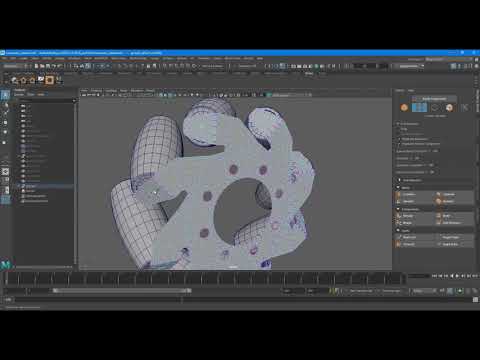 Wrote a script that saves time creating Holes in objects. Works on multiple component selections(Vertices and Faces) for Maya 2018 - 2020. https://www.youtube.com/watch?v=I913wBznX9A Available at Artstation store https://www.artstation.com/marketplace/p/KLV1/melktholepuncher Gumroad https://gumroad.com/l/nRvNV
 -
3ds Max Vertex Pivot not centered
I am having a problem in 3ds Max when trying to move around vertices. When I select a vertex and zoom in all the way i can see that the pivot is not in the center, so i cant allign it with anything :( Thanks for any help -
Workflow rigging in Maya.
 EDITED... found some good tutorials on Maya that explains the new features added to rigging tools in Maya...had no idea using the settings window of the paint skin weights,u can select vertices,edges or faces and the joint and finetune the weights like the component editor.
>7637 results