Search
-
3D Studio Max - Have intersecting geometry push away from each other?

 Do you see the parts where the braids intersect? Is there a script or some kind of tool in 3D studio max that will push the verts away from each other where an intersection takes place? This is what I'm looking to do:
 -
Weird lines in render
Hello. I get this weird black lines in the far of the render in UDK and also when I do render in maya, but it doesn't show in the maya viewport. I overlaped almost all the faces on top of each other using a mel script, can this be the problem? thanks in advance for any help. -
[Maya] Primitive Creation on Construction Plane
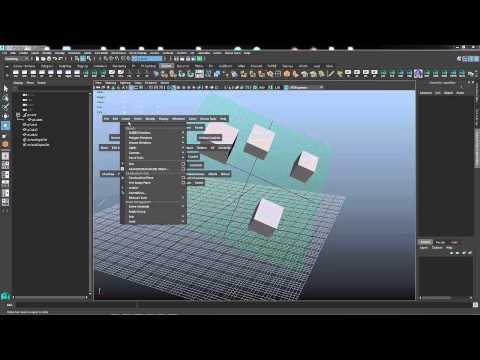 HI all! Is there a way (or script) to create primitives using live construction plane axis? I can only parent already created objects to construction plane and reset their rotation (like in video), but I hope for more proper solution. https://www.youtube.com/watch?v=6RVBuT4cri4
 -
Edit uvw -question
I am using 3ds max 2016. 1. When I'm using the uvw editor and I selected 2 faces within the editor is there a script that will automatically overlap those 2 selections for me? Right now I have to individually overlap one over the other. -
Unreal numeric conversion from Max
 I need to find a max script or a conversion table at least that converts max units to unreal units.. Meaning though say we have a pivot point at x=234.5 y=123.12 z=21312.33 the numerical conversion to equal that in unreal. (This is specifically for offsets)
 -
Pixel Fondue - Free Training, Source Files and more
 Wanted to share a link to Pixel fondue for those that may not have visited. The site has free training videos for Zbrush, Marvelous Designer, Substance, MODO, Scripting, Photoshop and more. New content weekly ...sometimes daily. http://www.pixelfondue.com/training/
 -
3dsMax - How to remove interior edges of a selected polygon group while keeping borders intact?

 How to remove interior edges of a selected polygon group while keeping borders intact in 3dsMax? I can do it by a single command in Modo but couldn't find any tools or scripts that does it in 3dsMax.
 -
[Maya] / Custom axis numerical value

 I am switching to Maya due to a job requirement. I need some help figuring how to move on a custom axis in Maya with precise numerical values.(if not possible are there any scripts to do this ? ) I used to do this quite a lot in Blender like in this picture.
 -
Re: What are peoples opinions on Artstation websites?
 Brings up an excellent point. At my work all computers have Javascript and fancy web page scripts disabled for security reasons. So you've made some kind of neat scrolling portfolio and flying images I see this,
 -
Re: Looking for a solid .fbx batch exporter
 I did try a few from CC earlier in the day. Turned into a mix of missing features/bugs. I recently found one that ended up working nicely. http://www.creativecrash.com/maya/script/jbunity-tools Thanks for the reply.
>11573 results