Search
-
UT3 Prop / Pickup Node
 Hey guys, I've been working on this pickup node for unreal and I need a little feedback. Mainly I'm looking for suggestions on maybe adding a little more zing to the diffuse and specular map. Any other crits would be appreciated, thanks.
 -
Displaying Input Node Labels?
Hi, I've made a function which takes various image input nodes, however how do I display the labels for these inputs so I know which is which? It would be nice if the bitmap showed the name of the texture file too... -
Red wire when connecting my tga normal map bitmap to the normal node in SD
 Hi guy's, Just can't believe i have to ask here such a simple question but i am Googling for a solution for more than an hour without success and the substance designer documentation is useless on this. I just have a series of normal map render from 3ds max in the tga format and i cannot connect them to the normal node, i…
 -
Re: Maya - Bevel using control edges possible?

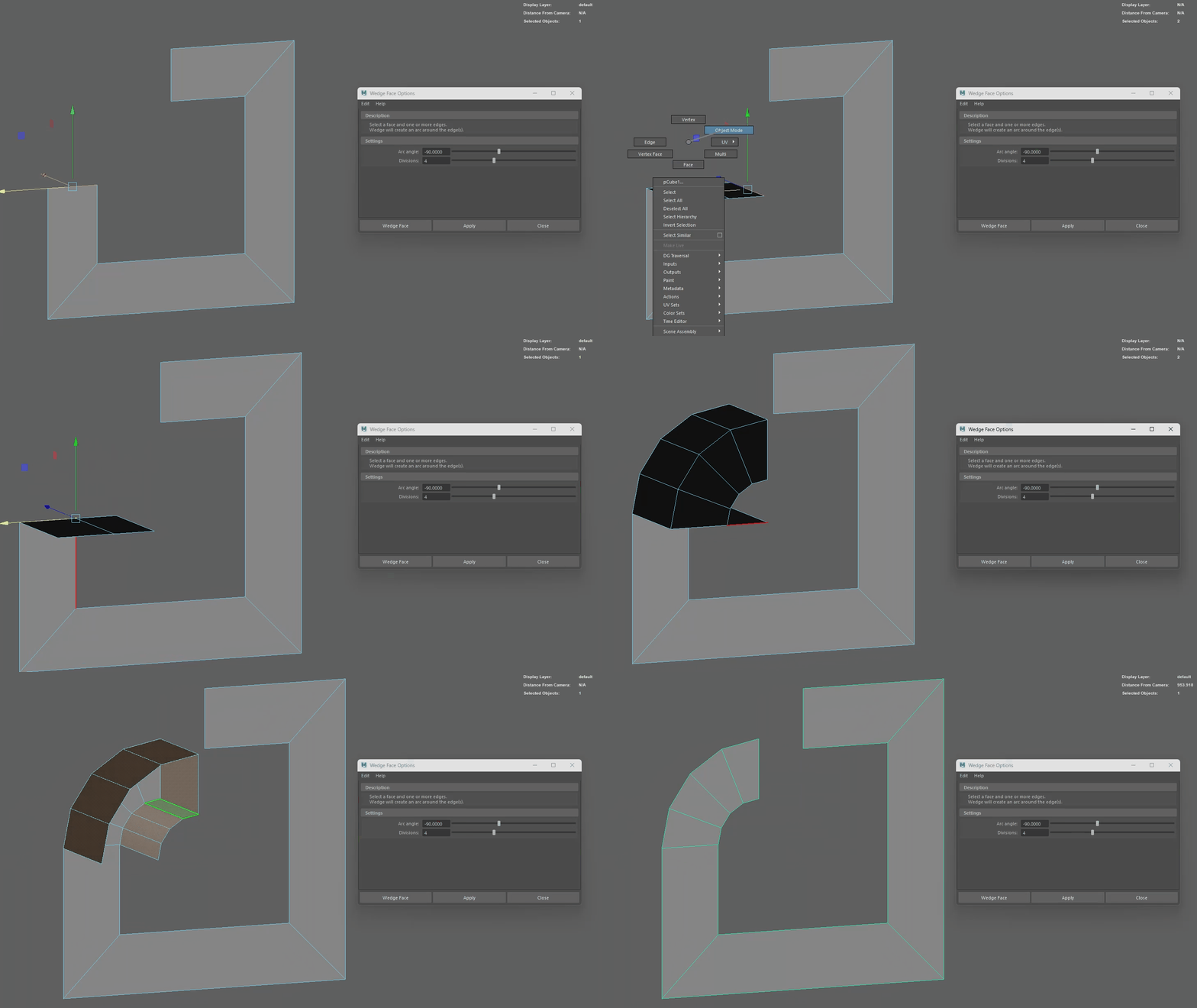 I always did this type of rounded bevel with the spin tool in Blender. I've also been looking for the equivalent in Maya but so far the closest I've come across is 'edit mesh > wedge'. I hate that it's the one tool you have to be in multi mode to use, also you have to delete the extra faces afterwards :/
 -
Re: [3DS MAX] Moving UV shells after peel mode does some wierd stuff!
 You had a pinned vertex in Peel mode. That's why it was behaving like that. Also, quick tip for Peel mode: turn off 'avoid overlap' so that all your islands don't get jigged around every time you enter the mode.
 -
Re: Coke Commercial
 [ QUOTE ] now if coke were still made with actual fucking sugar instead of high fructose corn syrup in this country, that might be a different story. [/ QUOTE ]You can't get regular Coke in the US now? What sort of madness is that?
 -
3dsmax's "Peel Mode" - Maya equivalent?
 Hey, in 3dsmax there the amazing "Peel Mode" where I can pin verts and pull and push the UV's to get straight results really quickly. Wondering if theres a Maya equivalent? :)
 -
different colors in game mode
 I have a post process chain applied to my scene that is only visible in game mode. However when I try to play the game I get very different color and contrast than what appear in the editor window. What causes this?
 -
How can I improve my baking in SD6? my normal/height maps come out blurry.

 I hope the image explains what Im talking about. i made a panel with 4 screws in the corners, if I bake in Blender they come out perfect, nice and flat, and but in SD6 they come out terrible at a weird angle. any suggestions?
 -
Re: WIP - Deep dark wood - (Block out Phase)

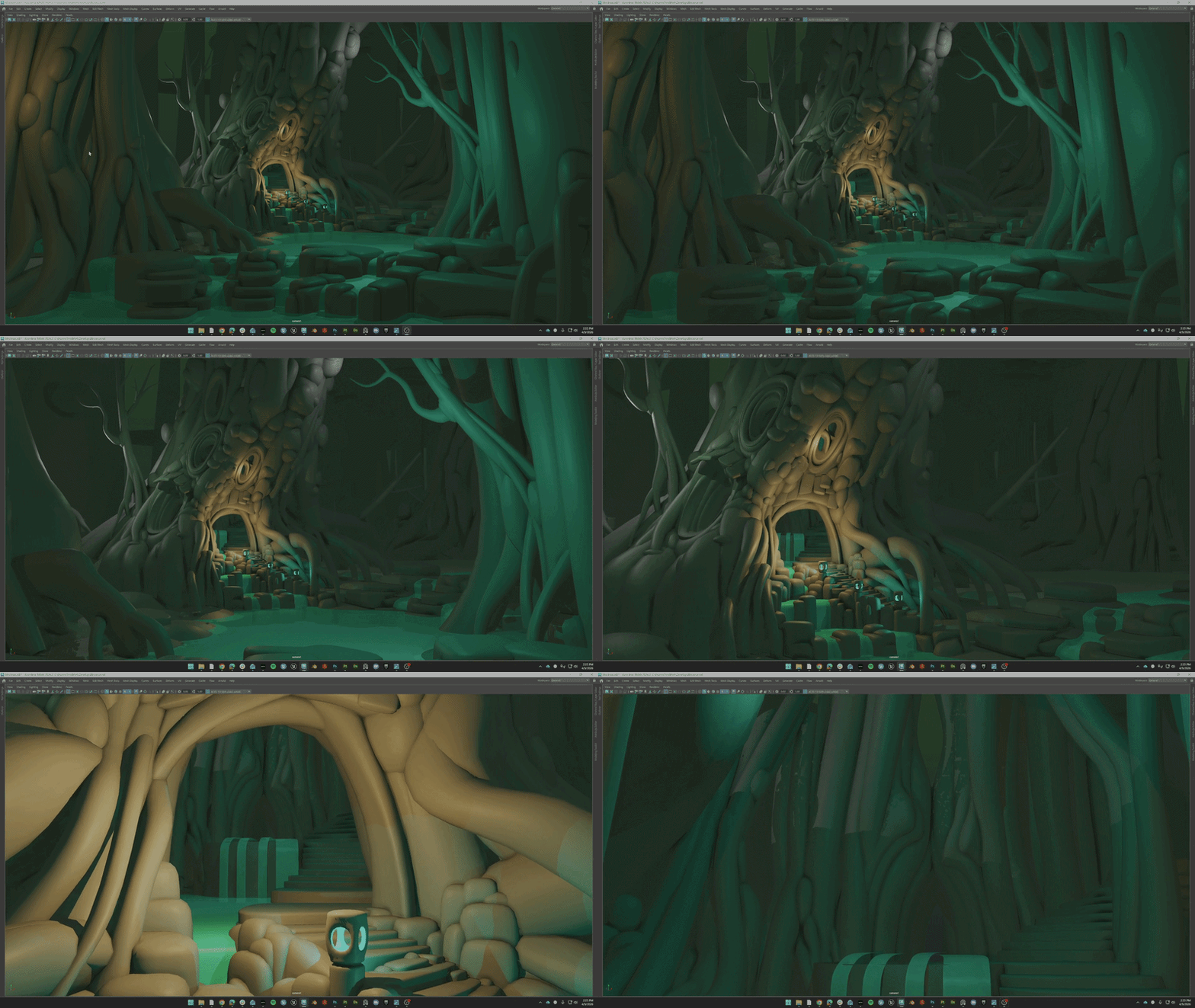 Been a while sense I've worked on a personal project of this scale. So im trying to just have fun with it. Ended up going back and adding more ideas to the blockout and am feeling happy with its evolution. I am adding an interior section of the tree that can work as a great hall or possibly a witches den. Not sure yet...…
>58104 results