Search
-
Re: How to learn Materials?
 Open some of Epic's material shaders and break them down, it may look complicated (wires/ nodes everywhere) and un-commented but break them down (disconnect nodes, preview the nodes (right click on a node > Start Previewing), change the properties of the nodes...etc) There's also this video on how to create/ setup a master…
 -
Re: Skylight bug in matinee, any workaround?
 yeah, it looks like there is no way to modify those values without making some custom kismet nodes or hard coding. you might be able to paste the matinee into a text editor, modify and re-paste back into UDK if you are super resourceful :D
 -
Re: Why does my texture look so bad in 3DS max?
 Go into the material itself in the material editor, using the old compact view (non-node based) Go into the settings for the diffuse map, then set the Blur value to 0,1 and change the filtering method to summed area or none. Should improve the results hopefully :3
 -
Hiring realtime technical asset specialist for optimization, mesh retopology and material conversion

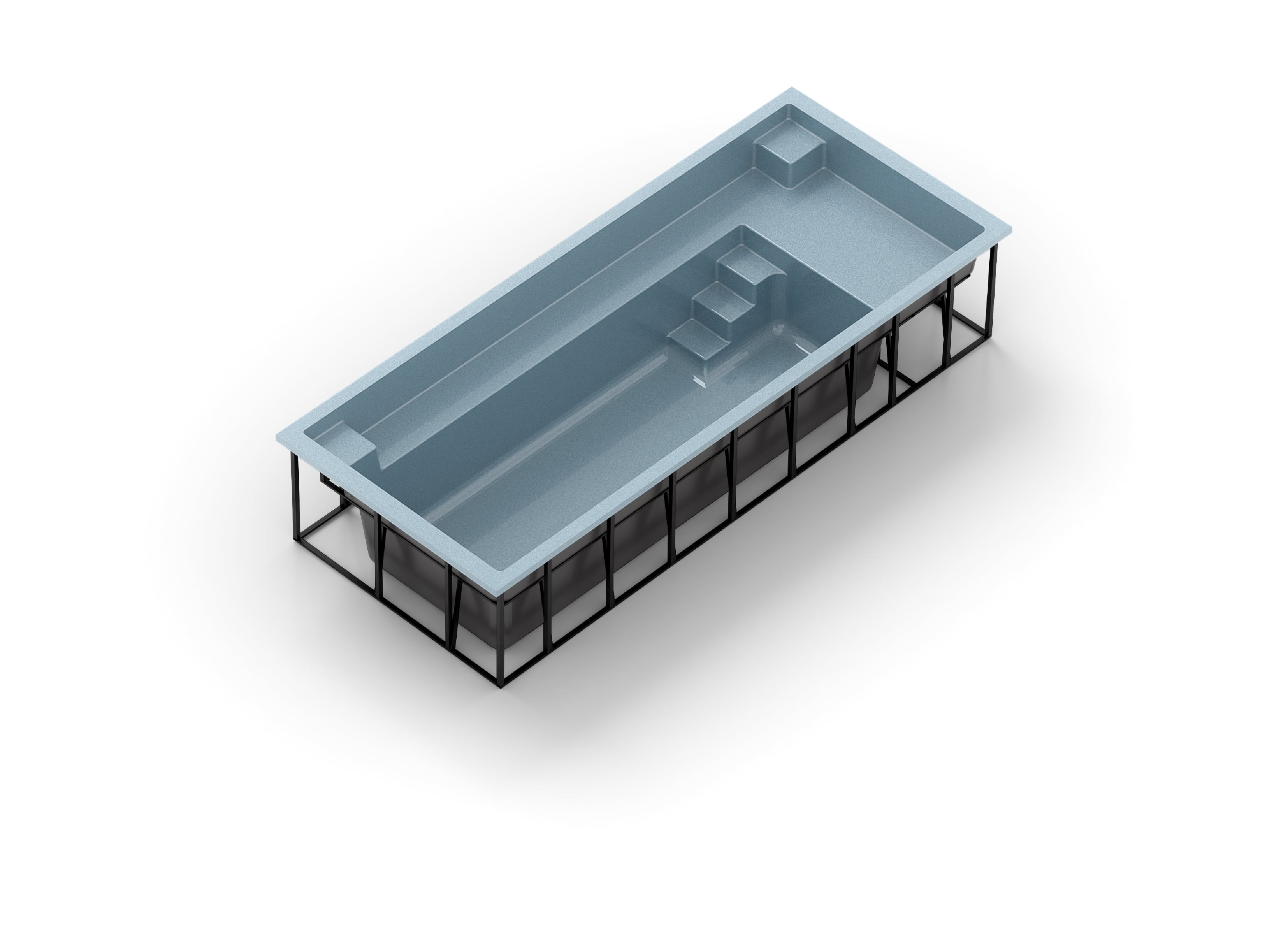 Greetings! We are developing a premium browser-based 3D configurator for fiberglass swimming pools and are looking for an experienced realtime technical artist / game-ready asset specialist to assist with optimization, retopology, material conversion, and realtime rendering workflows. We need someone who specializes in…
 -
Re: [Blender] DECALmachine: surface detailing using mesh decals

 v2.0.0 is out! | Gumroad| Blender Market https://www.youtube.com/watch?v=FjeJl5aS5xM See what’s new. Changelog * add Create/Import Atlas tools * add Use Atlas tool * add Join Atlased Decals and Split Atlased Decals tools * add Export tool * add Init/Import/Duplicate Trim Sheet tools * add InitTrimSheetMaterial tool * add…
 -
Re: [FINISHED] - UE5 Realtime Metahuman - Ryan Gosling: Drive

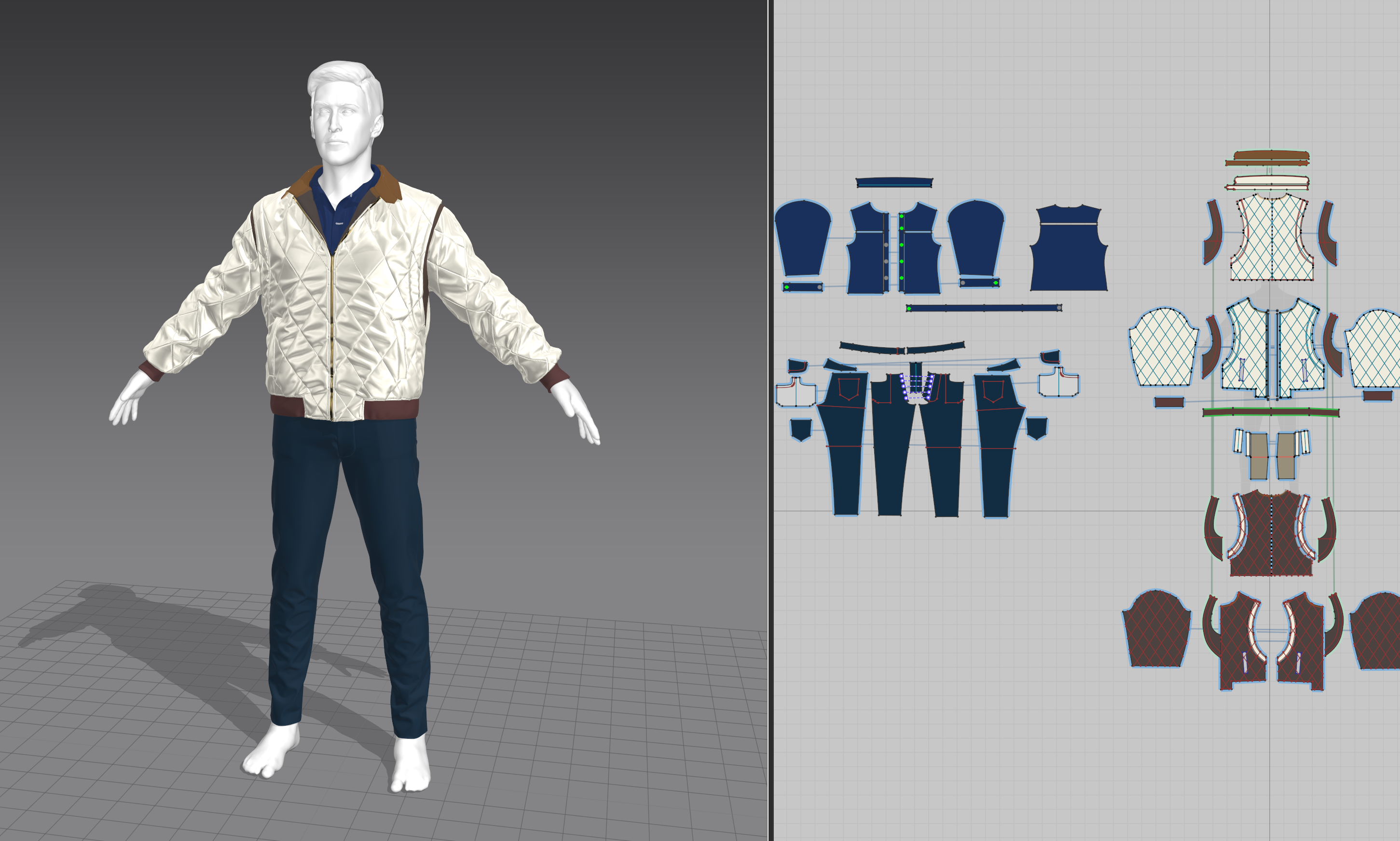 I'm kind of close to the end I think, I'm fixing some bugs and running renders through MRQ now so I should really catch up on the posts. Clothing creation was really problematic and I think one of the things I spent the most time on. There's a lot I could talk about but I guess I will focus on 2 things I realized: 1.…
 -
Re: Unity particle systems: Particle fade/ distance to camera
Couldn't get this to work, and I don't have time to learn code. Are there nodes in Shader Forge that are equivalent to Unreal's Camera World Position and Object World Position? I already built a mockup in UDK, I just need to transfer the results into Unity. -
Re: The Bi-Weekly Substance Challenge (Challenge 7, 8, 9, 10, 11 & 12)
 I really don't get the material blend mode at all, I skipped through all 4 official tutorials and felt like I didn't understand why I would use it over just the normal blend nodes. Just me?
 -
Re: Blending normal maps- your thoughts?
 Regarding unreal engine you can easily translate the code to material nodes. I've done this for UE3 and it should work for UE4 just the same. http://www.abload.de/img/blendnormals_rnm019yu1w.png http://oliverm-h.blogspot.de/2014/01/ue3udk-mixing-normal-maps.html
 -
Re: How do I achieve this effect? Dynamic decal paths

 Ah yes I see what you mean, so I don't really need WorldAlignedTexture in this instance. The reason I used WorldAlignedTexture was because the way I have set up the UVs means that when I apply a texture to them I get seams everywhere. Also anywhere that is just dirt (no border) I have scaled the UV face down a bit as my…
>37268 results