Search
-
Re: Max Payne 3
 I really enjoyed it (once I EVNETUALLY got it working....with a crack). There are loads of little cutscenes, so I understand the gripe people have, but I felt they were done well. The voice acting and script kept me interested in the character and what was going and I enjoyed it. Though sometimes they are just way too…
 -
Re: Modo - Copy subd edge weights to new weight map?
 Fruitless. :-/ I even dug up a guy from an 8 year old thread I found where he was talking about a solution for this but apparently whatever he had discovered at that time is broken (or fixed, I guess) in current Modo. So it's a no-go unless I can script something up myself. That will ... take awhile.
 -
Re: Sketchbook: Lavitz
 I'm currently taking a 3d Scripting class. For my final I want to bring my character model into the game (UT3). The character based off of a dream where I was a mercenary fighting in a foreign country. This is the concept art drawing I did, along with the base model I've started working on. I will try and update often.
 -
Re: Default position of Stitch Selection dialog box
 Just thought I would share in case this drives others nuts - 99% of the time you'll want it to align the face your stitching to your new face and have 0 bias (ie not try and scale faces). In this case, you can just skip the dialog and use the script below (hotkey it and you'll be a stitching fool):
 -
Re: 3ds max techniques with splines
 Quadify modifier will do but it applies on the whole mesh (works on editable mesh) Else, there's this plugin which probably do a cleaner job, but not free. http://www.scriptspot.com/3ds-max/scripts/quad-cap-pro But on a flat surface just a couple inset and connecting some vertices do the job. You don't have to be full quad.
 -
Re: UE4 Mars Police, (ex Suspended Cop) game

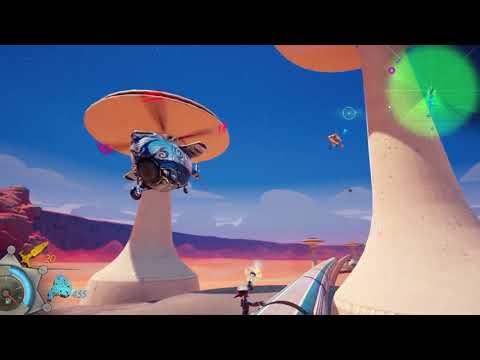 running on top of other stuff prototype. wanted to try this for a long time, it's super rough still, but pretty fun. i overhauled a lot of old BPs so the ''new stuff'' is pretty much invisible and there's a loooot of graphics work left so i'll leave the scripting for a while cheers!…
 -
Re: Proffesional opinion required
A website portfolio and a resume are that you need for getting a general game art job. For animators and effects artists, a demo reel demonstrating the animation in question would be necessary as well. For technical artists example code, scripts, tools, or rigs might be a good idea depending on their focus. Ryan Greene… -
Re: Maya 2012 show attribute sliders, how do I do this?
 I'm on 2012 Script editor gives me the following when i do it, try putting it into the Command LnemanipOptions -showExtrudeSliders 1; So, extrude a face go into Command Line, make sure it's set MEL type manipOptions -showExtrudeSliders 1; you should see Thickness, Offset & Divisions pop up next to the tool
 -
Re: Question: DX 11 Mesh deformation based on a "decal" with a heightmap
 i actually thought about this for something today. i was wondering if it were possible to shoot at something (say an oil drum.. to be generic), and the drum gets deformed after you shoot it. i was gonna give it ago at some material and scripting for that but got caught up in something else. generally i think it is…
 -
Re: Hacking Minigame, hard to implement in UDK?
 I love that the examples he is using are both using Unreal Engine 3 :P What you could do is have a trigger start a UI scene. However this is removed from the december build of UDK and thus requires you to learn flash and action script. The result is sooo much better, but its harder to learn.
>11557 results