Search
-
Re: Reflections on The Game Industry as a 3D Artist
 My intention is not simply to criticize the game industry or to repeat the structural problems that all of us already know and struggle with. I don't want to be misunderstood. In fact, it is not even a sector that I am deeply involved in or closely follow.However, there is something I have noticed. More and more people…
 -
Re: SDF. what do you think of it?

 SDFs are used in many different ways like making reading text in games less pixelated. https://www.youtube.com/watch?v=CGZRHJvJYIg 2D wise it can also be used for example in creating rain hitting the floor, creating a raindrop effect, 3D wise, intersections to visualize visibility shapes, ranges... or like a less resource…
 -
Re: Render compression in Max help
 Just saying .avi or .mov doesn't tell us what codec you're using. Quicktime/Animation is a lot bigger that Quicktime/Soreson. Here are my suggestions: For Quicktime files, use Sorenson 3 at medium or high quality. Down side: bigger than Divx files, but anyone who has quicktime installed can view it. Plus, you can use…
 -
Re: (WIP) AKM
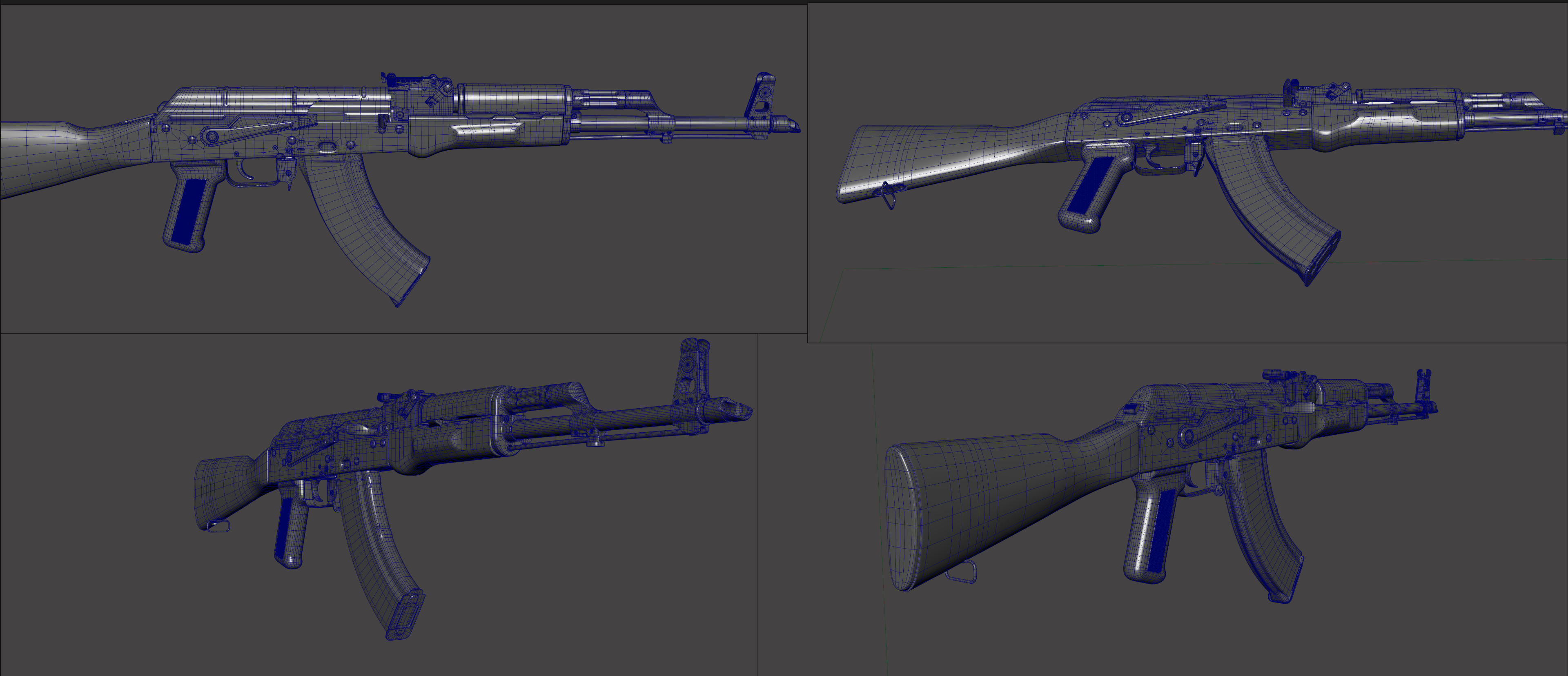 I'm going to call this model done for now. I don't want to tweak it anymore, even though some parts still look pretty rough. I've sunk way too much time into it and honestly it's left me feeling a bit desperate. I'm ready to jump into the next stage quickly.
 -
Yeah? Well Guess This! (quickly)
 "The COLOR OF THIS PEN ... THAT I HOLD IN MY HAND ... IS ... RRRRRRRRRRRRRRROYAL BLUE."
 -
Quickly aligning angled vertices?
Hey, I am modeling a fire place: But as you can see: ...the mesh is not very well aligned. I would like all the corners to be the same 90 degree angle, is there a straight forward way to do this? As always, thanks for your help. Dan. -
Re: Photoshop quickly saving Textures
 Expresso tools are awesome. I can't get the viewer to work, but for quickly saving maps it works great!
 -
Re: My demoreel and website
 @pliang Thank you, what is a "show production"? @fogmann It Seems that Riva FLV Encoder did de-interlace the video, or at least the check box labeled "Deinterlace" was checked. I could upload it to youtube, but i don't know how good a youtube player would fit in on my site. And, I can't seem to find the option for…
 -
Triangulating a whole scene quickly?
 So Im ready to export a scene into UDK. Built it out in Maya, but Im having trouble triangulating everything. I select all objects in my scene, select Triangulate and only one or two objects get triangulated. Instead of going and selecting each object individually (which would take forever), is there a quick way to change…
 -
Quickly change Anim Layer weights in Maya
 Is there a good way to do that? It's easy to set the layer weights with the key button next to the slider. but changing it, to adjust timing, later seems to take some digging in the graph editor and/or having to select the controllers in the layer
>10664 results