Search
-
Post your workspace 2015
 We used to do these quite regularly. Post your workspace go! Here's me currently, dev mac, build mac, retro gaming area and server pc tucked away underneath. (the little black button next to my wacom changes input to the macs)
 -
For the last time!
 Almost every PM I accidently delete because the DELETE box is where REPLY should be. Can we get those switched or at least get at "Delete, are you sure?" Every other post type on this forum the "ok sumbit" button is where "Delete" is in PMs, then it's gone forever.
 -
Zbrush Custom user interface
 Does anybody know why every time I open my zbrush file I should load my custom user interface again through preferences/config/load ui? I hit store config when enable customize button was active.
 -
adjusting quaternion tangents?
 ok i know quaternion doesnt really have tangents, but is there a way to fine tune the trajectories? i know i can click the trajectories button to SEE the trajectories but it doesnt give me any more control over the actual movement between keyframes.
 -
3d Max - Shortcut keyboards don't work
I know that button 'Keyboard Shortcut Ovierride Toggle' should to be enabled to work properly , but when Im trying to do it - nothing happens, it doesn't turn on :/ Have you got any idea ? I've got 3d max 8 -
Don't use New Topic here, please post in the sections above
 Please post in the sections above. If you post right here in the Category section, we'll move it. Shortly we will be removing the green New Topic button from this Category section, to avoid confusion. Thank you!
 -
Bestest mouse idea ever
What if you made a mouse thats like a boob, it would be soft and nice and buttons would be behind the softness. Hawken can you enlight me if there allready are such things in Japanland? PS. im sorry i made you guys/girls read this -
Re: Sketchbook: Zetheros

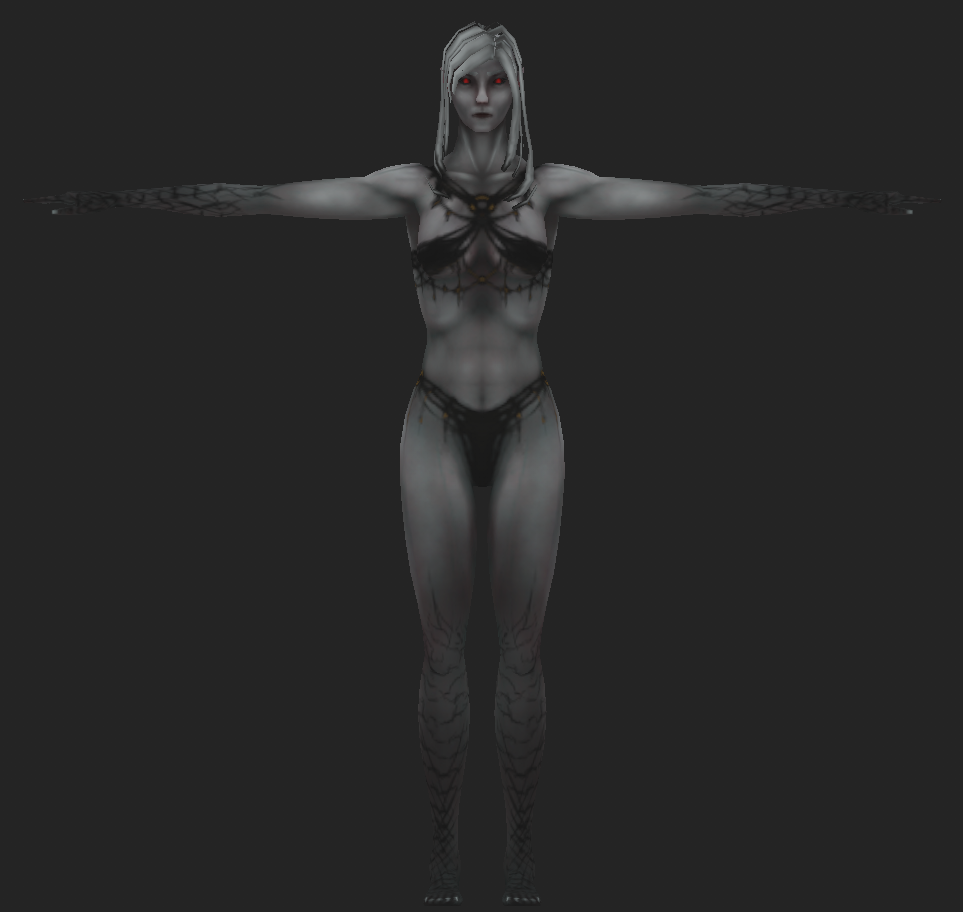 thinking about adding black draconic/demonic scales to the arms and legs, cuz it looks too similar to morrowind dunmer. Guess I'm going hand-painted for the artstyle? Texture size is 256px for the entire model. There's still some UV space left over for doodads like piercings, earrings, hair ornaments, etc. Hair obvs still…
 -
Re: Which software do you hate the most to work with (for whatever reason)?
 This, Maya UI for me is and forever will be a huge mess. Unnecesary or redundant buttons everywhere, having to move windows left and right to be able to see what you're doing in the viewport, huge toolbars that could be summarized in a couple of tools, etc
 -
Re: Zbrush topology artifacts.
 If dynamesh loses detail, increase the resolution and use the project option next to the dynamesh button. If the resolution doesn't seem to work, adjust the size of the mesh. Alternatively, use a smaller res on a duplicate subtool, subdivide and use project all.
>10228 results