Search
-
UDK - Low End Shaders/Material (AKA Old School Tricks)
 Hey to all, I was wondering, if anyone in here is willing to share some insight and maybe (pretty please) share idea and techniques on how to create and fake special materials/effects in UDK to save up on resources for low-end, small/portable quality games. An example of what I mean, is recently (after much beginner…
 -
Substance designer : Having problems viewing changes in real time
 Hey guys, just got my hands on Substance Designer two days ago and am facing some technical difficulties. Assume I know NOTHING! I've been playing with the nodes and viewing my changes on my own model in the 3D view. The problem is, my changes wont always be true to what is actually in my graph 100 percent of the time. Let…
 -
[Zbrush] Can't figure out insert mesh w/curves

 Hey guys, I'm going off this tutorial that seems to be the go-to method for streamlined game ready hair from zbrush http://www.3dartistonline.com/news/2015/04/how-do-i-create-real-time-hair-for-games/ I'm stuck at configuring the insert mesh brush using curves. The WeldPoints button under geometry is just not working 100…
 -
Re: 🎅🏻Rudolf 🦌🎄Real Time Character
 Looks spot on! Really like it. Especially the antler shape. Disappointed he lacks a red nose, but, oh well. Only thing I'd change were I an art director would be the fur cape, which looks a bit flat and matte! I'd love to see a bit broad fresnel/fuzz shading on it, to make it feel a bit fuzzier, without drawing the eye too…
 -
Re: Is there a limit to UDIMS?
 While Unreal Engine does not have a hard-coded "max amount" of UDIMs; the actual limit is determined by your system hardware's available memory. Remember to enable virtual textures in Unreal and so long as the textures end with the numbers.1001 and .1002 and so on you only need to import the first texture and Unreal will…
 -
Re: XP 64 - How is it?
 "Run in compatability mode" and "Run as" didn't work for XSI. Sadly that option works for too few programs [ QUOTE ] So if you do switch to x64, go with NOD 32, it friggin rocks. [/ QUOTE ] Seconded
 -
Re: Confusion with Normal baking issues around edges/borders

 Hi! Took a look at the files and at the lowpoly exported from Painter and wrote down some thoughts (some not on issue): I think big part of the issue your describing is that the difference of the curvatures between high and low of the gorget is too great - but the highpoly would be best improved as well (see below). Low…
 -
Re: 3ds max select and delite overlapping faces
 Add an Unwrap UVW modifier. Open the Edit UV window. Go into Polygon mode. Select menu, select overlapping faces. Collapse the modifier stack. Enter Polygon subobject mode. Delete.
 -
[WIP] Stalker 2 Fan Art - Unreal 5 Realistic Environment & Story Telling

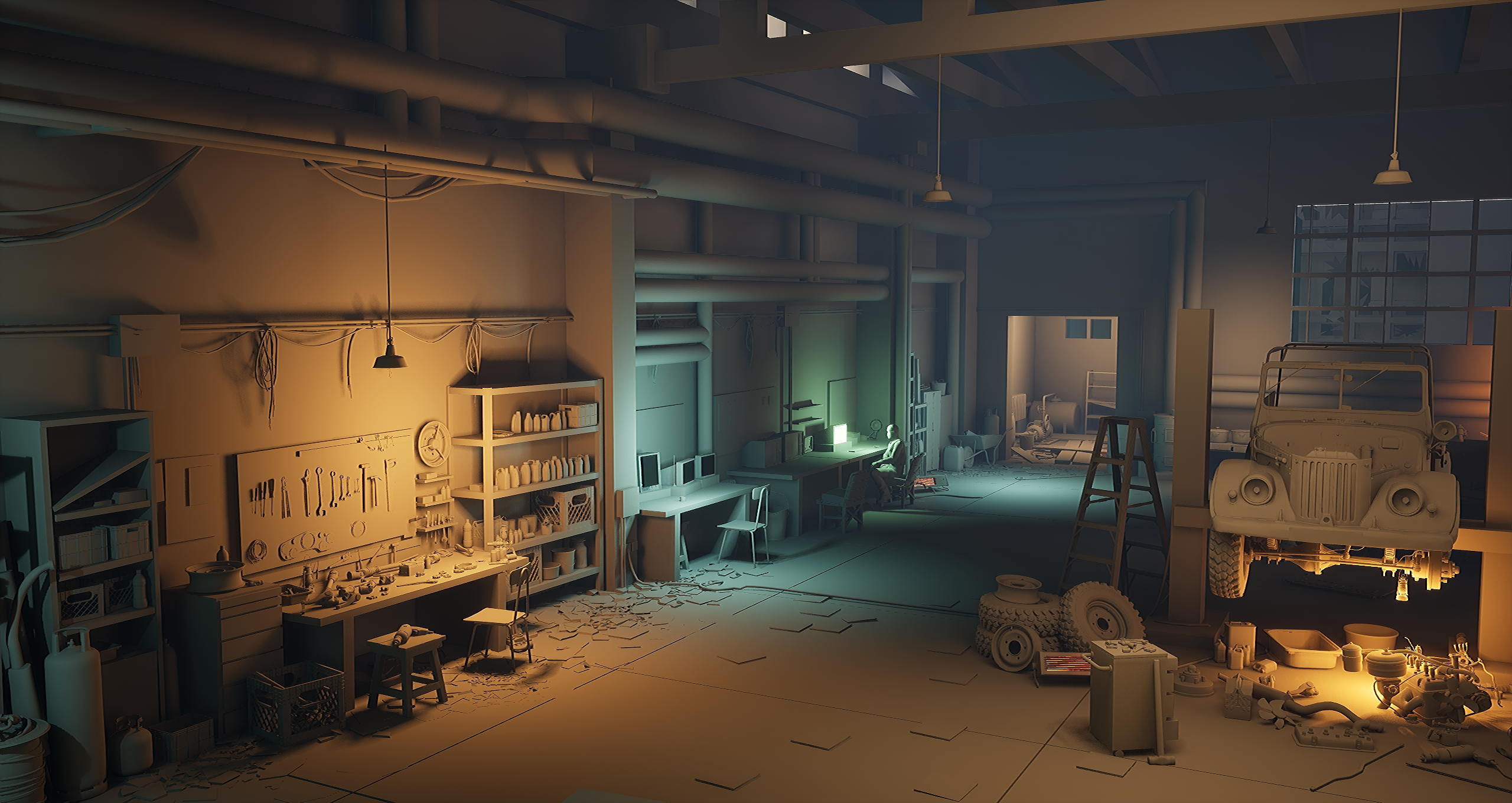 Hello! I’m excited to share the very early stage of my new Unreal Engine 5 environment art project. This first phase focuses on blocking out the space and exploring the core ideas behind the scene. I’ve gathered thematic reference materials, used AI to generate early concept directions, and I’m actively collecting…
 -
Re: Maya - Bevel using control edges possible?

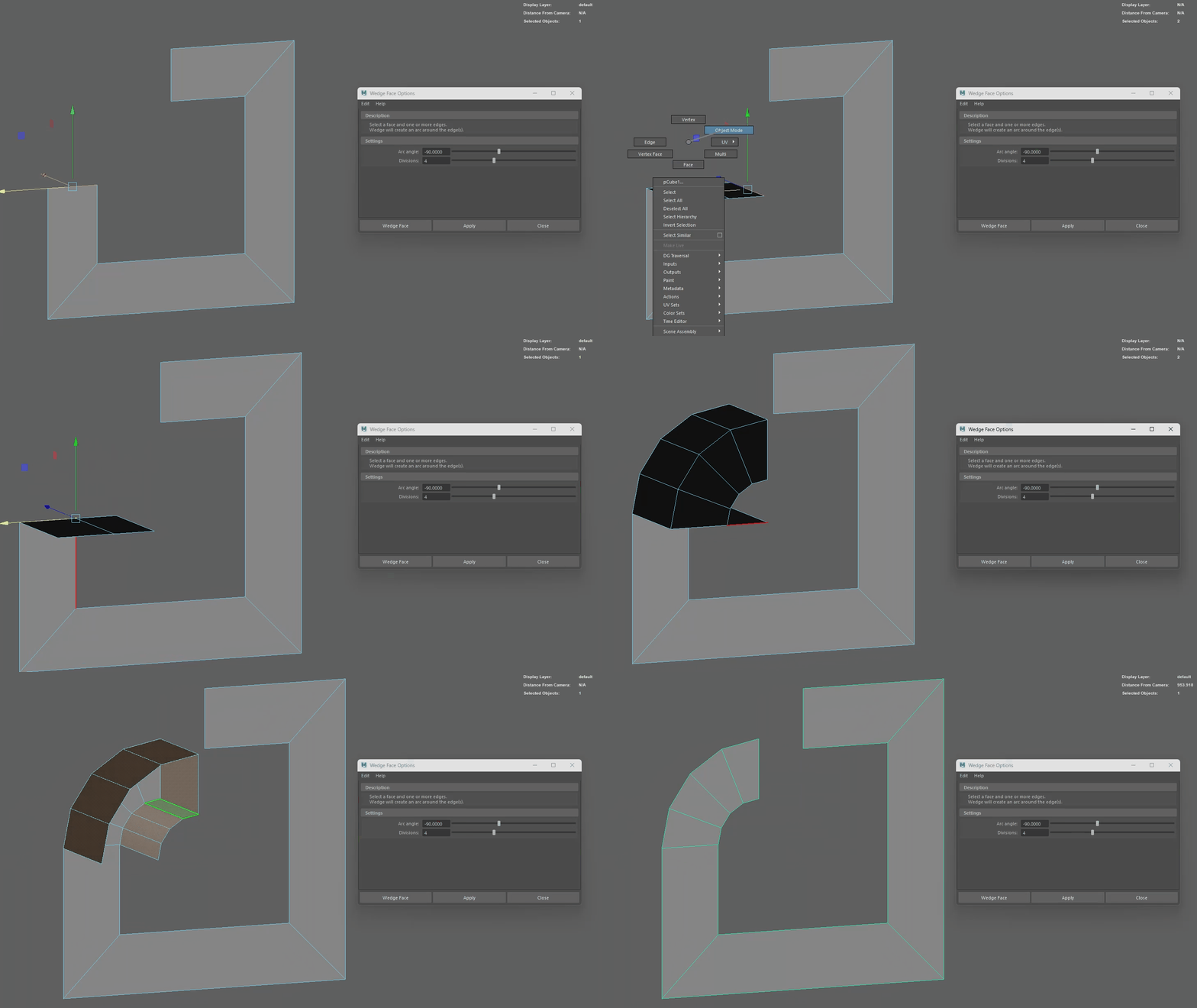 I always did this type of rounded bevel with the spin tool in Blender. I've also been looking for the equivalent in Maya but so far the closest I've come across is 'edit mesh > wedge'. I hate that it's the one tool you have to be in multi mode to use, also you have to delete the extra faces afterwards :/
>37266 results