Search
-
Phantom sphere can't be deleted

 Hey there I have this phantom sphere that doesn't appear in the viewport (even in wireframe mode) and i can't find it in the World Outliner, yet when I play the Standalone Player (to render 360 images) the sphere appears. Here's looking through a camera... Here's a wireframe view... And here's when viewing through…
 -
Badass batman
 Hi, My last personal project, inspired in the cover 1 for The Dark Knight comic, by awesome David Finch. Zbrush + Photoshop + Blender Cycles for rendering and comp. I have been working on it about a week.Complete sculpt is about 15 million polys. Here the links to cghub images: http://cghub.com/images/view/906595/…
 -
Material thumnail/world consistency
 Hello everyone, I dont understand the big difference between the thumbnail view and the material once applied to a mesh in the world. The thumbnail in the material view looks like it is supposed to. It is relatively close to what I see in other software packages as well (This was done in SD). But when I apply it to an…
 -
Blender, planar unwrap
 I'm trying to figure out how to set the size/position/rotation of the planar unwrap in Blender. You can planar unwrap from the current view, but is it possible to set that view exactly? What I'm trying to do is a top-down projection that needs to be centered on an exact position and has an exact height/width. It seems like…
 -
DX shader to render MAX 8
 hey dont know if this is possible. say i bake out a light map with a second uv set, then i go in and texture the object with the first uv set. i make a dx lightmap shader so that i can view them together. is there a way to get those to view as one in a render? anyone would know that would help me a ton! thanks in advance.
 -
Re: Why can't do this
 This drawing uses 2-point perspective. The 3ds Max viewport is 3-point (Perspective or Camera view) or 0-point/orthagonal (all the other views). If you use V-Ray, you can use a V-Ray camera to turn on vertical correction, and thus get 2-point perspective in the viewport.
 -
Re: Power Ranger Helm - Wip
 looks good so far. The dip above the lip ( i dont remember what its called) seems really big and the upper lip looks way to thin. Do you have any reference pictures you are using? A side view or a 3/4 view of the high poly would be nice
 -
Re: No height map preview?
Right click the node you want to to view in 3d viewport and hit 'view in 3d' then you specify the corresponding channel. And to access the viewport setting, in the 3d viewport menu go: Materials > Default > Edit. You can find the relief amount, emissive intensity, normal map -Y or +Y setting and more. -
Re: MODO | Vaughan in 60 Seconds Videos

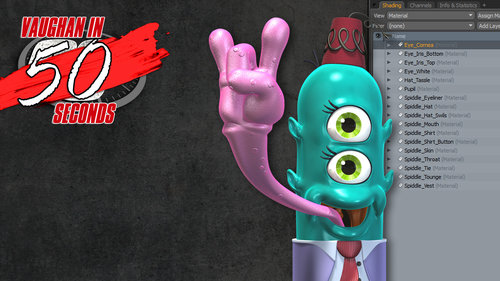 MODO | Shader Tree Material Mode This video takes a quick look at the Material View Mode of the Shader Tree in MODO. The Material View Mode only displays material tags providing a simplified workflow in the Shader Tree. http://www.pixelfondue.com/blog/2017/6/11/modo-shader-tree-material-mode
 -
Re: Looking for Game Industry Professionals Advice
 There's really no solid number. My rule of thumb is get rid of anything that has obvious faceting from where you'd expect the player to view it from. For example some of your vines are a little low. If you're still using maya, Hit 7 with no lights in the scene and view the object as if it was just a black silhouette.
>29837 results