Search
-
Re: [Papekura Designer] Multi texture problem!!
 I remember that it was bitching with me back then, had to drag a texture directly on the object otherwise it would not export right and to long filenames or path names would result into a fail as well. Meanwhille I have heard that pekakura was improved but not radical changed. Another trick I have though for you is to…
 -
Re: I can navigate in Maya...Need UV & SKIN Tutorials
 a couple things i have found to help speed the process up with key bindings created in the hotkey editor (you will need to create a new command for most of them): a Rotate left and right polyRotateUVs 45; polyRotateUVs -45; flip selected uv's vertically polyFlipUV -flipType 1 -local on; flip selected UV's horizontally…
 -
Re: 3D max shell act really weird
 well, i would have said the same, see if everything is welded or see if there is anything welded which you didnt want to be welded if everything fails, remake it and see if it gets better. or you put another edit poly on top of the stack and just edit the verts that stick out... edit (over 10 years later, as I find this…
 -
Re: Some Common Things.
 I use 2008, so i hope this is still relevant... or actually not, hopefully this stuff is already fixed ;) . -Overall the program is just bloated by functionality that isn't really necessary, or doesn't feel relevent to what you're doing at the time. There are plenty of buttons that if i think hard i could kinda see how it…
 -
Re: Newbie Maya Question
 turn on camera based selection in the selection tool... to open the tool menue double click the select icon on the left...
 -
[Max] Need help moving Multi-Object UV Islands/Sets
 Hey currently I'm trying to sort through this piece of code that I've edited from one of @Ojah 's old posts. fn F_moveUV movePos = ( if selection.count >= 1 do ( SEL = selection as array for i = 1 to SEL.count do ( print SEL[i] objMod = SEL[i].modifiers[#unwrap_uvw] objMod.unwrap2.faceToVertSelect() print objMod vArray =…
 -
Swap bone tool
 I looked for a while for this, but couldn't find really anything doing it... so I made it. It's my 1st script for max :p and it may not be that usefull but I wanted to share it still. It simply replace the selected bone to another one while keeping the same weight :) Mainly useful when your mirror paste doesn't work…
 -
[Maya] Small Smart Collapse Script

 Short script that collapses component clusters for Maya 2018 :) Full credits to eltarbos! (Python) Code: import maya.cmds as cmds Original Post: So I've been getting into Python in hopes of not banging my head as frequently as I do whenever I get to make my own scripts. Right now I was trying to mimic Max' merging ways, in…
 -
UV race track using graphite modeling
 Hi, I'm trying to work out how to uv and texture a race track in Max. I've built a simple track to experiment on (using line and sweep). I've been trying out the graphite modeling tools - I want the faces highlighted in light blue to be the road, the ones above to be mountains and the lower faces to be mountains too. All…
 -
Tutorial - Creating highpoly meshes for Nanite, using editor modeling tools and displacement (UE5)

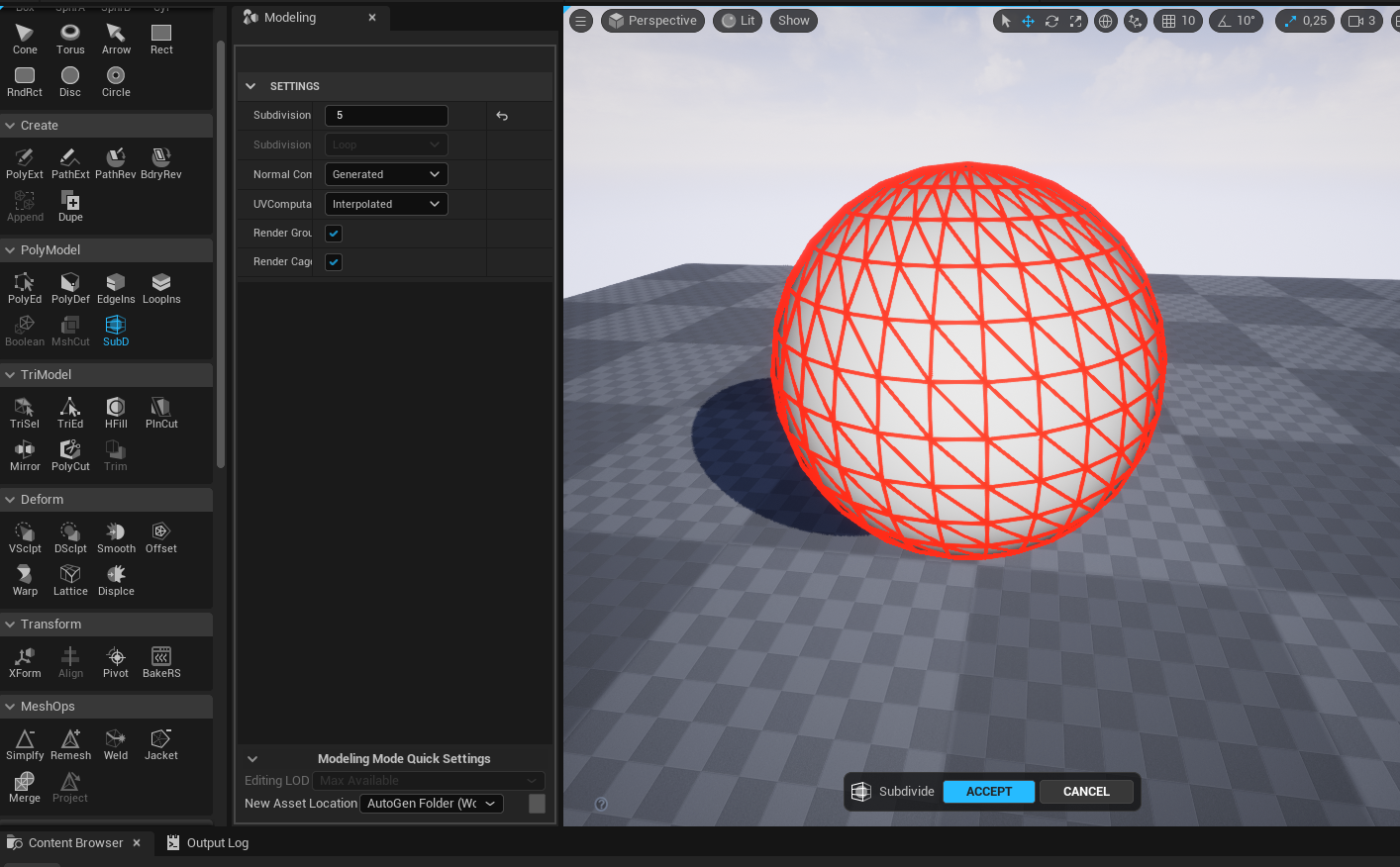 I thought a lot of people would appreciate this so I made a mini tutorial about it. So there is a simple and fast way to bake displacement and subdivision into lowpoly meshes inside the editor, using the editor modeling tools. It goes like this: 1. Enable the editor modeling tools in the plugins settings. This will require…
>15388 results