Search
-
little Artdump for Project "Journey home"
 hey, i had the opportunity to help out an indie team with the visual development of their prototype for a crowdfunding campaign. it was a very fun project to work for! my task consisted of designing the world and create realtime assets in order to provide the team with some guidance and show the crowdfunding audience a…
 -
Hearthstone Board - Starcraft 2 Style

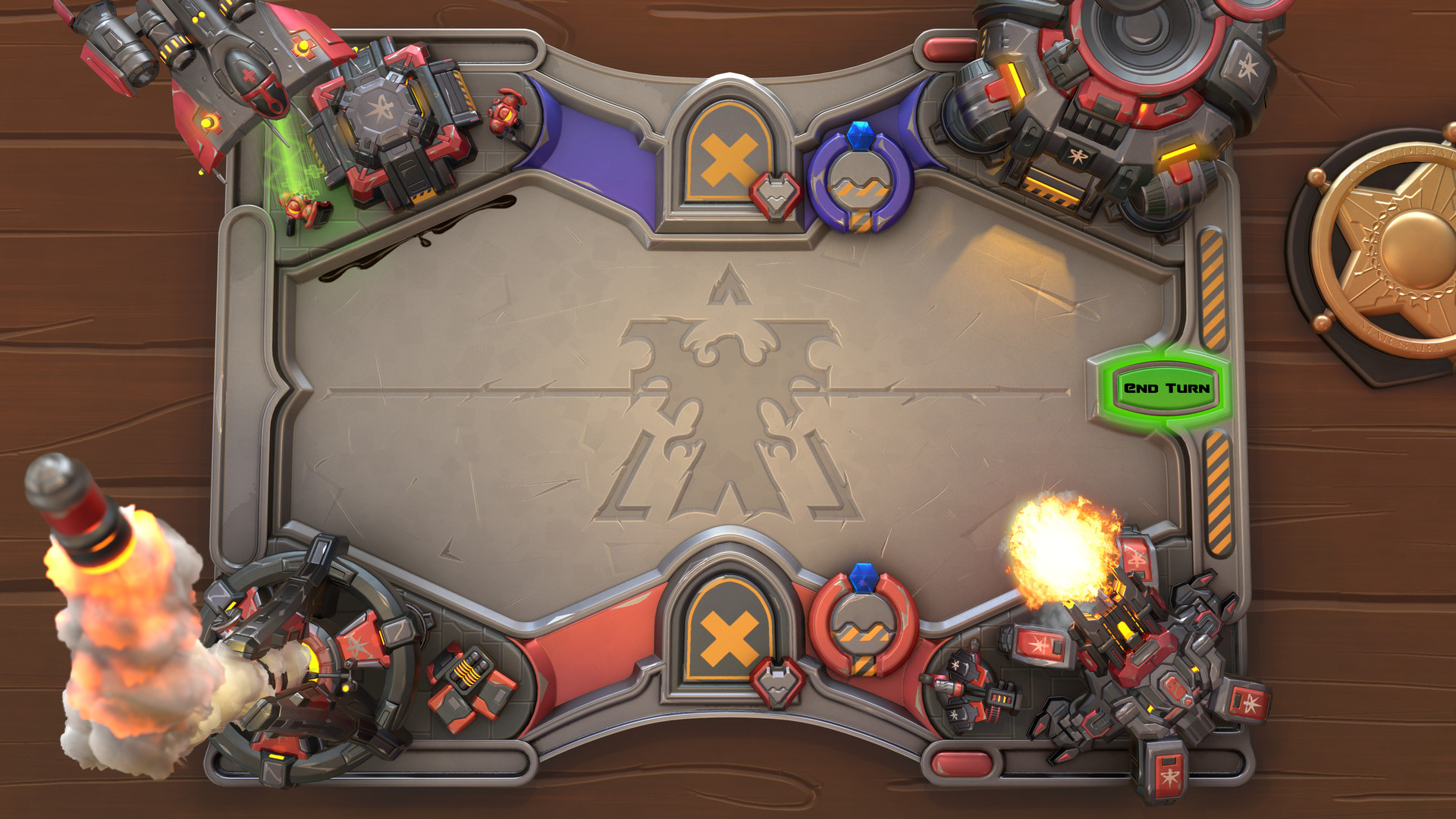 EDIT: Hey guys :) I call this one done :) At my Artstation you can finde the whole scene inside Marmoset Viewer :) Final Render: Close ups: HR: I had a blast creating this! My workflow for this was rather basic, at first I created all the assets as highpoly models. At this point I started staging the whole scene, while…
 -
Re: Inflating high poly before baking normal map
 That is a hard no. Wtf Make sure your lowpoly matches your highpoly shapes, be aware what normalmaps can and can not handle and use a cage or proper ray distances for baking. No need to fuck up your highpoly for baking.
 -
Re: Weird normal maps outside Substance Painter & Bake glitch
 Hi! Can you share files (lowpoly and highpoly) of an element showing the issue? If the zipped archive is small, you can attach it directly to a post, else host externally. Some renders showing broken shading in other applications reminds me of wrong normal map handedness, although you write you checked the green channel.…
 -
Re: Unreal Tournament 99 - Biorifle remake
 Hey there ! Thank you very much ! Yes, I saw that at the end, I have a tendency to still being lowpoly on my props even when it's close but you're right, I should have put more polys ^^
 -
Re: [Portfolio] JackyBoy, Environment Artist
 Hey man! Get ready for this one because I want you to know as a fellow artist I am not trying to offend you at all. I really want to see you get a job... And I hope to see you in the industry one day. Some things I say may have already been said, but I didn't just want to say it... I wanted to show you. Not saying this…
 -
Re: The Bi-Monthly Environment Art Challenge | January - February (82)
 Hi! Very nice progress on your cloth factory prop so far 👍️ Looking forward to your updates. What do you have in mind regarding the workflow? Highpoly to lowpoly, uniquely hand painted lowpoly, vertex colors, textured by trims/atlas, anything else? @Fronk3D I tend to edit my posts when nothing was posted in-between.…
 -
Re: The Bi-Monthly Environment Art Challenge | March - April (89)
Hey @v13r1, congrats on finishing! My critique would be that the roughness/glossiness seems out of hand, particularly on the exterior. To me this makes it look like everything has a coating. I would recommend looking at real world reference image and potentially use scanned materials, either as a base or reference when… -
Re: Need help projecting low onto high poly model zbrush
 I'd just smooth the trouble areas and project again. If the lowpoly doesn't match the highpoly, you'll get those results in the first image. You might also want to Geometry > Freeze SubDivisionLevels > select the Zmodeler brush, and alter the lowest subdiv so that you get better projection results
 -
Re: UDK model darkens with smoothing group
 its because you split your smoothing groups not properly. It looks like you use one smoothing griup for most of the model, and so your shading wants to make it look like round, like a ball, while your geometry is not shaped like that at all, giving you these dark and strange shaded areas. on the left is one smoothing group…
>7441 results