Search
-
Re: Substance Painter Baking Issue

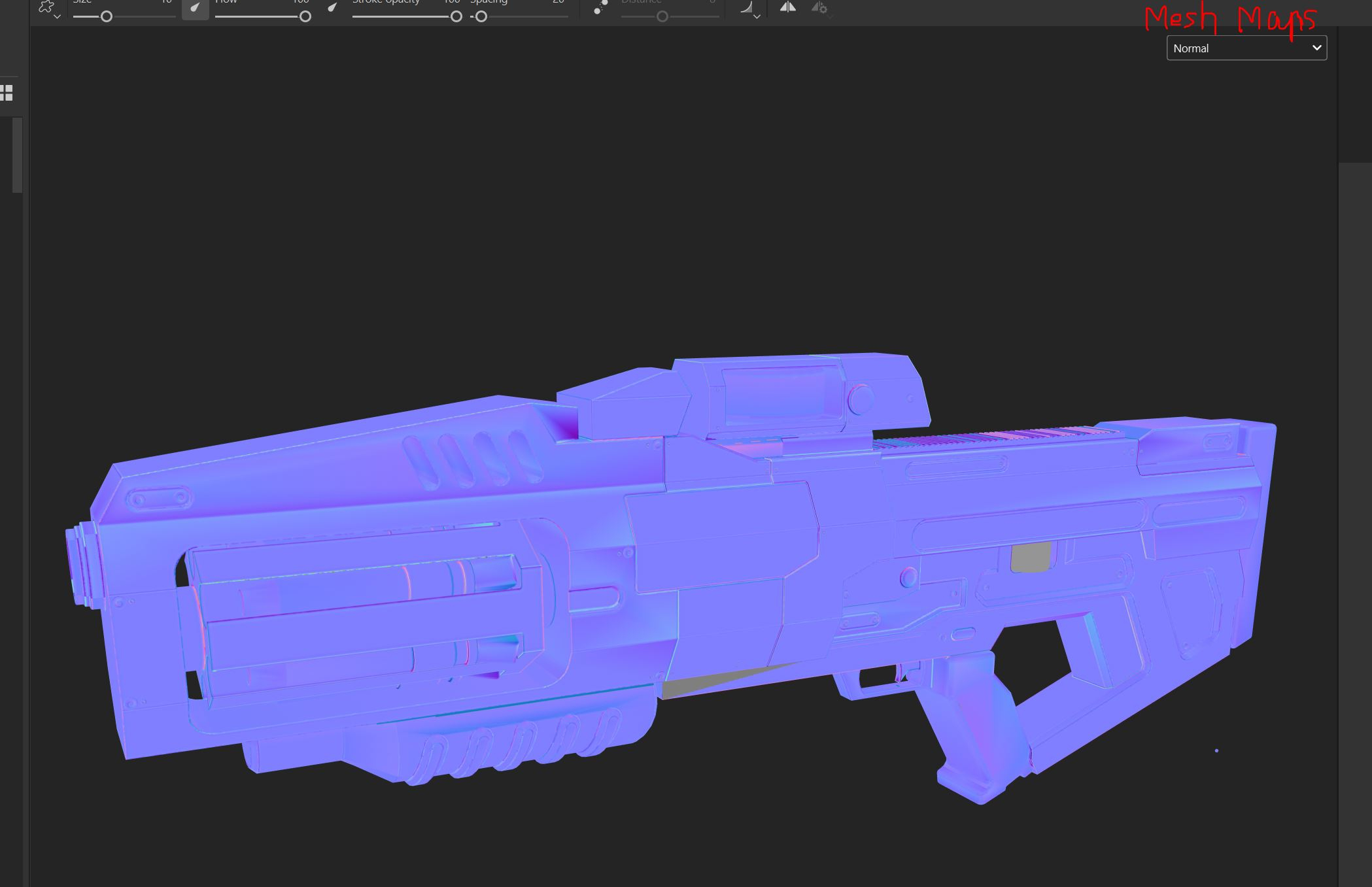 What channel are you looking at? 'Mesh Maps -> Normal' would be the bake. This is what I see in your attached file: But what does your current shading look like, low poly with normal map applied? I would work on the asset looking at that. What you're looking to learn from the normal map channel? I only check the normal map…
 -
Errors in Bakes

 Getting some weird errors on part of a mesh I'm working on, figure I'd post up here since I'm out of ideas. I thought something was wrong with the mesh but it bakes just fine in xnormal and max. First time baking in the baker so maybe I'm missing something?...but its very straight forward so you really can't mess it up.…
 -
Re: Problems when baking normal map in substance painter
 Experiment a bit, there are lot of quick things you can try to understand what is causing the issue. You can make a beveled cube and try baking it the same way as you are baking this to see if you get the same errors. As I said, usually, there are jagged edges when the baker can't find enough room to work with. Increasing…
 -
Re: Baking Problem in xNormal
 Xnormal is slow (CPU based) and generally a pain to use. You can still get good quality bakes out of it, but you'll spend more time setting them up and waiting for the bakes to render. XN is missing a lot of features and map types that you would expect from a baker these days as well. I used XN for many years, and really…
 -
Re: Sketchbook: Fabi_G
 Put some models I did for a past challenge into Unity and baked light. I think my latest job, which entailed light baking, inspired me to do so. Somehow I find light baking satisfying :-B Maybe I will continue with this scene? Currently I'm using the default baker but I'm thinking about getting Bakery. Did an iteration on…
 -
Re: [Blender 2.8] Bevel shader normal map baking artifacts on flat surfaces
 Still seems too low to be useful though. For an 8k texture, 512 samples seems to be just enough to hide most noise. And having to bake a higher res texture on GPU only to downscale to reduce the noise seems to be slower. I did some simple tests - maybe my GPU bake settings could be better but my results were these. GPU…
 -
Re: Baking out vertex colors to a color ID map
 For the record : you are overcomplicating the process as there is no need to rely on vertex colors to bake out an ID map. In order to bake such a map in Xnormal, export out parts of your highpoly as separate OBJ and FBX files and tick "Bake base texture" for output. Enable "Write Object ID if no texture" in the options.…
 -
Issues baking multiple UDIM UV sets in Marm
So I'm recently trying to use Marmoset to bake my normals/AO/curvature maps. I have my low poly set up with UDIMS in Maya with different materials and UV sets and Marmoset recognizes everything when I import my low poly FBX into the baker. Materials are created per UV set and the texture set drop down button shows all my… -
(Workaround) remove files from Baker's Quick Loader list
 Hi, This is something I have been wondering about, is it possible to delete a file from the list? Or do I need to create a new Baker? I am using macOS. EDIT: actually I don't think I can modify that list's filenames without the scene going wrong (low poly filename seems to revert to old name after changes), Looks like the…
 -
Re: Albedo baking white color instead of baking vertex color (from high resolution mesh)
Add the vertex color bake output from the baker maps configuration settings.
>27492 results