Search
-
Just another Baby Yoda FanArt...

 I sculpt and painted him in ZBrush, made a render and sent to photoshop. Then i gave him some photoshop steroids: And i cut him in pieces. - - FeedBacks?
 -
Re: Visible Tiling in Substance Designer Material
 Most probably it's from some non tilable gradient or 2d transform in Designer but nothing you couldn't easily fix just in Photoshop pattern preview and mesh transform on a smart object if searching through Designer graph is too much of a pain. Sampler has some automated tool too but imo works so so.
 -
Futuristic take on a serbian warrior: bust
 First time doing a more focused piece, instead of a full character. Would love to hear feedback on what I can improve on for my next portfolio piece.
 -
New Member....just saying Hi

 Hello... I thought I would post some of my older art work for now...I will be posting future 3D Art for everyone to see. Thank you.. .
 -
Re: How hard would it be to recreate these visual effects?

 Have you tried an AI upscaler yet? This sounds like the perfect method since your graphics already exists but are just a bit too small. It might add the detail that you need without the need to redo the graphics from scratch. There are online services that allows you image upscaling. Also free ones. It must not be Topaz…
 -
12 Days Challenge Female Bust

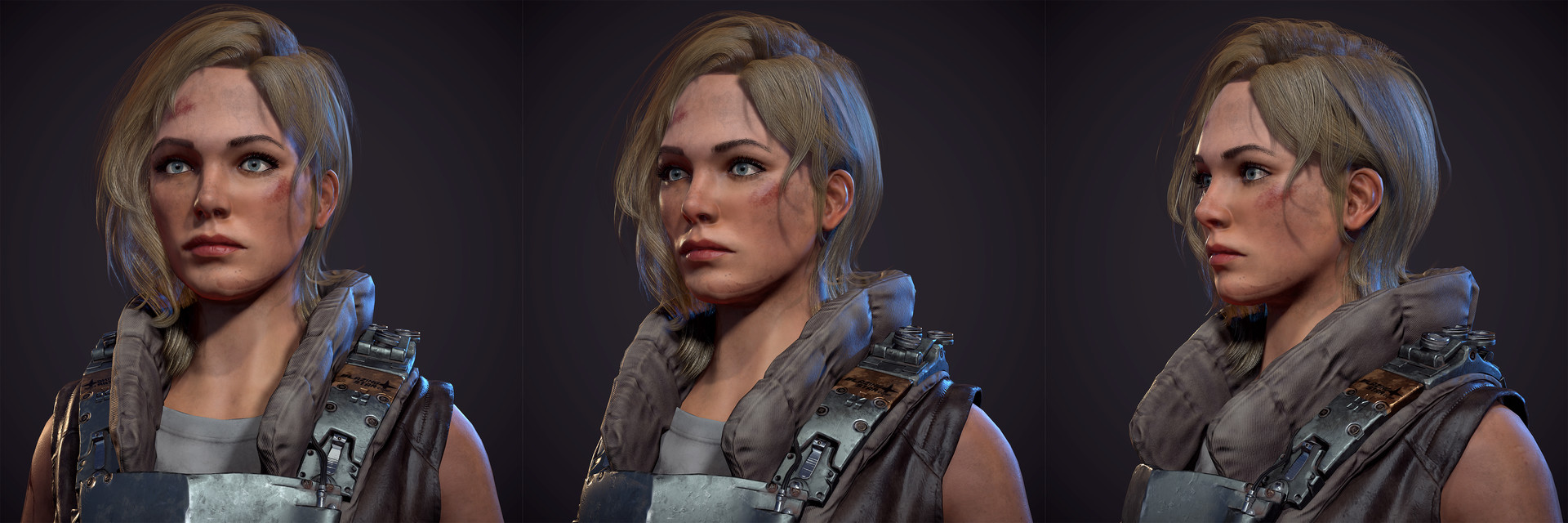 Also on artstation https://www.artstation.com/artwork/AGbez A 12 days challenge. Concept of the vest was given. breakdowns below Maya Zbrush Marvelous Designer Substance Painter used. Rendered in Marmoset
 -
Re: Smoking Man Bust
 Ha, I saw this and thought "theres no way it will be THE smoking man, likely just a generic smoking guy" and look who it is :D Great work, will be keeping an eye on this.
 -
My WIP 3D Bust Model
 Hey! Merry Christmas everyone!!!! This is my latest work i was working for fun! Comments will be appreciate...feel free to contact me, my e-mail kahooyumok@gmail.com, even to talk as a friend.:)
 -
My zbrush just updated but .....
 Ok I got to forcefully update Zbrush , but now all my custom UI setting is messed up , it kept the structure I did befoure but the tabs I created are all empty , and I do not remember all the stuff I put in there couse took lot of time for a carefull selection , is there a way I can recover this somehow? I tried ofc load…
 -
[WIP] Bunny girl bust

 Hi there! After finishing some projects I wanted to sculpt something a bit different in my spare time. Right now I am working on the glove wrinkles. The idea is to texture her on Substance Painter and to use Marmoset for the render (if by the time the piece is finished I have learnt Unreal I might be using this engine for…
>108146 results