Search
-
[Blender] Everything in the viewport disappeared! [SOLVED]

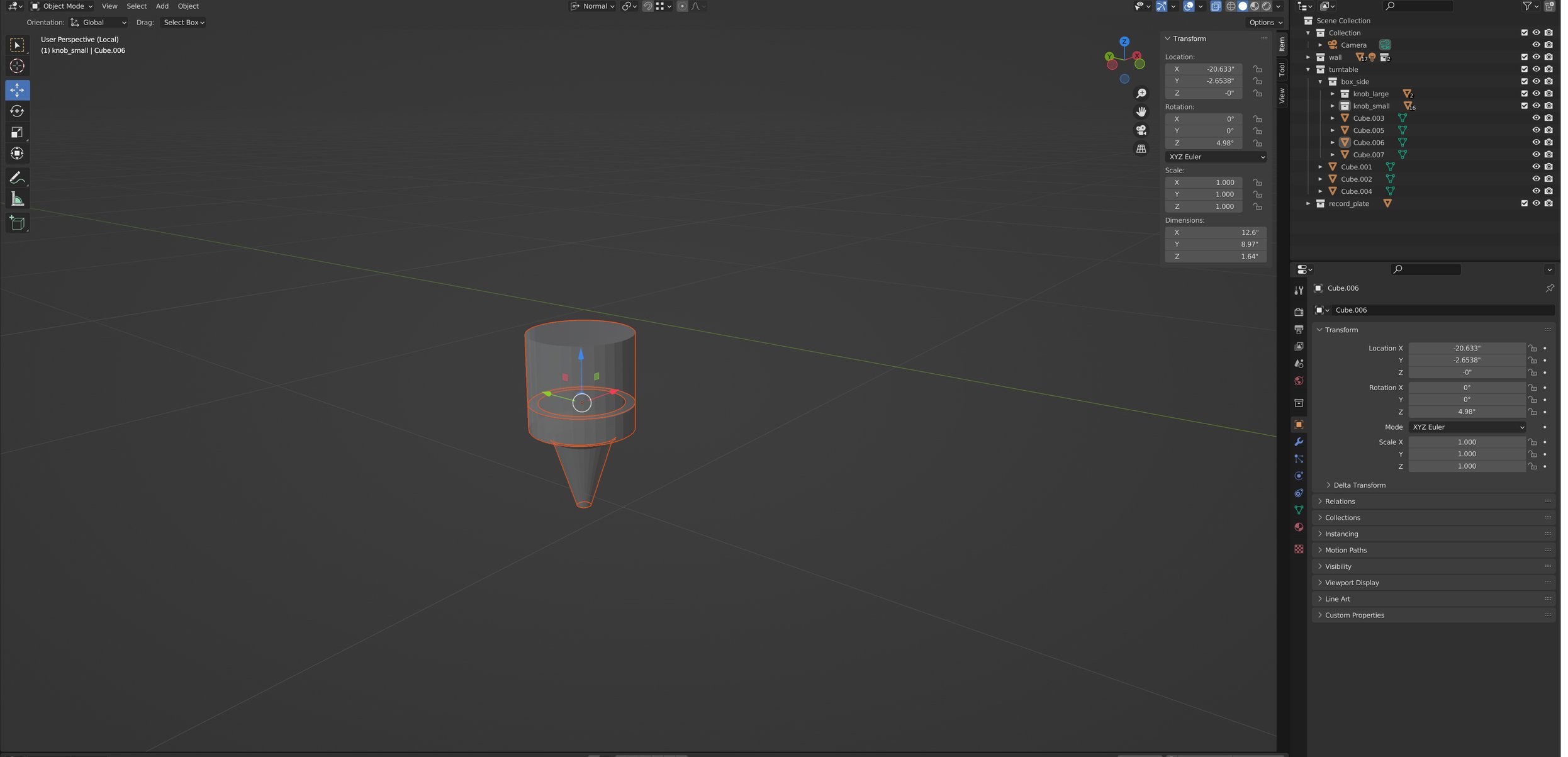 My left hand accidently hit SOMETHING on they keyboard and now everything is gone. Everything in my scene except for this thing disappeared. It's all still showing up in the outliner. How do I bring it back? Alt+H does not work. SOLUTION View > Local View
 -
Re: SOLVED: Quixel Suite - Crashing on launch
 I had exact same problem too. I solved it by right click the shortcut icon and run as administrator.
 -
SOLVED: DDO bump map questions
 Hello! By default DDO using bump map for some details of relief. But what is the point to use extra map for it if we already have normalmap? Can i move those details to the normalmap in DDO somehow?
 -
SOLVED: 3Do gets stuck
Can't figure this out. No matter what I do I can not get 3Do to unstuck from a previous iteration. I have tried to force update, close Suite open it, re-import meshes. Still it is stuck on an earlier version. -
SOLVED: ddo and roughness maps ?
 hey, I just updated to the new version to try some things out... long time ago i used the quixel suite the last time... what i noticed is where is the roughness map for UE4 it is complitly missing in my version ???
 -
SOLVED: Working With Different Groupings...?
 I notice that if my project is broken up into 2 separate groupings that when I import the mesh it breaks it up into two slots. How do I go back and forth between those two slots when creating materials?
 -
Re: Solved: Layer editing mode not working
 Problem Solved. Upgraded to Photoshop CC 2015.5 and everything's working now.
 -
Re: SOLVED: AO-map turning black
3Do was creating an undefined black layer in AO, turning that off solves it -
[solved] Substance Designer || Tesellation
 I have just started using substance designer, so "noob alert!" :) How do I use the tessellation feature? I am using the Plane(hi-rez) geometry primitive, and I have my default shader set to "tessellation". what else am I doing wrong?
 -
SOLVED: Black tris in 3DO
 Hey there, I am very new to using 3DO and the whole Quixel package. I am just trying to learn it by using a simple object, but when I load it into 3Do, I have all of these black tris. Can someone help me get to the bottom of this? Please? Heres a screen grab.
>14359 results