Search
-
Just my website. Trying to get my foot in the door!
 Take a look. Feel free to leave comments. I use Autodesk Maya Zbrush, some 3d Coat, Shop of course. It's a new site, but I'm trying to get something going for the GDC this year. I'm working on something right now, that is just insane. Hopefully it turns out alright. Thanks! www.joshuakuskowski.com
 -
>New< Trying my hand at some brick tiling texture.
 I am trying to do some brick tiling texture, but it got really bad. Any advice on what am I doing wrong? Def Normal Hight AO Here is what I want to achieve. I new to Zbrush. How do I do cracks and make it look good? Thank you
 -
WIP cultist (trying to making the artwork of Alex Vasin). critique plz.....
 day 2 Found this artwork from Alex Vasin artstaion page...really tliked this masterpicece so i m trying pl give feedback as i progress
 -
ZBrush breaks whenever I try to offset something!
ZBrush is really starting to get on my nerves since I have to spend more time fixing it instead of learning it! :poly118: I am trying to make simple planes to have reference pictures on. When I offset the two planes to create space for the actual model, it looks fine at first but when I rotate the view it all glitches out… -
Re: WIP Character - Trying something different
are you using art from the game as reference? If so I recommend you try working from real reference but using the theme/art style you liked from the game. Essentially.. if the modeler made mistakes, you run the risk of making bigger mistakes trying to use his work as reference... Plus the best work I've seen from you comes… -
Trying to figure out how this large asset was textured...
The crashed helicopter here: https://cdnb.artstation.com/p/assets/images/images/020/168/423/large/josh-wilkinson-wilkinson-mudtooth-ext.jpg?1566667166 Trying to figure out how this was textured. It has so many unique details and doesn't look like a trim sheet. Im assuming its a 0-1 unique normal from a high poly bake. Then… -
Re: Artefacts after bake
 for @AlexandrDm Hard to say from the image, I would guess you are not working to scale and everything in the world is very tiny so the lights feel gigantic. Try creating a default Unity box in the scene. Those are 1Mx1M and you can check your scale through that. SOMETHING is causing your lights to be super intense
 -
Re: New monitor time
 So far I've had unexpectedly good results with this. It's over 300, but you can catch it on sale at NCIX. It has been great on the eyes. I could only afford one, so I'm using a 19" crt as my second monitor. At 1980x1200 I find that I don't need the CRT on all the time -- rough modelling is fine, zbrush is fine, but I turn…
 -
Trying to fix arm twist for a UE4 rig

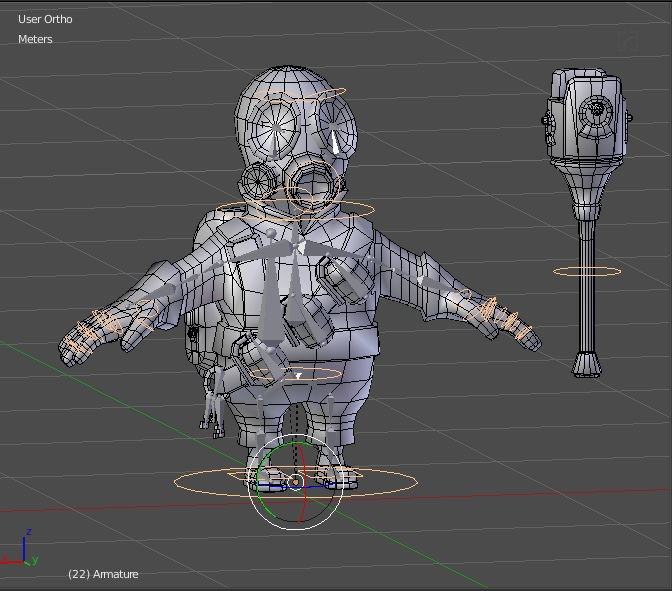 Hey PC, I have a little problem trying to figure out how to make the bones be able to twist without having the classic "candy wrapper" effect in which the mesh shrinks where bone is being twisted. Until now I've been using Blender's option "Preserve Volume" (which basically activates Dual Quaternion Skinning) for most of…
 -
Runic pond - First try at handpainted scene

 Hello, First time posting on here! So I just finished a piece and it's my first try at hand painting a scene. So to start off, it was really rough. Tried to come up with an idea first sketch. and the blockout. I wasn't really getting the right vibe of it so, went back to the drawing board and came up with this. Was alot…
>49706 results