Search
-
Fusion 360 - How do you bake these high polys?

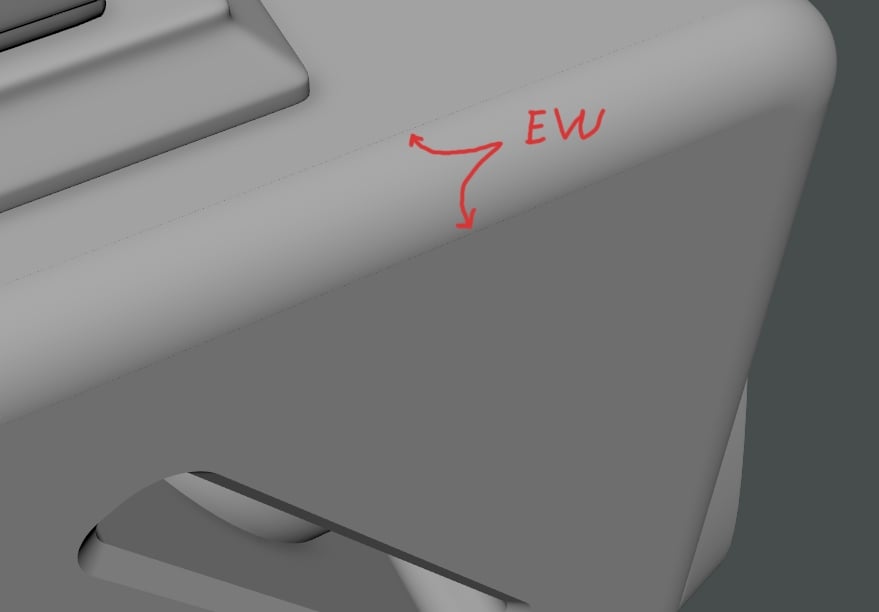 So I've been following Isaac Oster's f360 tutorials, and I really like the software. I'm able to get complex geo done in minutes which would take me hours otherwise. But when I export my mesh as STL or OBJ via converting solid body to a mesh, it triangulates everything. These tris are stretched and cause artifacting in my…
 -
Speeding up animation baking when using bakeResults command
 Hi all, I am using Maya 2017, scripting up a code that will perform mass animation baking via from a list of controllers. The process is as follows: * Perform a parentConstraint towards all controllers/ selections from the Rig that I want to constraint to * Use `cmds.bakeResults()` to bake out the constraints' values *…
 -
Re: 3ds max baking problem (really anoyinng edges)
 Are you using Mental Ray? It fudges up edge padding like nobody's business, it also messes up the background color of normal maps. It's total garbage makes the results unusable, at least in Max2011-12. You actually need proper edge padding, especially for games where the textures mip-map which is most games. I personally…
 -
Re: Help with UV Unwraps and edge baking
 That pinching along those edges are a classic case of hard edges without a break in the UVs. For optimal performance you want as much of your model in 1 UV shell, and as few hard edges as possible. A nice guide to learn this: -Keep everything in 1 UV shell as long as it doesn't create stretching. -Have no hard edges at…
 -
Baking issues with maya.
 Hey Fellas, I've run into some trouble and no matter how i try i cant seem to fix it so i was recomended to make a post here. When i bake i get these wierd areas. I've UV-mapped in the 0-1 space, The low-poly completly envelops the high-poly. Any idea and possibly even a tip on how to fix it? I'm still very new to…
 -
Baking in xNormals - Weird results
 When I bake normals from a highpoly to a lowpoly model in 4k resolution I always get these weird edges. Any ideas on how to get a more clean result? I have tried .tga and .tiff using the "ray distance calculator". I was thinking it was the normals maps attempt to make the edges softer, but you can see them when applied to…
 -
Re: Baking modular circular pieces
 If you want to make it modular there is no need to bake textures. Otherwise you would need to bake special normalmaps for every object which would encrease the amount of textures. Try to soften the edges with some bevels.
 -
[Blender 2.8] Ossim - Simulation baking tool for Blender (UE4, Unity)

 Ossim is a simulation baking tool. It allows you to generate an armature and skinned geometry based on physics simulation to use in game engines and realtime applications such as Unreal Engine 4 or Unity3d or any other realtime application that supports animated armatures.…
 -
[maya] really odd problem with baking blendshape animation
So I have a mesh with blendshapes that I've animated. I bake the blendshape animations like I always do by selecting the blendshape node and then baking. Now I export the animation as a .fbx file, making sure all the correct export settings are ticked, again, just as usual. So far so good, but when I re-import the .fbx… -
Re: Help on Baking AO in maya
 You're not using transfer maps are you? That's the easiest way to bake AO in Maya but it does take a decent amount of time. You'll be able to bake normals and AO from your high resolution crate if you have one.
>114822 results