Search
-
Gamer Talk Community#01 Lecture with Uncharted 3 Lead Technical Artist
 http://www.gamertalk.tv/?p=501 Lot's of good information looks to be in this long lecture.
 -
Neutral Lighting vs 3 point light for character look dev
 Hey ive been working on some characters for UE4 and im getting to the lookdev step at work are there any advantages or disadvantages when using studio lighting or neutral lighting?
 -
Re: Ok 3 questions, Normals, AO, and UE3 Emissive
 combining two normal maps can be achieved by going into the layer options of the map you want to mix in, disabling the blue channel (should be 3 checkboxes that say R. G, and G), and then set the blend mode to overlay. then controll the intensity with the opacity slider.
 -
Can you Prevent an Object from reflecting on other surfaces in Toolbag 3 ?
-
Substance Bitmap2Material 3 vs Substance 3D Sampler
 whats the difference? I got the first because it has a single licence and not a subscription which I hate, but I see the product seems pretty old as was last updated seems on steam on 2014 and I can't find trace of it on adobe site ... but I found this other one Sampler, seems to be doing the same thing? Or it has anything…
 -
Transparent textures in toolbag 3 (UPDATED)
 I saw some exported "marmoset viewer" scenes with a handpainted window, a transparent color gradient for a rocket trail, or in billboard vegetation. What's the best way to do it in this version. I read something like using the texture two times, the colored one in one place and a black&white gradation in other. But i'm not…
 -
Maya to Toolbag 3 and Substance errors

 Well I wanted to check my gun In Toolbag and some parts that where duplicated turned inside out like the normals where reversed but they aren't. a friend later said maybe unlocking the normals might work .. did neither I have no idea what else I could do. I also tryed reversing but that turns the mesh in maya black and in…
 -
Can you view Tangent Space Normals in Marmoset 3?
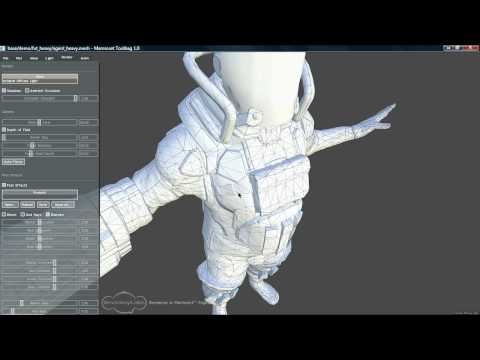 I found this old video of Marmoset 1. At 1min 20s the video show Marmoset being used to visualise the normals on the mesh of the object - https://www.youtube.com/watch?v=xG-Uk7-O6_0 Has marmoset gotten rid of this feature? I can't see it anywhere.
 -
Re: omg demo char 3?! RTS Dawn Of War DarkAngel Raven
 hito, yea sure send me the file when you can. damn 3 512 maps huh.....weird? hmm...........
 -
Toolbag 3 crash when Alt-Tabbing out and back
 Happens most of the time. Using Windows 10 64bit, i7, Radeon RX580, 16Gb Ram I have an animated character setup of 2000 frames of animation. After some testing, I have noticed it happens after the export of the viewer to artstation.

>37172 results