Search
-
Re: Star Wars - Redemption ( FanMade Project )

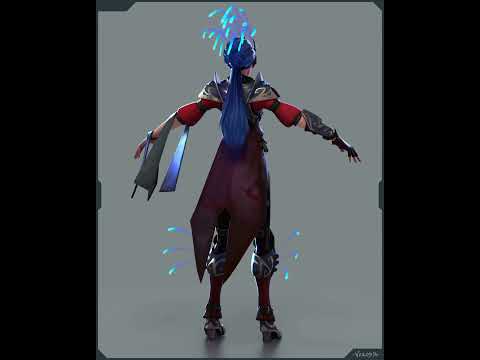 Okay, done with texturing ! Plus some first attempts at making a first soundtrack (I'm learning cubase, it's already fun to mess with !) http://www.youtube.com/Gveml22oFa8 http://www.youtube.com/r16cmj1wh5o
 -
Re: 3ds Max attaching and detaching loses all materials
 Okay sorry for being a bit cagey about describing this. I've been able to narrow it down to simple export from Max, i'm using this inside of daz so i use a variety of programs but dont let that throw you off. 1 shows materials inside of max all multi-surface. 2 shows the materials inside of uv mapper. 3 shows my export…
 -
3D Art - Guns for Unreal Project
Hi everybody, I'm new to the polycount forum and currently on the third module of my Master program where I get to choose skills to improve. So in order to prepare for this module I would like to ask you fine people what you think I should improve on my 3D models. The final project in this program is supposed to be a… -
Re: Cyberpunk 2077 inspired Game Environment, Third-Year Uni Project

 finished adjustable arms for sink mirror as for the layered material, it's kicking my butt a little bit but I'm slowly getting there. I've tried everything i can think of but i cant get the triplanar projection to work with the layered material, so i think I'm gonna have to go back and re-evaluate my modular pieces and…
 -
Re: Piracy Facts
 We're not arguing the morality of whether infringement is stealing or not, we're arguing the contradiction of his comments to the effect that it's okay to infringe 3DS Max, but not okay to a game, unless you're learning to be a QA. It's clearly a double standard. Here is Ninjas stance in a nutshell: infringing to learn =…
 -
Re: How do you texture different pattern bricks around a window?
Okay, I get it! Would you create this in Substance Designer, or would you model your own bricks in Maya and position? How can I easily replicate the upper part that fans out? I'm looking for examples of trim sheets to understand how they were made. Do you know any references? -
Re: Baking issues, before and after baking normal map
 Hi! By now you probably put your plan into action. When you're generally happy with the shading achieved by the modifier, you could apply it as a starting point. Personally, I define sharp edges while checking the mesh shading, placing UV seams at the same time (unwrapping in Blender). I had another look at the model, so…
 -
Re: [3DSMAX] [SUBSTANCE] facetted mesh and bakes problem

 as you wrote you ran it through zbrush this looks more like zbrush shuffled the UVs. apply the lettered checker inside ubrush to check if it is in fact that. if it is, go into Tool - UV Map - Adjust - Cycle UVs, hit it a few times until it looks okay. now you might think its done, but it is not. press it 2 more times until…
 -
Re: LOW-POLY ART
I constantly shift back and forward, had more complex and a lot simpler takes. But ultimately its kinda fine balance between what kind if weapon its supposed to be and how much I can stray away without making it unrecognizable. Not saying i am perfectly fine with everything but I am okay with the status quo Or lets say,… -
Re: The low poly is baked into the texture
>8260 results