Search
-
Re: (Solved) Maya MEL: periodic curve and knots
 A more concrete example: I know this works: curve -name "TEST1" -periodic 1 -degree 1 -point 0 0 0 -point 1 0 0 -point 2 0 0 -point 2 0 1 -point 2 0 2 -point 1 0 2 -point 0 0 2 -point 0 0 1 -point 0 0 0 -knot 0 -knot 1 -knot 2 -knot 3 -knot 4 -knot 5 -knot 6 -knot 7 -knot 8; But I can't get the degree 3 version of it…
 -
Re: Mirroring problems with the Skin modifer in max
 global BoneArray global BoneNArray global WeightArray global PasteArray -- Pass the vert id to extract all the weights to arrays fn CopyWeight theVert = ( -- Empty the arrays BoneArray = #() BoneNArray =#() WeightArray = #() theSkin = $.modifiers[#skin] BNumber = skinOps.getVertexWeightCount theSkin theVert BN = BNumber as…
 -
Re: [WIP] RED V-Raptor camera, Plasticity practice

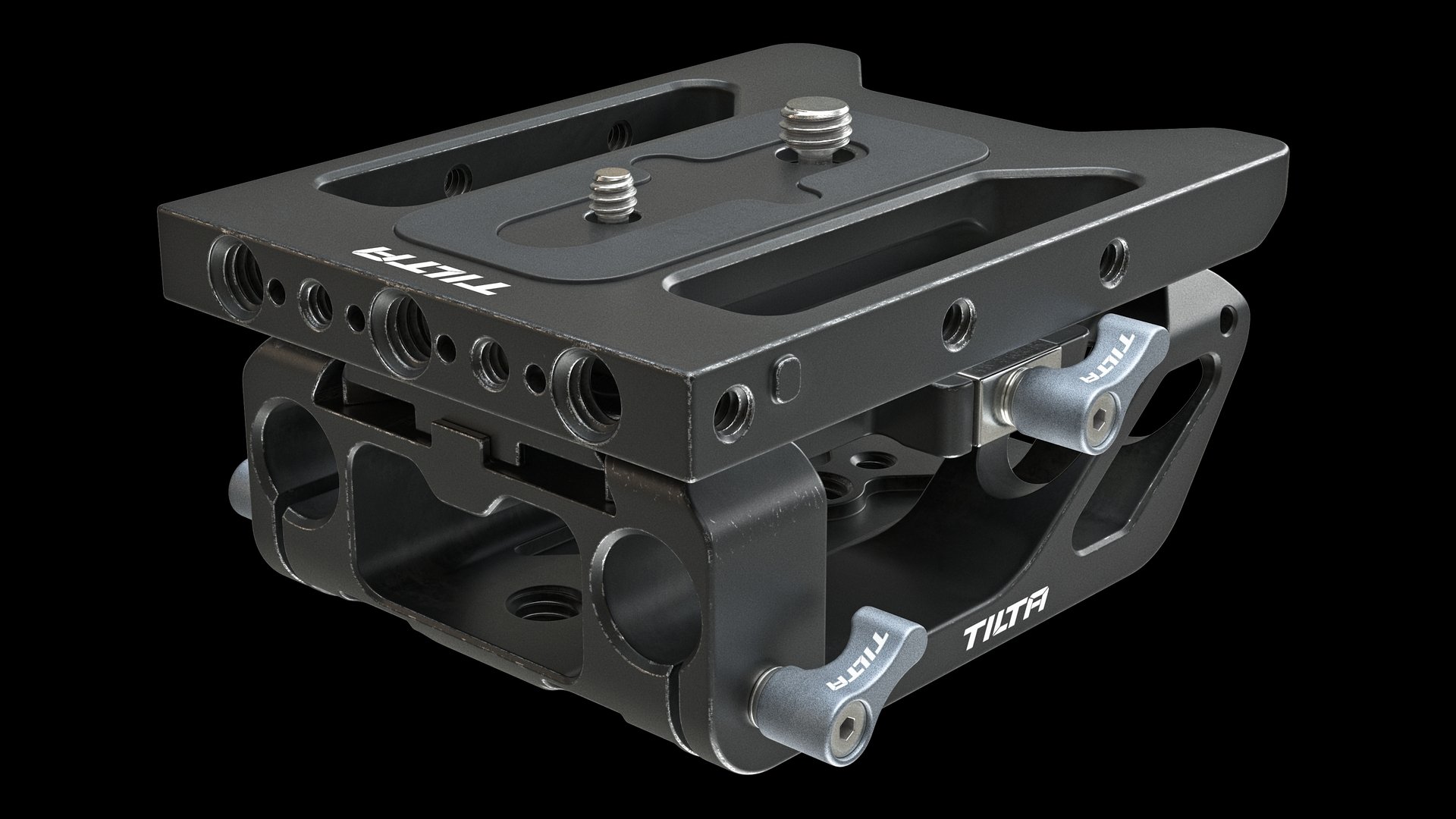 First test renders of baseplates. Too much edge wear and not enough dirt in some places. But the base is ready and it's great. Want to share one method of creating simple signs when you don't know vector graphics or don't like it. It's kinda strange and stupid, but it works. 1. Model a sign. I used Plasticity for that. It…
 -
Re: DDS photoshop plugin explained
 I didn't know what unsigned vs. signed means, so I asked one of the programmers here. Here's how he explained it to me. I added emphasis to highlight the meat of the issue... "Actually, we do use signed textures for normal maps, although we dont support loading them at the moment. The unsigned normal maps are converted.…
 -
[PAID] 3D Hard-Surface Artist — Stylized PBR Sci-Fi Factory/RPG (Unity/PC)

 Hi guys, I'm looking to contract a 3D artist to create game-ready (real-time) assets for a new Unity game currently in development. The game is a (futuristic/sci-fi themed) Factory/RPG, for PC only, top-down/isometric camera. The entire project requires roughly: * 40 sci-fi buildings (1 model each + simple animation loop)…
 -
Re: Kart racing game
 mm, sorry, I meant X-Form (in 3dsmax) not x normals. Starting to wear out :) I've got it positioned right, just getting weird lighting at the moment. I really appreciate the thorough answers. I guess I'm a bit confused about the steering wheel bit yet. I modelled my truck around your car. So the wheels and steering wheel…
 -
Re: Modular Assets and Tiling Textures
 UV's don't need to be in the 0-1 space. Place them wherever you want and scale them up/down to get the tiling texture to repeat as much as desired. For unique details you could use decals, or create a second UV set that'll be rendered over the tiling one (just give the important parts UV space in the 0-1 range and mask the…
 -
Re: Maya 2016 & LT, TURTLE Lightmap Baking
 I discovered that the raytraced shadows can be fixed using bias shadow rays. Still no idea about the texture override, the MEL command for running TURTLE is this: ilrTextureBakeCmd -target "pCubeShape1" -target "pCylinderShape1" -target "pConeShape1" -frontRange 0 -backRange 200 -frontBias 0 -backBias -100 -transferSpace 1…
 -
Re: Unreal Engine, looking for feedback, thanks : )
 I think what you have is already a solid image. The lighting and atomosphere are lovely. I like the centered composition but have 2 suggestions to imrpove without totally rethinking it. 1 move the camera down a bit and tilt up. See more trees/sky and get a more interesting vanishing point (this clip from 'The Fablemens'…
 -
Re: How The F*#% Do I Model This? - Reply for help with specific shapes - (Post attempt before asking)
 In Maya I just take a cube and Bevel the edges with the Offset (Fraction if you're in 2015) set to the maximum value, and with Merge Vertex on. It's not 100% perfect, more like 95%, but good enough for modeling. Actually, here is some MEL I just quickly slapped together. 2015:polyCube -sx 1 -sy 1 -sz 1 -n…
>36623 results