Search
-
retopology setting help
 Ok, I am trying to retopologize this model... and I can see all the lines on the other side of the model, and i can select them through the model. its kind of annoying as its easy to make mistakes and stuff is there a way to turn this off? it was never like that in zbrush 3
 -
My first set (rikimaru)
 hi everybody its my first post:), and my first set at steam i hope u like it :thumbup: http://steamcommunity.com/workshop/filedetails/?id=267638515 https://www.facebook.com/media/set/?set=a.702887533088220.1073741826.485215908188718&type=1 sculpt steps :
 -
Bake mech with multiple material sets via python
 Hi guys, I'm baking a lot of stuff in marmoset using python api, however today I've found that when I set baker.multipleTextureSets = True Marmoset found 0 texture sets in my model: baker.getTextureSetCount() retrns 0. Model is ok and have materials properly set: if I select baker in scene tree view by hand it refreshes…
 -
Re: occlusion settings
 12 is the best setting. You're going to need to provide a lot more information than that, what program you're using, why you dont like the results you're getting, screenshots, etc.
 -
Re: (Finished) Research Outpost - Unreal Engine 5 Environment
 Great that you're cutting scope, it will really help bring the focus to quality and lets you put in the time where needed. One thing that currently sticks out to me is the camera positions. I don't know where exactly the viewer is standing. Highly recommend you set on fixed camera positions soon as it will help you with…
 -
Re: Ax (fan art)The Elder Scrolls V : Skyrim
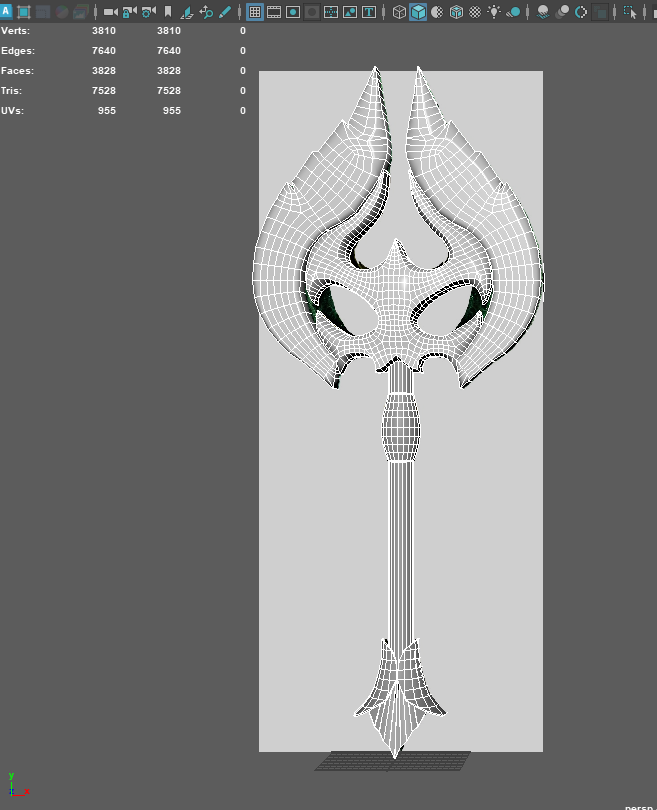 Hi, weekly update. I first made a fast blockout in Maya, and now I am at the blocking stage in ZBrush, trying to get everything right with the shapes. I've been working a lot with the Lazy Mouse function to get nice lines and edges. And thank you, Eric Chadwick, for the feedback. All feedback is very appreciated.
 -
Texel Density (multiple texture sets)
 Hello, So I'm trying to wrap my head around calculating texel density for a model which has multiple (4) texture sets. I'm using this script that is supposed to help calculating it: Now I type in what resolution texture(s) will be used (4096) and click calculate (with model selected) and it shows me these numbers. And now…
 -
Re: number of texture sets for games character/portfolio piece
You mean straighten by hand? I used pelt mapping, relaxed and then created smoothing groups from UV Shells with Textool. Is there another better approach you would use for something like this? Update: I just tried to unwrap again a UV Set differently, by not make cuts based on the smoothing groups I want and yes the result… -
Struggling with edge/rim highlight control in Toolbag (hard surface)
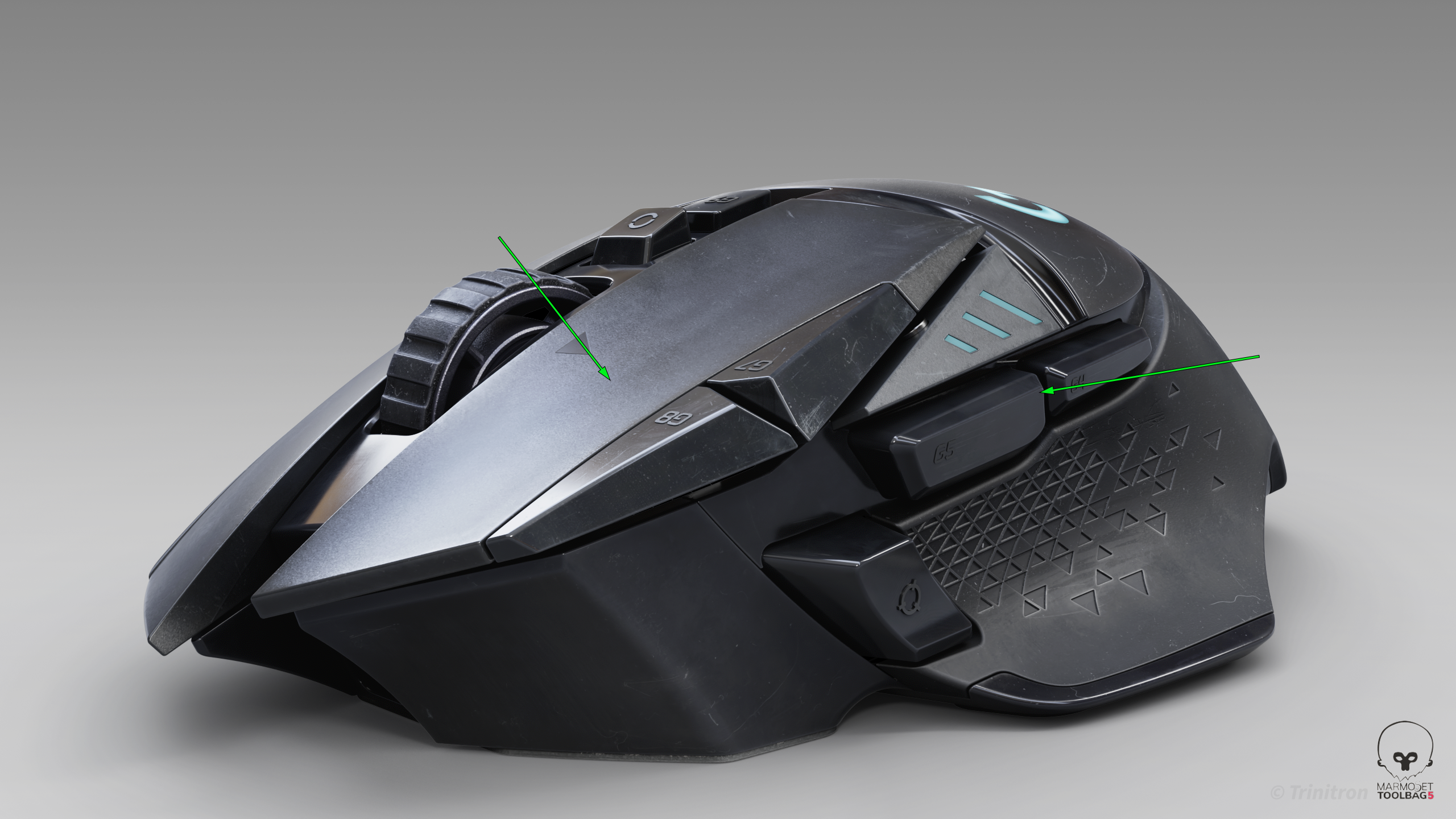 I’ve been trying to get cleaner highlight flow on this model, but I keep running into issues where the highlights feel muddy or break abruptly — especially on larger surfaces and edges. I’m working in Toolbag using HDRI + a few lights. From a modeling standpoint the surfaces should be clean, but the highlight flow still…
 -
Re: Tidehunter's Scavenger Survival Set
>122289 results