Search
-
Re: What was that huge site with all the gun refs?
 @ SsSandu and Bek These sites have the exact same images, though the link SsSandu posted has them all in convienient .zip files for mass downloading. I downloaded them all and ended up with over 12 gigs of really nice gun refs! Thanks a ton! I'll be sure to pass them on to coworkers!
 -
Do you guys set up UV's on a hard surface model before you do all the beveled edges and subdivide?
 Im trying to get some pretty clean UV's but I've already beveled the edges and made them pretty high poly but I haven't done any UV's for them and im starting to wonder if I should have done all the UV's before I beveled all the edges.
 -
Answered: DDO doesn't use all normal directions in 2.1...
When rendering materials in DDO, only vertical features of the normalmap shows up in the result. -It's like it doesn't "see" all the normalmap colors. It seemed to start with 2.1. -And only in projects created in 2.1 Reopening and adding a new material to an older project works fine. I have tried to reinstall, to no effect. -
Re: 10 most dangerous toys of all time.
 Man My brother and I used to play "Ninjas" in the 80's with lawn darts, throwing them at each other and then dodging so that they darts would stick in trees. My sister refuced to play and stayed inside. The Increadible Edibles barely were edible, and the bottles for their sauce looked just like the Creepy Crawly's…
 -
Re: [Finished] Weapon Art - McMillan CS5 (Sniper)
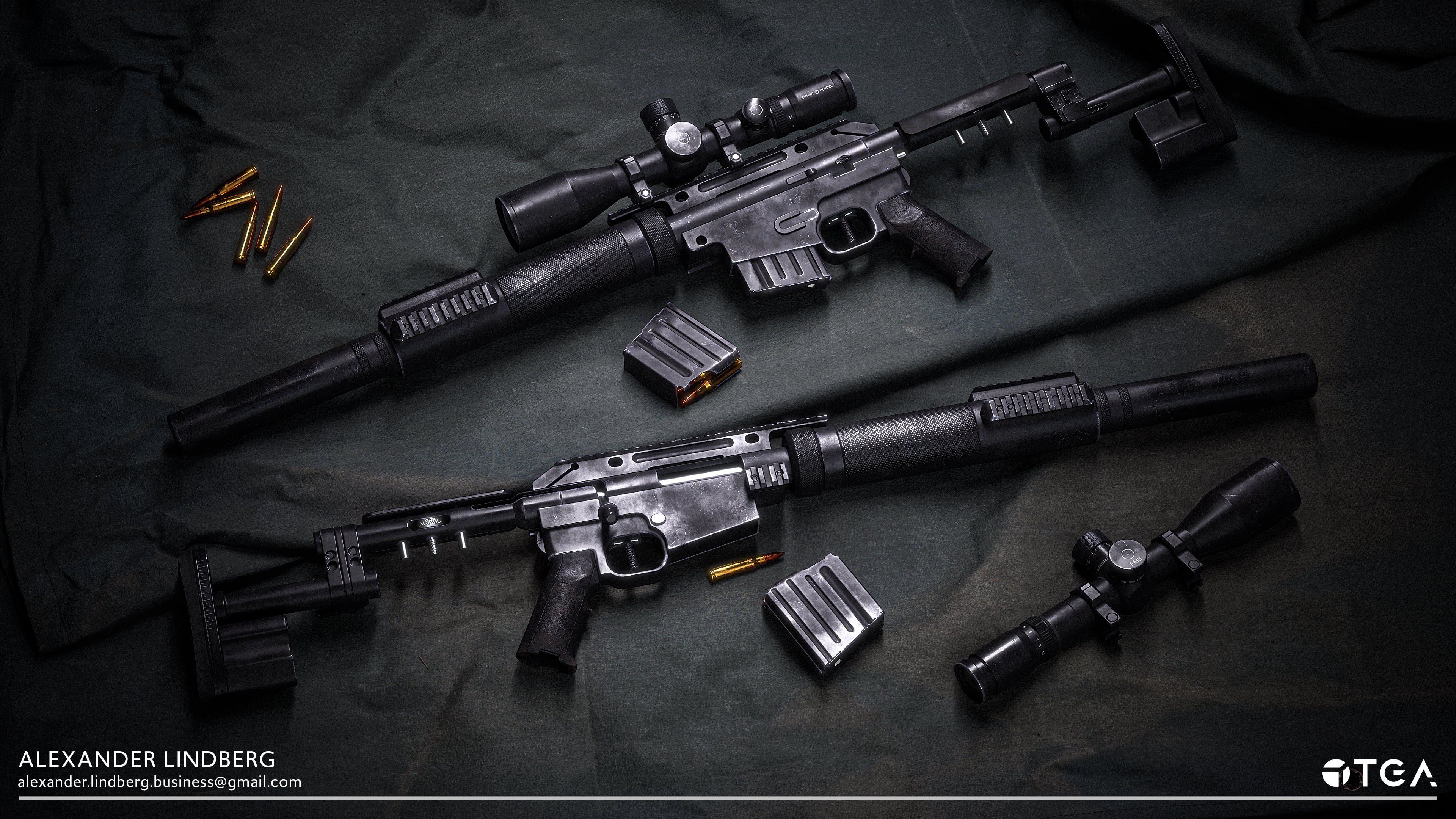 Hey y'all, I have finally published my work but still feel like it could use some more iterations before I let it go. I'll post some images below: In this project, I also created With artwork lended to me by a friend, I also made an alternative skin: The plan is to gather feedback and re-render all of the shots in marmoset…
 -
Fem Bust WIP. All kinds of bad.[Nakedness]
Hey all, workin on a fem head and I'm running into some issues. I like the side profile but I can't stand the front. I'm not using any reference images or anything right now. Just using the basics off the kind of girls I like. Alba/Lima sort of look. I'm using Maya and Mudbox right now. Here is the base mesh in maya and… -
Re: How much of ZBrush do you guys actually use?
I use mostly variations of seam brush with custom ribbon like alphas , trim smooth border and a few other custom trim brushes beyond usual clay brush + lots of custom multimesh insert and Tripart curve brushes. Fibermesh and polygroups. That's all. -
Re: (I'm new to all this) Are modular buildings okay in unity?
 If you share textures and materials between the pieces its ok, just make an atlas of all the textures you need for your pieces and use one (few) materials between all the pieces.. More problematic than polycount is draw count - how many draw calls your materials produce.
 -
Can I delete all groups in a Maya scene and keep objects?
 Hi guys I am importing a set of DWG blueprints which have a huge amount of different groupings that are being quite annoying for getting the scene organised. I'd like to delete all groupings so that I can start fresh. Is there a way to do this in Maya?
 -
Photoshop: Convert all open files to tga and save script
Does anyone happen to have or know of a script which will either open files in a specific directory or convert all open files to tga and then save out to a specified directory? Im having to convert a lot of our native texture formats back to tga for lodding and its going to take an age doing it by hand so any help would be…
>101161 results