Search
-
Tips on drawing different camera angles?
 Hey guys. If some of you remember, I previously made a thread with my on going bout with environment drawing. So far, I've gotten better with perspective drawing but now I've run into a new roadblock. Camera angles. One thing perspective hasn't taught me is how do you deal with scenes that may or may not involve a sky?…
 -
3ds max tips : UV to Vertex Color gradients

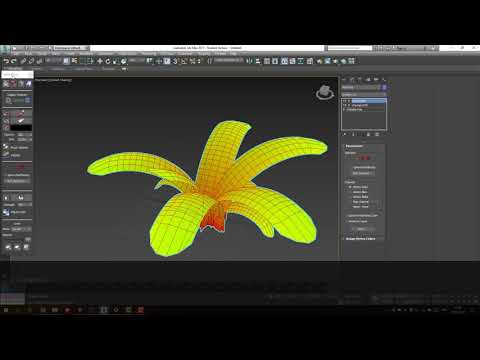 https://youtu.be/YUbwIeRRS2E hello polycount ! I Found a cool technique to generate gradient from my UVs and I wanted to share it... it's very useful for foliage / grass if you find yourself with a collapsed mesh (happens more than I'd like to :smiley: ) You can actually do a lot more with concept I don't know if it had…
 -
how to make from above tip of the thick ear?
 hello, I do not know well to use 3ds max, I am starting now then I do not know the tools well the first image I used boolean to cut without no modifier already in the second image I used modifier shell but it not works will be me please help me!! it is low poly
 -
Lighting Process & Workflow Tips
 I'm never really sure where to post write-ups. Either way, I've just uploaded a new blog post about lighting. I've tried to outline my thought process as well as workflow steps I take to get from concept to completion. Lighting's a tough thing to articulate but I wanted to document some broad thoughts I had to hopefully…
 -
Any tips on working on big Maya scenes with lots of objects ?
At the moment using good naming conventions,groups and layers. Anything else I can to do manage this scene ? Also would using instances instead of duplicates for repeating objects make the file size smaller,scene run faster its got pretty slow. Are there any downsides to using them come render time ? -
Tip for x-continent shipping/storage (North Am only)
 http://www.pods.com/ I don't have first hand experience but I just saw my next door neighbour get his empty crate today (truck delivered, robotically dropped in place). When it comes to shipping all I know is u-haul. Maybe this would help somebody when they shop for movers.
 -
Re: Anyone have any good tips on making gun metal texture
 I will definitely be posting some pics soon...Wanna say thanks for all the tips and advice from everyone...thank you.
 -
Re: awesome tip when working with morph targets...
 Cool tip. Here's another way (I love how there's always more than one)... Select all the targets at once, and paste the modifier. I find I just need to add a modifier to the selection first, like Poly Select, then it allows me to paste the Edit Poly. After that I use the Collapse utility to uninstance them all.
 -
[3ds max] override uv checker texture tip
 To swap the texture simply rename “UV_Checker” to “UV_Checker_old” and copy your new image in making sure the name is “UV_Checker”. The folder location: C:\Program Files\Autodesk\3ds Max 2018\maps\uvwunwrap Download a texture here Here's some before and after gifs. Much more pleasing on the eye now. Hope this helps if…
 -
Tif Zip Compression and Maya/Max Display Issues
 Using tiff files with zip compression has brought to my attention a few issues with max and maya. They wont display them. Has anyone else ran into this problem/issue? If so how did you deal with it? Fix it? Contacted Autodesk and it is a KNOWN issue but will not be fixed unless we pay them to fix it as it isn't considered…
>19668 results