Search
-
Re: Modelling my wife in threedee!
 Nice stuff. That'll look sweet with color, spec maps, etc. Other than that, I'm still thinking the bridge of the nose might need to be a bit wider. Something about the relation of the size of the bridge to the tip seems different in the photo. Maybe model's tip should be smaller, or bridge wider?
 -
WIP – Chemical / Paint Waste Disposal Bin (Practice Prop)

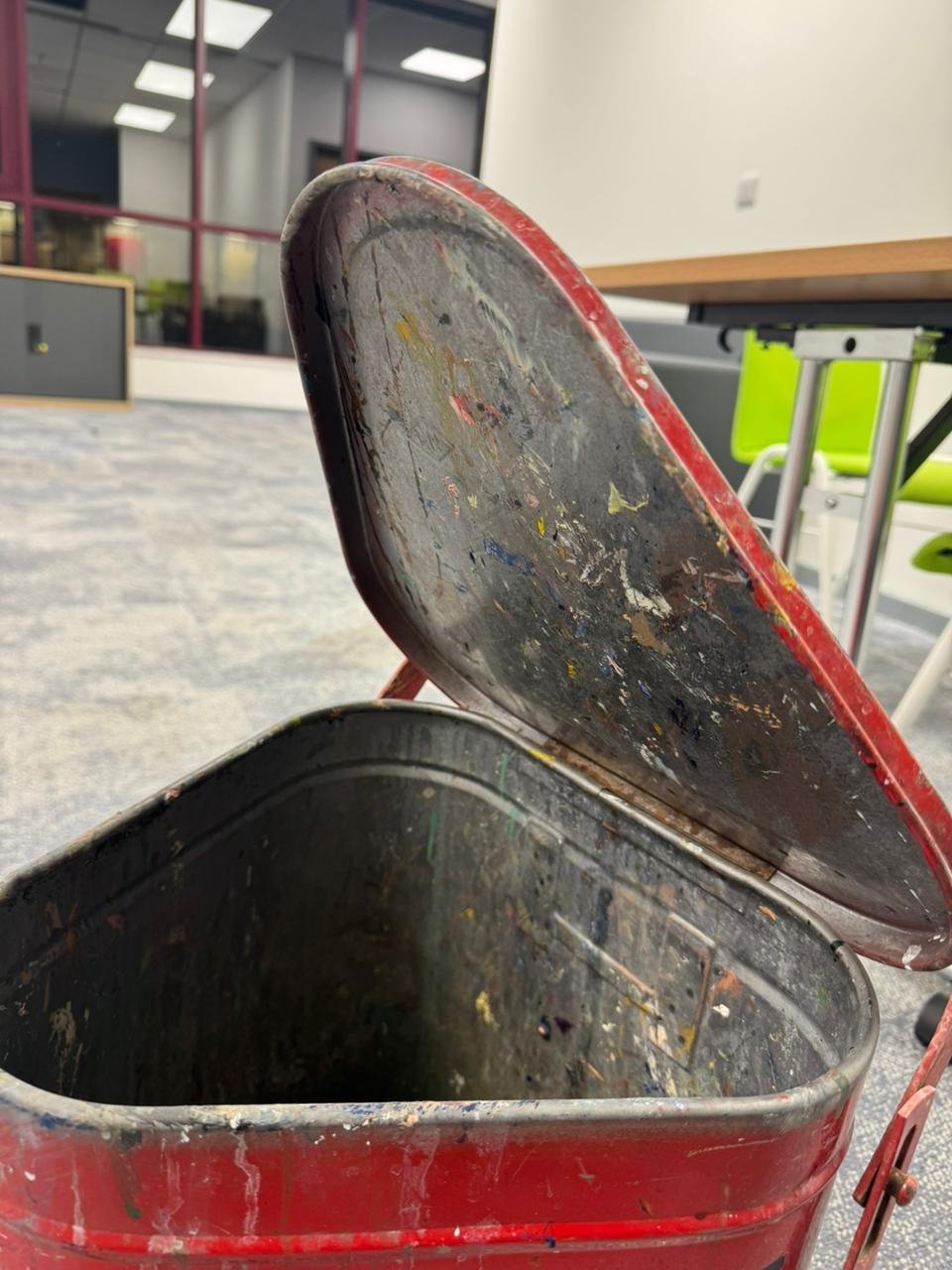 Hey everyone, I’ve started working on a new practice prop. Its a chemical/paint waste disposal bin. I found this one and thought it would be a great study piece because it has a lot of subtle form changes, surface damage, and material storytelling. My goal with this project is to: * Keep as much real-world detail as…
 -
[UE4] Ancient Tomb Cave (completed project)

 Hi Polycounters, I'm working on a new personal project. My Idea is an ancient tomb scene with bright and warm colours and a lot of ancient props :smiley: I have no idea what I'm doing because my skill focus is making 3d assets and not complete scenes. But I want to step out of my comfort zone to become a better artist. So…
 -
my low poly me character.
Our project is to create character recognizable as ourselves for a post apocalyptic world. Anyway, it needs to be low poly and I'm having a lot of trouble getting the low poly edgeloops right. I'm still saving up for topogun so I'm using maya to do the low poly and uv. Then I'll bring it back into zbrush and project the… -
Re: several months of hard work!
Update2: the axis forces start on / near a destroyed bridge. they had been left in the city to defend it againt the allied approach. the spawn area is spawn camp protected. the bridge is a model that was made by warby. the area around the bridge is made of small models in a 3d skybox. -
Re: How to create a column out of edges?
 Bridge will work fine for this situation. But if bridge did fail that means both edges aren't actually open edges (or they share the same vertex, which is highly unlikely with this particular model). If they aren't open edges then just select the polygons that are there and bridge the polys instead of edge.
 -
Re: ZBrush - is it possible to use raidal symmetry with curve brush and have it weld the start/end?
I don't know of any way to do this automatically. Workaround: make sure the start and end points of the curves match up better than in your screenshot, then use ZModeler to bridge between the segments. Just keep radial symmetry activated to bridge all holes at once (Bridge -> Two Holes target). -
Re: CS:GO Explosive remake
 I found a nice way to do this, using bridge and then adding in loops using set flow. But it takes forever to a tiny piece, because bridge is a pain in the ass to work with. I ended up having to only bridge a few edges at a time, otherwise it broke everything. Eh, I guess good results take time
 -
Re: Mayan Environment
It might be my lack of mayan structure so if i am wrong blame me. The bridge seems like if someone was walking along that rope bridge they would be taller than half that structure and taller than the door entrances. is it me or does that proportion seem off. Bridge to Temple. -
Re: [UDK] The Foundry
 Thanks for the feedback guys, I tried to implement the above suggestions :) New Update: - Fixed the lighting to make the back wall darker. - Lowered florescent lights intensity. - Added large pillars . - Lowered the bridge. - Added Railings to the bridge. - Added a drainage tube along the bridge. - Extended the Control…
>19288 results