Search
-
(Workaround) [Blender] Unwrap, Unfold and Straighten (like Maya) ?

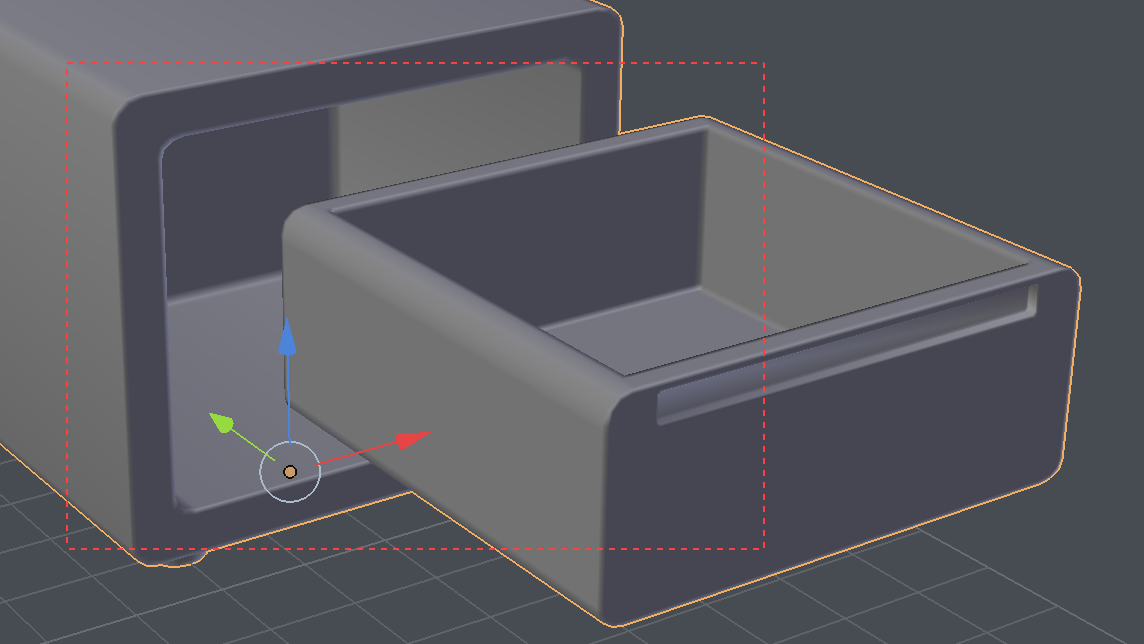 If there is one thing I miss after switching from Maya to Blender: I can't easily unwrap non-rectangle uv shell into it's native shape, it's always a bit off. For example, say I have a simple drawer: I try to mark seam around the front panel and unwrap: This is what I get: It's similar result for the back of drawer: AFAIK,…
 -
Re: UV Packer IPackThat
 the unfold3D packing code is the one in maya... but the old one... the new hot stuff like "grouping" is for unfold 10 only... Rizom Lab does not have a bussiness realtionship with Polygonal Design anymore wich are providing the maya plugin... you can read the full storry on unfold3d.com
 -
Re: Maya Vs Blender - Unwrapping
 What version of Maya are you using? 2015 they added Unfold3D tech into the mix, and there were a lot of UI changes in 2017 Update 3. Mark Seams = Cut Seams Unwrap command = Unfold command Also, why just just unwrap in blender and bring it back into Maya. No one will be the wiser. :)
 -
Re: What made you feel crap today?
 Did a couple of long and painful UV sessions in Maya. I thought that maybe unfold was just made to be... goofy in 2018. Turns out I didn't have the Unfold3D plugin loaded, so maya runs a considerably less useful unwrap routine. only 90's kids will remember, etc, etc.
 -
AI Neural network for UVW Unwrapping
 UVW auto seams, unfolding and packing. It seems like such a perfect fit for AI neural networks. Even though programs like Unfold3d are very good, they make stupid mistakes. For example auto seams for cylinders. AI could be far better at unwrapping and packing than any human, even with current technology.
 -
Maya`s 'Unfold' option stretches uv shells different than expected.

 Hi guys. So i've noticed this behaviour a few times now and i am wondering if this is just a bug, and if so, is there is a way around it, or if i am missing out on a feature. Win10 (latest) Maya 2018.4 With the image below i tried to capture what happens. I planar map the mesh from the top (Y), then hit "unfold" in the UV…
 -
Re: Roadkill Pro
 Its really not that good at all (especially Unfold3D) and it struggles with unfolding objects that Roadkill Pro doesnt even break a sweat at. The operator in Roadkill Pro which is actually vastly superior to a lot of the UV tools i've used. UV layout/Ninja UV/UV master etc. Granted you could get the same results with these…
 -
Re: Best Tutorial /Book in learning UV Unwrapping in Autodesk Maya
If you have the latest service pack for Maya 2017 you get some nice uv tools. All I do in Maya to UV is use camera map for quick dirty planar maps then unfold and do stitch selected. It's similar to how I used to work in 3ds Max. I also mark and cut edges then unfold3d. You can do an automatic unwrap then stitch the uv… -
Re: [Maya] UV unwrapping is a tangled mess and driving me mad
 I've had issues several times with Maya's Unfold3d plugin misbehaving. After a bit of frustration, I switched to an application caleld UVlayout that plugs in to Maya and works like a charm. You can use a trial version free for like 90 days. It really makes UV's fast and easy. The only version of Maya that I have found to…
 -
UVW's wont unfold right in maya
Hey all, I've UVW mapped this doorway for a grocery store I am making and I cant seem to get the unfold or relax tools to do their jobs in maya.. (Im new to UVW mapping in maya.) Anyways, heres the model and the map and I've highlighted the areas I am having trouble with.
968 results