Search
-
Re: SUITE 2.0 status update!
 Oh mate.. This just looks so damn awesome. everything about this just screams efficiency. And that viewport baking/painting! holy shit! Also There is a post on the subreddit /r/3dmodeling currently too that has gained some interest. https://www.reddit.com/r/3Dmodeling/comments/3k1zaf/quixel_suite_20_revealed/
 -
Re: Sketchbook: electricsheep
 love the gun, but u need to work on ur facial anatomy though. for a start, ur eyes r too far apart and ur ears r too far back. the anatomy of the ear is also wrong. And she should have more definition at the temper to show the "dent" in the temporalis.
 -
Re: Thread of Awesomeness, Hilariousness, Off-topic, Youtube
 Housewife charges R$ 2 for visits to the phallic-shaped passion fruit tree Complete article (in portuguese) http://g1.globo.com/brasil/noticia/2011/03/dona-de-casa-cobra-r-2-para-visitas-ao-pe-de-maracuja-em-formato-falico.html
 -
Re: UDK - CMY/RGB Soft Mask - How to Clean them up?
 Ace: if you stick to pure colors you can isolate your CYM masks via an if node for each. If r=g output r for yellow and similarly for magenta and cyan. Then just multiply those masks by the rgb channels as needed to get your end 6 output masks.
 -
How to recreate One Piece anime-style shading & glow (Paint Tool SAI 2 + After Effects)?

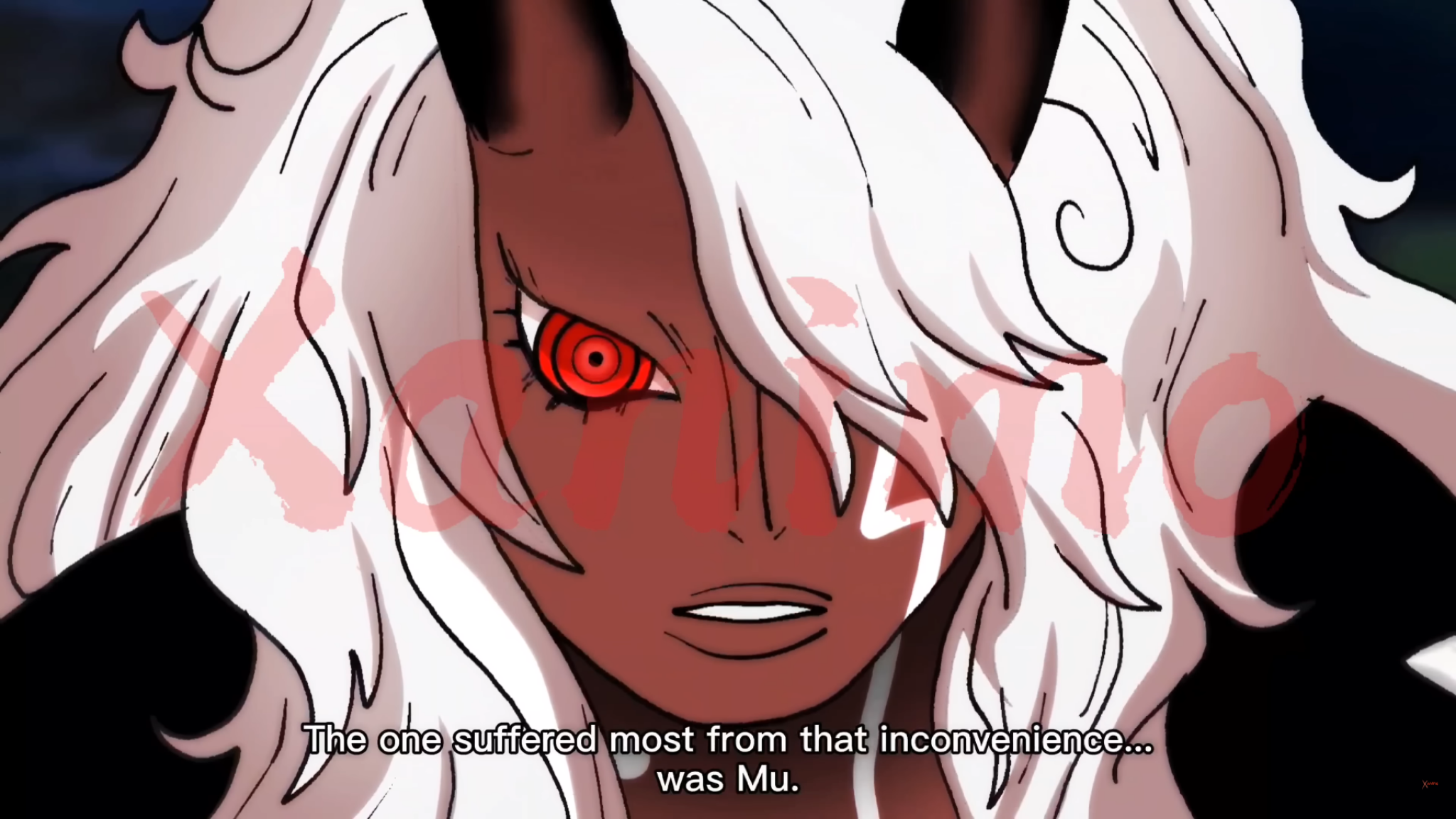 Hi everyone, I’m trying to recreate this kind of anime coloring/shading style from One Piece (image attached). What I’m specifically trying to achieve: * Strong cel shading with soft transitions in some areas (like the face and hair) * Intense glow/red eye effect * Clean but dynamic highlights in hair (not overly…
 -
Re: What Are You Working On? 2011 Edition!
 I've done something similar to this a while back but using terragen just for R & D. I remember using a 4k map? I forgot. Stuff like this just gets me more inspired to do more R and D :] awesome work-
 -
Re: WIP: Weapons and other hard-surf (low-poly)

 I think you can add more scratches and dirt to give a realistic feeling if u r going down in that path... Even though there r variation in the texture with all that scratches and bump on it, it doesn't feel realistic, atleast to me ( I could be wrong )... Use a lot of reference for texturing ...
 -
Re: Another employed polycounter
Nice Andy! That is wonderful. Monolith is such a wonderful place, I'm sure you will have a blast Leo is my close friend too, tell hi hi for me (I'm accually at his house typing on his computer waiting for my bus to go back home lol!) -R -R -
Struggling with edge/rim highlight control in Toolbag (hard surface)
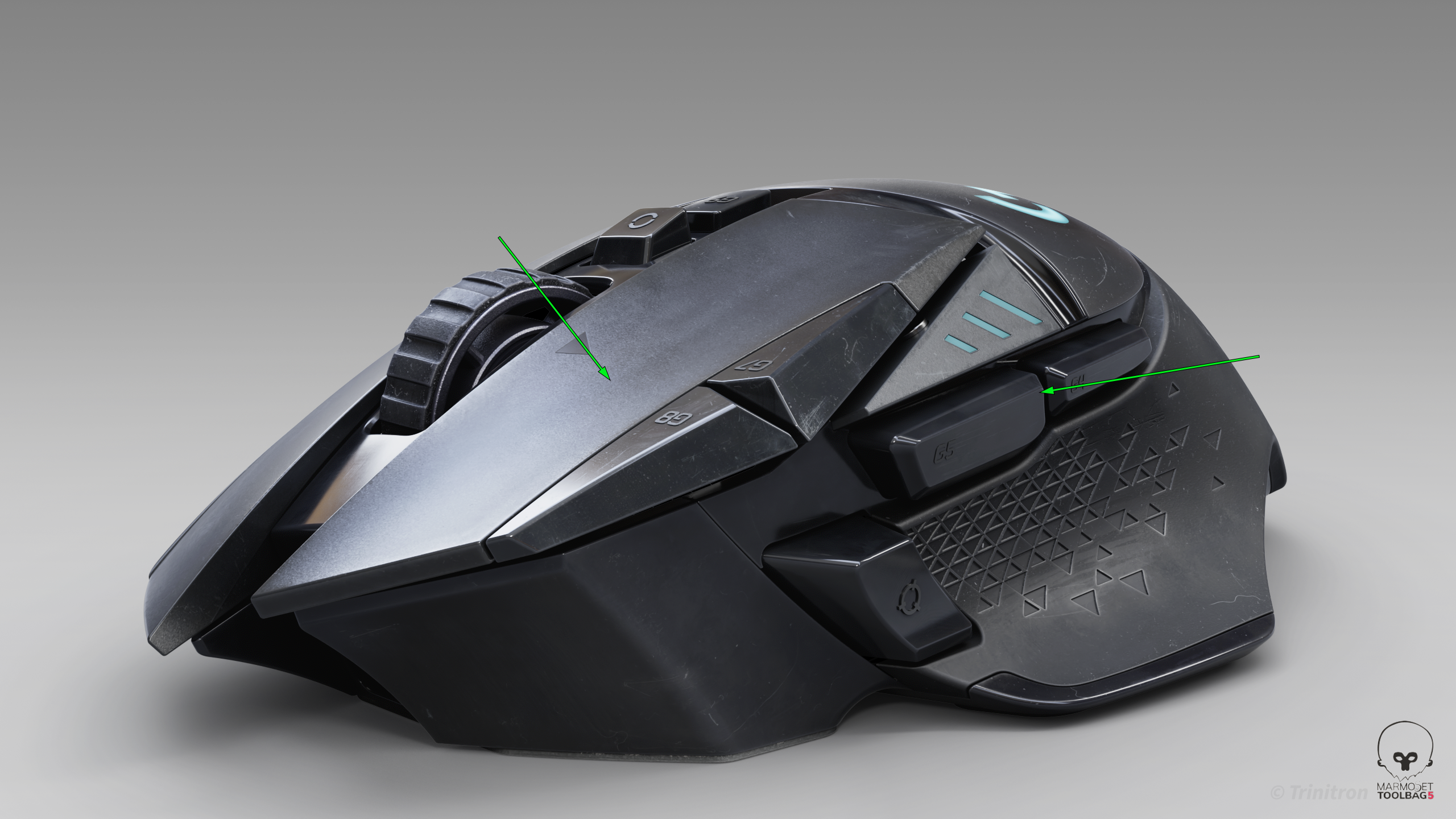 I’ve been trying to get cleaner highlight flow on this model, but I keep running into issues where the highlights feel muddy or break abruptly — especially on larger surfaces and edges. I’m working in Toolbag using HDRI + a few lights. From a modeling standpoint the surfaces should be clean, but the highlight flow still…
 -
Re: Landscapes - UE4
 CrazyBump. ^^ Roughness is driven from either R or G or B channels of the Albedo maps. (Usually R and G give better result over B but it really depends on the Albedo itself). I adjust the normal map strength in engine until I'm happy with it.

>161933 results