Search
-
Re: losing form in zbrush
 there is a plugin to solve that problem over at zbrushcentral, saw it a while back and the shots looked like it would actuelly work, but i never tested it and can't remember the name so you'd have to search for it on your own
 -
Maya blend parent doesn't work on MoCap
 Hello! I have a MoCap file, there's a character with a sword, but they are not attached. There is an option to blend parent them, but it isn't working. I'm not sure whether the problem is in the file itself or the rig. How can I solve this issue? Please help. Thanks.
 -
Circles not apearing round, Normal baking with Maya Transfer maps
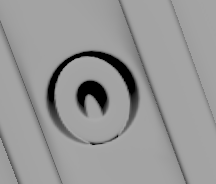 So my high poly model has some circles and holes in some places, some of them end up just fine, but some get this distortion on them. How do I solve this? Thanks in advance!
 -
Maya, Append polygon and Bridge sucks
I fcking hate Maya,every 2min i run into problem, that i have no idea how to solve it. I want to do append polygon or bridge these edges. In this picture i use Bridge, and this comes. And in this, i use append tool, -
Re: Cursor disappears in Substance Painter
 Ah it looks like Lenovo Legion 5 is a laptop form factor. That means it almost certainly has a lower-powered and thus energy-efficient GPU. You should adjust the NVIDIA settings to force Substance to use the NVIDIA GPU. It's been a while but I have done this before to solve issues similar to this. Edit: a quick search for…
 -
Re: Need help: Baking artifacts along UV seams on curved edge
 Yes, thank you. I have found that thread in the meantime and have read much of it. I was able to solve most of the problem. I ended up moving the edge loop slightly away from the geo border so it doesn constantly cross back and forth, I reduced some hard angles and added some loops. Thank you very much for the help. It is…
 -
Re: Lumen, volumetric fog and flashlights.
 Well. turns out this is a limitation of Unreal. They use a heavy temporal filter to smooth out the fog. but its really bad with moving lights. WE can turn this filter off, but other stuff will break. I managed to do what I want by tweaking the volumetric gain of the light and its intensity. So, kinda solved.
 -
Re: SP material glitches.
 Solved!! Problem was in the position map. I ve baked it in Marmoset and when you apply it in substance painter project, it cause such problem, though there is no much differences between SP position and Marmoset position. Marmoset: SP:
 -
Re: Delete
 This will probably help, it's not a simple fix. https://lipuster.wordpress.com/2011/03/02/occlusion-and-luminance-transparency-solved/ When I was doing rendering work with MR, I would trim my planes very tightly.
 -
Re: Calculus
 Yeah an example of what you're trying to solve would help us help you! I've only taken a year of calculus but I understood it all pretty well, I'll help as best as I can :)
>14359 results