Search
-
Re: Maya 2011 Transfer Maps not working
 Yeah I did transfer settings from 2009...darn. I will look into doing that. I have found a work around, if you select transfer maps, then select something like Surfaces>Loft Options then the options box for Transfer maps pops up with the Loft Options in the top left hand corner (about the size of an avatar). But if…
 -
If you had the choice to remake 1 old school game.
 What would it be? i was bored yesterday and cracked open my sega genesis and popped in Herzong Zwei,i have met many people who played it but man what a fun game,it is probably one of the first real time strategy games i ever remember playing. http://www.fortunecity.com/skyscraper/cache/1286/cb/herzog_zwei.htm the whole…
 -
Re: Visible Tiling in Substance Designer Material
 Most probably it's from some non tilable gradient or 2d transform in Designer but nothing you couldn't easily fix just in Photoshop pattern preview and mesh transform on a smart object if searching through Designer graph is too much of a pain. Sampler has some automated tool too but imo works so so.
 -
Transfer 3dsmax uvs to maya uvs.
 Hi! I'm having some trouble with this. We have an animated model in maya, but did the uvs in 3dsmax. Vertex count and order are the same. How do I transfer the uvs from my 3dsmax exported fbx and imported into maya to my rigged and skinned model in maya? I don't know ANYTHING about maya. I've googled and they do it with…
 -
Quadify Ultra — ML-Routed Retopology for Blender 5.0 | Tool Release

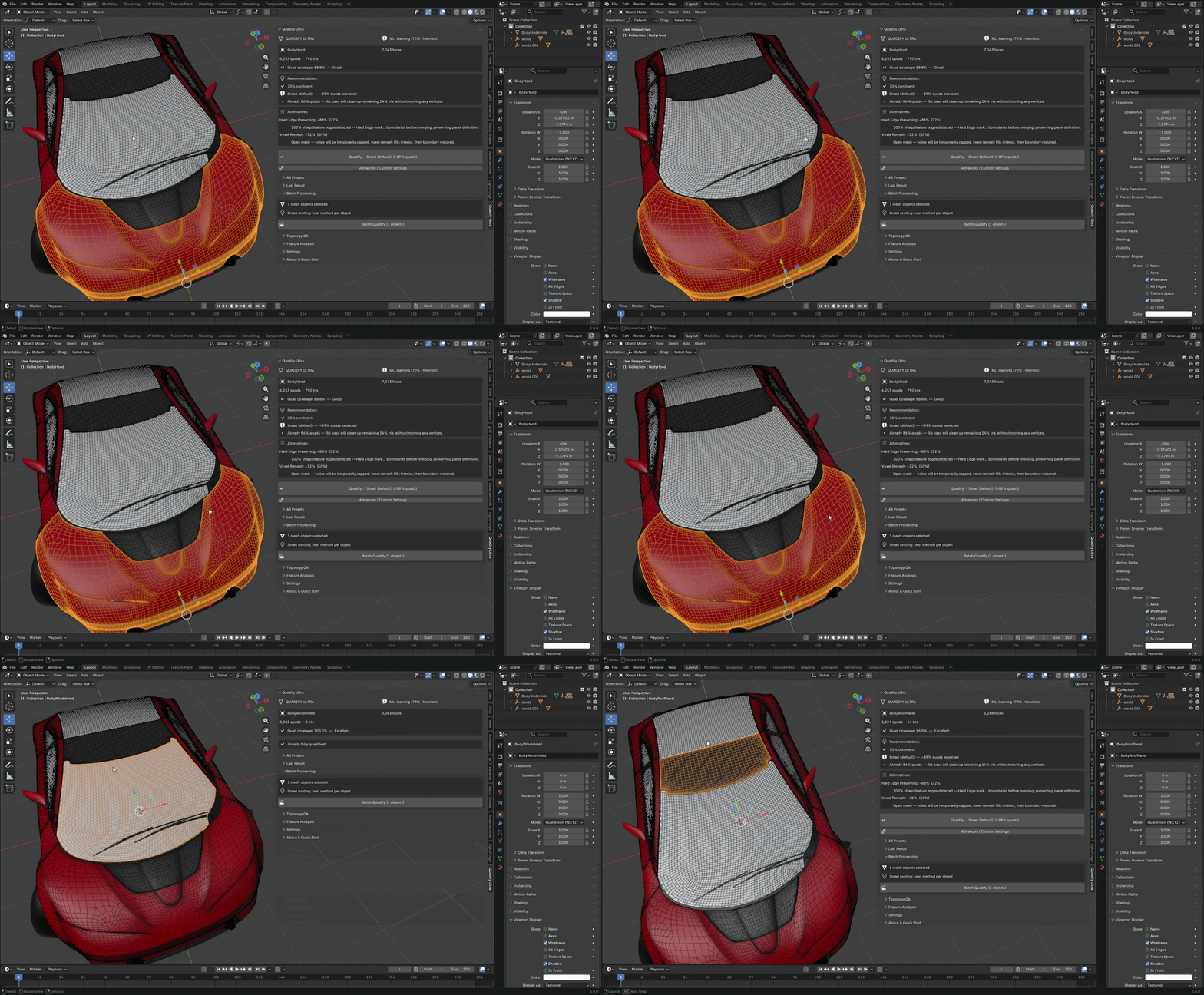 Hey Polycount, Releasing Quadify Ultra today, and wanted to share it here since this community has always been where serious topology conversation happens. https://youtu.be/1_7xRSyeLUc What it is Quadify Ultra is a retopology addon for Blender 5.0 with an ML routing engine. You select a mesh, hit Ctrl+Shift+Q, and it…
 -
Transfer Mapping problem
 Hi there, I have an issue with transfer mapping that I'm hoping someone may be able to give some advice on. I've been modelling a defibrillator for what will possibly be an educational game for mediacal students. I've modelled and and textured it fine except for one thing: I edit my UV maps in an attempt to create as much…
 -
Re: High to low ao bake maya 2009 pixel errors.
 Okay I've confirmed it, the low res intersecting with the high res is causing the problem. WTF, who wrote this tool it's awful. It appears the envelope doesn't do anything when occlusion transfer is concerned. The only fix I can think of is to dupe the geo and move all the verts out where the intersections are. I tried…
 -
Re: Transferring height map / tesselation details to mesh?
I would try subdivide > displace > decimate (planar with UV's) > data transfer to project vertex normals from initial model to a new one so it would be matching initial normal map. But I never tried it myself in Blender. Not sure the data transfer would cope with normals properly and you wouldn't have to bake normal maps… -
New banner love
 Refreshing the banners! Send these people some love, let 'em know you care as much as we do. In no particular order...* https://polycount.com/discussion/211023/sea-of-thieves-anniversary-update-environment-level-art-dump * https://polycount.com/discussion/221392/sketchbook-frank-polygon/p1 *…
 -
Re: Maya ao !! :@
Hi Johny, don't bother trying to bake ao high to low in Maya. The ao transfer maps is completely broken for ao. I have logged this bug many times with Autodesk but they are yet to address it. The transfer maps menu is missing some key settings which will cause your ao bake to look different each time you generate it, that…
>9304 results