Search
-
Re: Sketchbook: Domslice
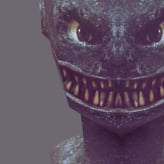
 Distressing has begun, along with the addition of panel lines and some colour tweaks. I'm beginning to rethink the parts I chose to share a mirrored UV layout, e.g. the legs and forearms.
 -
Re: xNormal reimagination
 I find the light colours make my eyes wonder onto other areas. Try a dark grey layout like Handplane. Otherwise I'm all for it, I love the design.
 -
Re: Google Earth 3D Environment?
 You can try www.openstreetmap.org to export city layout and building information. I don't know what software you are using, but Houdini has a tool to import those .osm files.
 -
Re: [Portfolio] Wesley - Environment & Prop Artist
 simple and straightforward i like the layout, your work looks very good to me as well. You can always start applying and just keep posting more and more work
 -
Re: Environment to start
 If you will do some own concepting you dont need to make a beautifull painting you can just paint on paper with pencil and do simple layout drawing like a blueprint.
 -
Re: Stuff For Portfolio
 Edges are too harsh I'd say, needs more AO in the texture as well. To give that "depth" feel. The UV-layout looks weird as well with certain parts blurrier than others.
 -
Re: [3ds Max Plugin] Radially - pie menu editor for 3ds Max

 @Br0ken Yeah, compact pie menu layout was introduced in 1.1.0 update, I just didn't update the video and the thumbnail... It looks like this now, menu reduced in size by half overall:
 -
Re: ZBrush Custom UI Showcase
 Zstartup is where you want to put anything (materials, brushes, ui layouts/colors, etc) that you wish to be loaded automatically, otherwise you'll have to dig them out manually.
 -
Re: [3d Max] Problem with unwrapping UV
 Why do you need it laid out in that cross shape, if they aren't actually connected? The first uv layout is a better use of uv space, giving you smaller pixels on the model.
 -
Re: Turtle Creature from CreatureBox
 Here is the LowPolygon, 5698 tris. I want to practice my UV optimization. I'll post my UV layout later. Any tips are welcomed. C&C welcomed too
>8528 results