Search
-
Does anybody know a soft like Photoshop but working with material channels ?
 Or like Substance Painter but working in 2d space with pixel snap precision . Something simple like 2x2 ? Vector style maybe including vector curves to scatter small things along. With color range selection ? Something for quickly compositing materials from already existing pieces , not even any 3d preview is necessary but…
 -
Re: [AUTODESK MAYA] Beginner question : Trying to UV a model
@BIGTIMEMASTER So here is what I did by following the tutorial I'm watching : 1/ In Maya : So I built my door into Maya : http://prntscr.com/k839ds Then I "separated" all the pieces of the door because in the tutorial it was said that each part needed to be UVed individually : http://prntscr.com/k839og I selected all the… -
Re: Blender 2.46
 Sage: If you drag down the top header, you get the settings window. Under View & Controls you can set selection to the left mouse button. I'd disagree with you there - the loss of the useless Face mode, the addition of Align Auto, the easification of Merge back in the day, all those smell like the developers using their…
 -
Re: How to center the pivot point in Marmoset Toolbag2?
 If you're using Toolbag 4 you can edit the the pivot by selecting the mesh and selecting the Translate tool. You'll see a checkbox for edit pivot mode and a center pivot button. You can press D while the Translate tool is active to toggle in and out of pivot editing mode too.
 -
Ryse Moss Tutorial

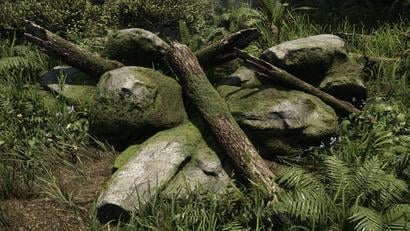 Ryse Moss Tutorial Hi, I'm Patrick Gladys - Environment Artist at Crytek in Frankfurt/Germany. In this tutorial I will show you how to create moss the way we did it in Ryse. Some people might think we used a shader for that, but in fact it was an old school trick we used on this to create the effect of a nice fluffy…
 -
Re: Max 8 SP 3
Hi Arsh This is what the pack fixes and as you can see each fix is proceeded by the service pack number that fixed the problem: Heres the SP3 fixes only: Added entries in the .ini file to be able to set TCB default values for the different Biped key types (SP 3). Lag with Select by Name dialog when Cloth is used with… -
Re: [MAX] How to assign "center pivot to object" to a key?
 Hi, you can assign a hotkey to "Center Point Cycle" action so when you press that it will cycle between "Use Pivot Point Center", "Use Selection Center", "Use Transform Coordinate Center" modes.
 -
Problem - Reading values from INI file as stringStream.
 Hi! I tried to make a Save Presets script, but there is a problem with reading values from ini file. Here the script:( me = getSourceFileName() dir = getFilenamePath me iniFile = dir + "mECSPV.ini" global allSavedPresets = (readValue ((getINISetting iniFile "Presets" "names") as stringStream)) global edgeToCut=#(5, 16) as…
 -
Re: do you soften or harden beveled edges on hard surfaces?
Perhaps it's just Blender behavior. When you select an object and do mirror X I suspect it just scales it negatively. Showing and rendering it just fine with correct normals within Blender. But when you export the mesh its normals are getting inverted. So I use mirror modifier and two vertex group with _L and _R suffixes… -
Need Help, how to put 3dsmax script to toolbar
 how to put selection[1].pivot = selection[1].center to my toolbar ( UI)
>15393 results