Search
-
Re: WIP Stylized Temple Environment
 Heh, it's funny that you mention that Chris, I have a bunch of screenshots from Diablo 2 act 3 in my reference folder for this. Thanks for the advice, I'll see what I can come up with tonight :)
 -
Re: Creating an AO pass from a scene with displacement shaders
I am also having a similar issue, will keep an eye on this thread. I tried adding AO to the render layer as an extra pass, but if I go into the AO folder, the image is not AO, it looks like it's the alpha map. -
Re: blue screen of death 0x0000007B boot error help?
 yeah, so i got a new copy of windows and everything works fine now, except for the internet, my router/connection isnt showing up in "my network connections" folder. I have Verizon FiOs
 -
Re: weird mudbox issue
 I would try rebooting, deleting your Mudbox config folder and give it a try again. Additionally try subdiving a different mesh through mudbox and see if your current mudbox file isn't corrupt or something.
 -
Re: Can not find bonus tools foy maya 2018 anywhere on internet.
 you might need to manually put them into the maya plugins folder. info here: Installing a Maya plug-in | Maya | Autodesk Knowledge Network I've had to do this a couple times but its so infrequent I never remember exactly how or why.
 -
Re: Sketchbook: Frank Polygon
 @FrankPolygon oh sweet, thank you so much for all this knowledge share. I literally have saved as pdf all your posts as reading part is very crucial instead of just images in ref folder :)
 -
The Heart Game
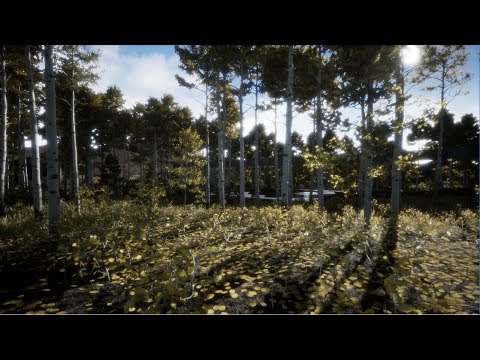 It's a bit difficult to explain what this project is all about. For many years I’ve been doing mostly still image artwork, and during the time of creating one of those still images, I had an idea that it would really be cool to actually be able to experience what was taking place in the image instead of only having the…
 -
Re: How are you organizing level design for ease of iteration?
 Using maya or something else is not necessary. Unreal has plenty of features that make it easy to make levels. There are folders in the world outliner you can use to organise objects. https://docs.unrealengine.com/4.27/en-US/BuildingWorlds/LevelEditor/SceneOutliner/Interface/ There are also groups which lock a collection…
 -
Re: Photoshop is it possible to copy file path of image from inside Photoshop?
 Thanks I also just realized my fetal flaw in my workflow was duplicating the file first technically making it a temp file, if I open the document and do a save as it will actually take me to the right folder.
 -
Re: A Rock! In Zbrush! Woo!
 Almost forgot, look into mallet fast, which is hidden in the lightbox folder in zbrush. You can create rough gouges in rock surface that you can then go back over with the surface smoothing brushes I mentioned.
>11645 results