Search
-
Re: SuperPNG broken these days, any alternatives?
 If you want to preserve the RGB values, you can force Photoshop by increasing the black level of your mask to be 1/255 instead of zero. Use Levels on the alpha, and set the lower Output to 1. Then it will look to the human eye as being completely transparent, but the full RGB will be preserved. The PNG spec says in the…
 -
Re: Getting seams all over my textures.What to do?
 ok first: your uvs are totally awful I bet it's some kind of auto-unwrap that you didn't touched once - at least it looks like that. And 2nd you can check under the brush setting the "Alignment". The default is tangent, wrap and should be the usually preferred setting.…
 -
How to get a tessellated preview?
 I'm using the hi-res plane and can adjust the material's height scale appropriately but it looks like I'm getting parallax displacement rather than true tessellation. Is there a toggle I need to hit in the material settings somewhere?
 -
Re: Lighting Artist's please
 I have not found many websites, but instead just reading sporadic articles related to film/VFX lighting and talking with other experienced lighting artists both in house and externally over the web and such. Here is some general workflow/tips I have gathered over my short tenure so far as a lighting artist: One major point…
 -
Inconsistent FOV (perspective) between ZBrush and Maya
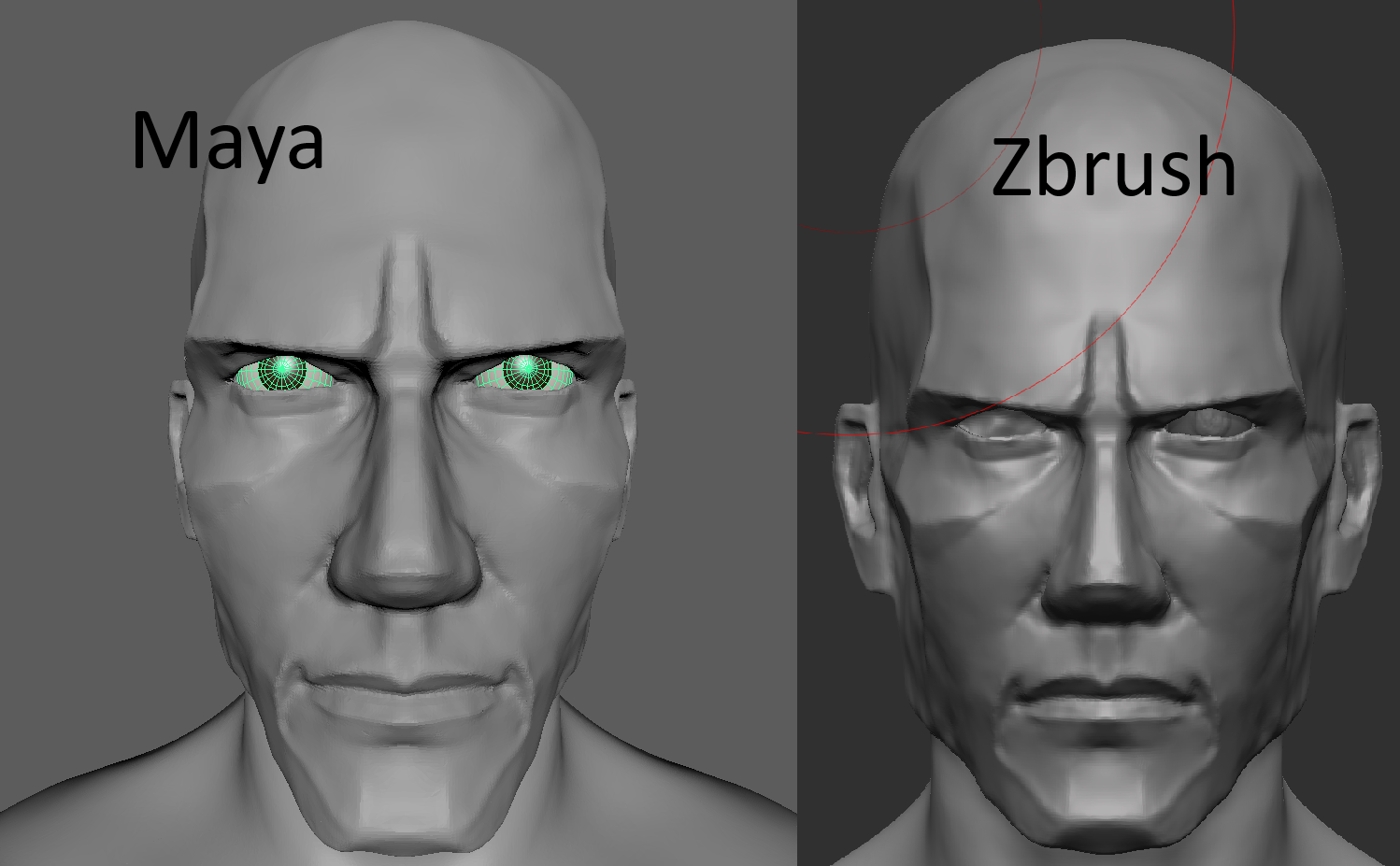 I'm designing my character for a game for Unreal Engine. Games usually have a big FOV (angle of view), such as 90 degrees typically. I set FOV to 90 in UE, Maya. and ZBrush. The perspective in Unreal Engine and Maya is about the same. But much different in ZBrush - it has much less "fish eye" effect. To demonstrate this, I…
 -
3Ds Max - How do I get my viewport to display unfiltered low res textures?

 I have a problem that's driving me insane. Background: * I'm learning 3dsm and modelled a bus in 3dsm 18. I'm doing a low-res texture (128px png 32 bit depth) * 3Dsm's viewport shows a filtered version of the texture. It looks like this. Left side is 3Dsm viewport, Right side is photoshop. My unsuccessful attempts to try…
 -
Re: Horrible Face Sculpting | Need Help
OK I'm new here but maybe I can offer something I haven't noticed anyone pointing out so far. I think your problem is that you are confusing sculpting in zbrush with modeling in maya etc. As I can see, you understand what you have to do about your sculpts but still can't menage to achieve it. Zbrush is all about brushes.… -
BP for 2 Conditions Met
Anyone know how to set up a blueprint where: once both of these conditions are met then proceed? (ie. Both BoolA and BoolB have to be true to proceed) Thank you. Edit: I found the solution: And function in math allows multiple bools to be used. -
Maya translate gets wonky after scaling object
 Hey guys, I recently upgraded to Maya 2018 and am having an issue with translating an object on its object orientation if the object is also scaled and rotated. I tried all the axis orientation options... sometimes "custom" works, but not always. I could set the orientation to face/edge, but having to manually set the…
 -
UDK Lighting Help
 Thank you in advance for any help you can give me. I am trying to create this scene As you can see it is lit very strongly through the window with lots of beautiful bounce lighting going on. I thought UDK's lightmass could get me similar results, but so far iv'e struggled getting anything nice at all. Here is what I have…
>122294 results