Search
-
XFormer 2.0 Released
 Hi guys, XFormer 2.0 has been released. Below is a short description of what it does. XFormer is a tool that will allow you recover the transformation of an object. Some scenarios where you might want to restore an object transformation could be: * After a model transformation matrix was reset (Reset XForm). * If you have…
 -
Re: Mechanical Rigging Errors
 It looks like you solved the rotation problem in first video? In the second video, it looks like you want to rotate the entire leg from the base? You can do this by adding a parent to your leg bone, a dummy or a point helper should work pretty well. You'll rotate the helper to control the angle of the leg and move the tip…
 -
Re: Using modifier "Symmetry" doesn't work? D: 3DS Max 8
Things that show up in yellow in the modifier stack, are activated. As long as its yellow you can click the move gizmo in the viewport and move the mirror plane where you want. You can do the same thing to most modifier gizmos like UnwrapUVW, bend, twist ect... It centers the mirror plane at the objects axis. You can… -
Re: Help modeling a robot for animation
Yeah Toomas is right, the easiest way would be without bones. You wouldn't need bones if they where all separate models. Just treat the objects as bones by moving each objects pivot point to the joint and link each object using the select and link tool. All bones do is set a pivot point and define a length which you… -
Re: Fallout 76 Inspired Interior Hero Asset (Dev)
 Whoa! you've already put in a ton of work - very cool :+1: Anyhow some critique which may be useful. Firstly this scene wip, I think there's a lot of 'grimy rust' on what seems to be riveted boxed load bearing iron beams in between those concrete slabs and main roof supports, including that metal platform stairwell element…
 -
Blender X-Ray to Selection Only

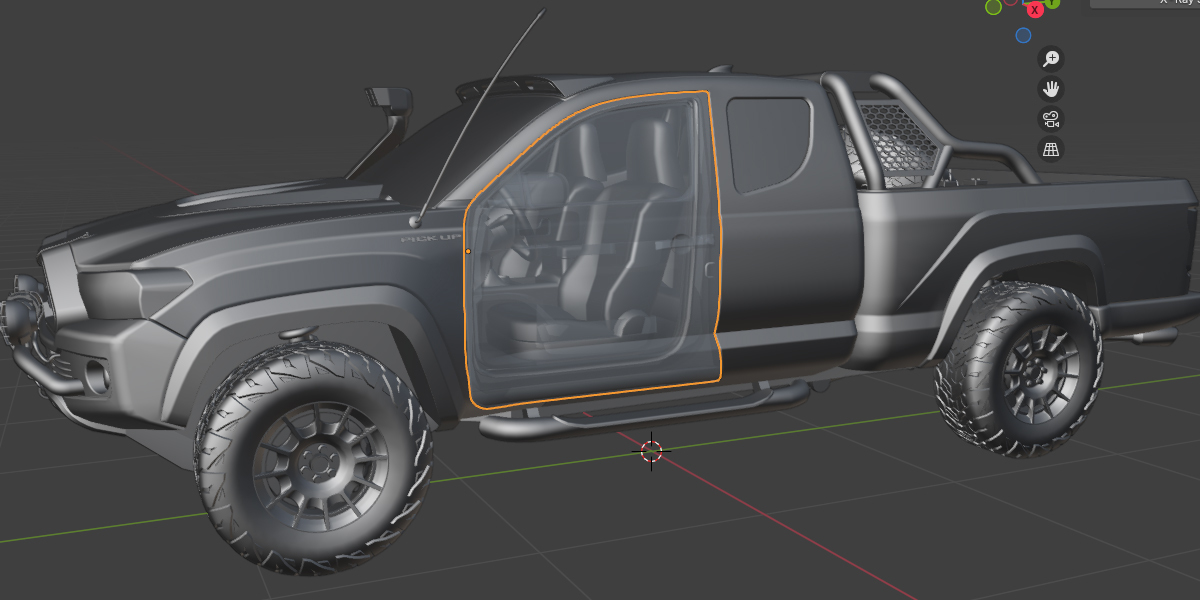 https://www.youtube.com/shorts/hlxCQI7r9sQ https://blendermarket.com/products/x-ray-to-selection Elevate your Blender workflow with the innovative X‑Ray Toggle for Selection addon. Designed for artists and designers who crave precision and efficiency, this powerful tool lets you effortlessly switch your selected objects to…
 -
Re: Unreal Engine 4 - Repeating meshes VS lightmap quality.
 More transforms do have a cost. So placing multiple versions an object can actually take up more memory than a large single object. However this depends on how much memory your first object takes up. So there is a threshold where it's better to join objects together. And there's another threshold higher up where it's…
 -
Re: Noob Learning Challenge, Dark Aribeth (NSFW)
 14. Preparing for Bake - Exploding The purpose of exploding your mesh is to give each object its own space, which will give you cleaner bakes. If you bake normal maps for example, and your scene has many objects within close proximity of each other, then you will get baking errors caused by the program not being able to…
 -
Re: [WIP] Stormveil Castle - Isometric Game Environment

 Another update showing how the project is currently looking and how I'm masking the objects in front of the player. Initially, the walls and floors were only a plane, and the transparency came from backface culling, but I wanted the structure to feel more solid, so I decided to add depth to the walls, floors and ceilings.…
 -
Re: ddo scratches repeating
 It's the new quixel suite... the whole scratch and dirt thing works great, mostly on smaller objects or with a lot "different parts" but when using bigger and flat obejcts you can see like in my posted picture how the dirt, scratches etc... are repeating... The texture size is 4096 by the way
>26394 results